Lost and Found: A Simmer’s Guide to Recovering Missing Graves in The Sims 4
Fast answer first. Then use the tabs or video for more detail.
- Watch the video explanation below for a faster overview.
- Game mechanics may change with updates or patches.
- Use this block to get the short answer without scrolling the whole page.
- Read the FAQ section if the article has one.
- Use the table of contents to jump straight to the detailed section you need.
- Watch the video first, then skim the article for specifics.
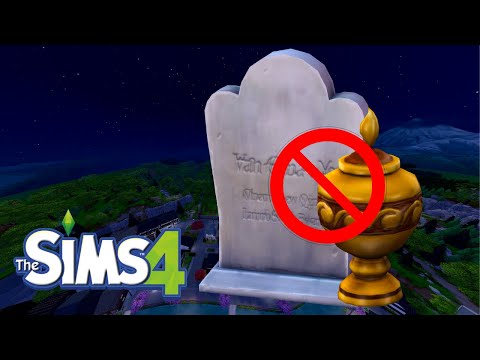
So, a Sim has shuffled off this mortal coil, and their memorial marker has gone AWOL. Don’t fret, fellow Simmer! Finding those missing graves and urns in The Sims 4 can be a bit of a scavenger hunt, but with a few tricks and tips, you’ll be mourning in the right place in no time. The key to finding a missing gravestone or urn often involves retracing your steps and checking the most likely hiding spots.
Understanding Grave Behavior in The Sims 4
Before we dive into the search party, it’s important to understand how the game handles graves and urns. When a Sim dies on a lot, their gravestone (if outside) or urn (if inside) should appear near the spot where they passed away. However, there are several reasons why these markers might disappear, including game glitches, moving lots, or even accidental deletion. Plus, the game isn’t always the best at placing them in obvious locations! They can be tucked behind objects, inside other objects (like a grave inside a grave from a previous Sim’s passing), or even spawned off the visible lot.
The Initial Search: Obvious Spots First
- The Death Zone: Always start by thoroughly inspecting the area where your Sim met their end. Zoom in and rotate the camera to check behind furniture and in corners.
- Household Inventory: This is your first and often best bet. Enter Build Mode on the lot where the Sim died. Look for the Household Inventory panel in the lower-left corner. Gravestones and urns often wind up here, especially if the lot was moved or renovated.
- Family Inventory: Sometimes, a family member will grab it and place it in their personal inventory or on the ground somewhere.
Advanced Tactics for Grave Recovery
If the initial search comes up empty, it’s time to pull out the big guns:
- Hidden Objects Cheat: This cheat is a lifesaver! Open the cheat console by pressing Ctrl + Shift + C and type in bb.showhiddenobjects. Press Enter, then exit and re-enter Build Mode. This unlocks a ton of hidden objects, including some that might be obscuring the grave. Use the search bar in Build Mode and type “Grave” to filter the objects.
- Check Other Lots: If you moved your Sims shortly before or after the death, the gravestone or urn might have accidentally ended up on their previous lot. Visit the old lot and search it thoroughly, including the Household Inventory.
- Edge of the Lot: If the Sim was an NPC, try visiting their homes on the edge of the lot where they died.
- Re-Enabling Ghosts (Indirectly): If you’re less concerned about the specific grave and more about the ghost, try using the Spooky Lot Trait. This encourages ghosts to appear on the lot, even if their graves are missing. You can then use this opportunity to create a new urn as a workaround.
The Nuclear Option: Mods and Repairs
If all else fails, consider these last resorts:
- Mods: Several mods can help you locate lost objects, including graves. Search for “Sims 4 object finder” mods on reputable Sims 4 modding websites. Be sure to read the instructions carefully before installing any mod.
- Game Repair: Sometimes, missing graves are caused by glitches. Repairing your game through the Origin or EA App client can resolve these issues. Right-click on The Sims 4 in your game library and select “Repair.”
- Household Management: You might have lost track of which household the Sim belonged to. Using Manage Households, check all your played households to see if the urn or gravestone is in their household inventory.
Preventing Future Grave Disasters
Here are some preventive measures to avoid losing graves in the future:
- Designate a Graveyard: Create a dedicated area on your lot for graves and urns. This makes them easier to find and manage.
- Avoid Moving Lots Immediately After a Death: Give the game time to properly place the gravestone or urn before moving your Sims.
- Regularly Check Household Inventories: Make it a habit to check your household inventories in Build Mode to ensure nothing is missing.
Frequently Asked Questions (FAQs) About Missing Graves in The Sims 4
1. What happens if a Sim dies off-lot in The Sims 4?
If a Sim dies off-lot (e.g., at work or while visiting another lot), the game should automatically place their urn in the Household Inventory of their home lot. If it’s not there, try visiting the location where they died; it might have spawned nearby.
2. Can I move a gravestone or urn to a different lot?
Yes! In Build Mode, you can pick up and move gravestones and urns just like any other object. This is useful for creating family graveyards or moving memorials to a more prominent location.
3. My Sim’s grave disappeared after a thunderstorm. Is this a bug?
While thunderstorms don’t typically cause graves to disappear, glitches can happen. Try repairing your game through Origin or the EA App. Also, double-check the Household Inventory; the grave might have been moved there accidentally.
4. How do I release a ghost in The Sims 4?
To release a ghost, click on their gravestone or urn and select the “Release to the Netherworld” interaction. This will permanently remove the ghost from your game. Be aware that some ghosts cannot be released (e.g., ghosts that are part of a storyline or challenge).
5. Can I bring a ghost back to life in The Sims 4?
Yes, there are several ways to resurrect a ghost:
* **Ambrosia:** A Sim with high cooking and gardening skills can make Ambrosia, which will bring a ghost back to life after they eat it. * **The Book of Life:** A Sim with maxed-out writing skills and the Bestselling Author aspiration can write the Book of Life, which can be used to resurrect a ghost. * **Realm of Magic Spells:** If you have the Realm of Magic game pack, your Sim can use the **Dedeathify** spell to bring a ghost back to life. 6. What do the different ghost colors mean in The Sims 4?
Ghost colors represent their emotional state at the time of their death, not the cause of death itself. For example, a red ghost might have died angry, while a blue ghost might have died sad. The color impacts their behavior, with angry ghosts potentially damaging objects and happy ghosts performing helpful interactions.
7. Can ghosts have babies in The Sims 4?
No, ghosts cannot get pregnant or have babies naturally. However, there are mods available that allow ghosts to become pregnant or have ghost babies.
8. How do I get a ghost to join my household?
You can invite a ghost to join your household by having a Sim build a high relationship with them. Once the relationship is high enough, the “Invite to Household” interaction will become available.
9. I can’t find the tombstone, but the ghost keeps appearing. How do I make an urn?
Follow these steps: 1. Get the ghost to your lot 2. Add the ghost to your family 3. Bring the ghost back to life 4. Kill them again to spawn a new urn
10. Does the Spooky Lot Trait guarantee ghosts will appear?
While the Spooky Lot Trait increases the likelihood of ghosts visiting your lot, it doesn’t guarantee it. The more Sims who have died in your game, the more likely ghosts are to appear. If no ghosts exist in the game, the game will create one.
11. Can I sell a gravestone or urn?
Yes, you can sell gravestones and urns in Build Mode. However, be cautious, as this will permanently remove the Sim’s memorial from your game.
12. What happens if I delete a gravestone or urn?
Deleting a gravestone or urn permanently removes the Sim’s memorial from your game. The Sim will still appear in the family tree, but their ghost will no longer appear.
13. Can I customize gravestones and urns in The Sims 4?
Yes, you can customize gravestones and urns in Build Mode. You can change their style, color, and add inscriptions.
14. How do I find the secret lots in The Sims 4?
There are two hidden worlds in the base game:
* **Sylvan Glade:** Located in Willow Creek, you need to find a special tree near the Crick Cabana lot and interact with it to discover the entrance. * **Forgotten Grotto:** Located in Oasis Springs, you need to reach level 10 in the Handiness skill and break into the entrance behind Desert Bloom Park. 15. Where do NPCs graves go to?
If it was on Sims 4 then Yes, just go on their home lot when they died, its mostly on the edge of the lot.
Conclusion
Losing a grave in The Sims 4 can be frustrating, but with persistence and the right tools, you can usually recover it. Remember to check the obvious spots first, use the hidden objects cheat, and consider using mods if necessary. By taking preventive measures, you can avoid future grave disasters and keep your Sims’ memories alive. The Games Learning Society is a place where people can learn about games. Check out Games Learning Society at GamesLearningSociety.org for more information.