Understanding DDR5 6000 Timing: A Deep Dive for Gamers and Enthusiasts
Fast answer first. Then use the tabs or video for more detail.
- Watch the video explanation below for a faster overview.
- Game mechanics may change with updates or patches.
- Use this block to get the short answer without scrolling the whole page.
- Read the FAQ section if the article has one.
- Use the table of contents to jump straight to the detailed section you need.
- Watch the video first, then skim the article for specifics.
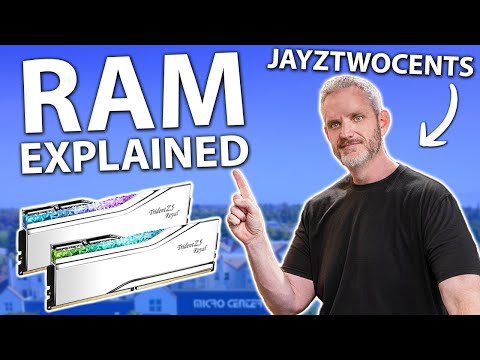
DDR5 6000 memory typically operates with timings around CL30-CL40, depending on the specific kit and manufacturer. While specific kits vary, a common configuration might be 30-36-36-76 or 40-40-40-80, with the lower numbers generally indicating better performance due to reduced latency. The voltage is generally set at 1.35V but could change at 1.4V or 1.45V for high performance RAM. Let’s delve deeper into what this means and why it matters for your system’s performance.
Decoding DDR5 Timings
Understanding DDR5 timings is crucial for optimizing your system’s performance, especially for gaming and other demanding applications. These timings, often represented as a series of numbers (e.g., 30-36-36-76), dictate how quickly the memory can access and process data. Let’s break down each component:
- CAS Latency (CL): The most commonly cited timing, CL represents the number of clock cycles it takes for the memory to respond to a command. A lower CL generally translates to quicker response times.
- tRCD (RAS to CAS Delay): This is the number of clock cycles required between the activation of a row and the activation of a column within the memory array.
- tRP (Row Precharge Time): The number of clock cycles needed to deactivate a row, allowing a new row to be accessed.
- tRAS (Row Active Time): The minimum number of clock cycles a row must be active for before it can be precharged.
Lower numbers across these timings generally indicate better performance, as the memory can access and process data more quickly. However, achieving lower timings often requires higher quality memory chips and potentially higher voltages.
The Significance of DDR5 6000
DDR5 6000 has emerged as a “sweet spot” frequency, particularly for AMD Ryzen 7000 series processors. This is because the memory controller on these CPUs is optimally configured to run at a 1:1 ratio with the memory frequency at 6000MHz. This 1:1 ratio, also known as the IFC ratio, minimizes latency and maximizes bandwidth, resulting in improved overall system performance. While Intel 13th and 14th Gen CPUs can benefit from faster memory speeds (6400MHz – 7200MHz), DDR5 6000 provides a balanced price-to-performance ratio.
Impact on Gaming
For gamers, the combination of DDR5 speed and timings directly impacts frame rates, loading times, and overall smoothness of gameplay. A faster memory speed with tighter timings ensures that data is readily available to the CPU and GPU, reducing bottlenecks and allowing for a more responsive and immersive gaming experience. While the performance gains may not be dramatic in every game, they can be significant in CPU-bound titles or when running high refresh rate monitors.
XMP and EXPO Profiles
To simplify the process of setting up your memory, most DDR5 kits come with XMP (Intel Extreme Memory Profile) and EXPO (AMD Extended Profiles for Overclocking) profiles. These profiles contain pre-configured timings and voltages that allow you to easily overclock your memory to its rated specifications with a few clicks in the BIOS. Using XMP or EXPO is generally recommended for achieving optimal performance, as the default JEDEC timings are often conservative.
Fine-Tuning Your Memory
While XMP and EXPO provide a convenient way to overclock your memory, you can further fine-tune the timings and voltages for even better performance. This requires some experimentation and knowledge of memory overclocking, but it can yield noticeable improvements. Remember to stress test your memory after making any adjustments to ensure stability. The Games Learning Society promotes experimentation and learning, and optimizing your system is a great way to apply those principles. You can visit GamesLearningSociety.org to learn more.
Choosing the Right DDR5 6000 Kit
When selecting a DDR5 6000 kit, consider the following factors:
- Timings: Look for kits with lower CL timings (e.g., CL30, CL32, CL36) for better latency.
- Capacity: 32GB (2x16GB) is generally recommended for gaming and content creation, providing ample headroom for demanding applications.
- Compatibility: Ensure that the memory kit is compatible with your motherboard and CPU. Check the motherboard’s QVL (Qualified Vendor List) for a list of tested and supported memory modules.
- Cooling: Some high-performance DDR5 kits come with integrated heat spreaders to improve cooling and stability, especially when overclocking.
- Price: Balance performance with your budget. While faster memory with tighter timings can improve performance, the gains may not always justify the higher cost.
By carefully considering these factors, you can choose a DDR5 6000 kit that provides the optimal balance of performance, stability, and value for your system.
Frequently Asked Questions (FAQs)
Here are some frequently asked questions to further clarify DDR5 6000 timings and their impact:
1. What are typical timings for DDR5 6000 memory?
Typical timings for DDR5 6000 memory range from CL30 to CL40. Common configurations include 30-36-36-76 or 40-40-40-80. Lower CL timings generally result in better performance.
2. What is the ideal CAS latency (CL) for DDR5 6000?
The ideal CAS latency for DDR5 6000 is CL36 or lower. Kits with CL30 or CL32 offer excellent performance but may come at a higher price.
3. Does lower CAS latency always mean better performance?
Yes, in most scenarios, lower CAS latency improves performance. It reduces the delay between the memory controller requesting data and the memory module providing it.
4. How important are the other timings (tRCD, tRP, tRAS) compared to CAS latency?
While CAS latency is often highlighted, all timings contribute to overall memory performance. Lower numbers across all timings are generally better.
5. Will DDR5 6000 with CL40 perform worse than DDR4 3200 with CL16?
Not necessarily. Despite the higher CL, DDR5 6000 has a much higher bandwidth, which can often offset the latency difference. DDR5 also has on-die ECC which improves stability and signal integrity.
6. What is XMP and EXPO, and how do they relate to DDR5 6000 timings?
XMP (Intel Extreme Memory Profile) and EXPO (AMD Extended Profiles for Overclocking) are pre-configured profiles that allow you to easily set your memory to its rated speed and timings. They simplify the overclocking process by automatically applying the optimal settings.
7. Can I manually adjust the timings of DDR5 6000 memory in the BIOS?
Yes, you can manually adjust the timings of DDR5 6000 memory in the BIOS. This allows for further fine-tuning and optimization, but it requires some knowledge of memory overclocking.
8. What voltage should I use for DDR5 6000 memory?
The recommended voltage for DDR5 6000 memory is typically 1.35V. Some high-performance kits may require up to 1.45V. Always refer to the manufacturer’s specifications.
9. How does DDR5 6000 affect gaming performance?
DDR5 6000 can improve gaming performance by reducing loading times, increasing frame rates, and improving overall smoothness. The gains are most noticeable in CPU-bound games and at high refresh rates.
10. Is DDR5 6000 compatible with all motherboards and CPUs?
Not all motherboards and CPUs support DDR5 6000. Check the motherboard’s QVL (Qualified Vendor List) and the CPU’s specifications to ensure compatibility.
11. What is the “sweet spot” for DDR5 memory with AMD Ryzen 7000 series processors?
The “sweet spot” for DDR5 memory with AMD Ryzen 7000 series processors is DDR5 6000, as it allows for a 1:1 IFC ratio between the memory controller and the memory frequency.
12. What is the sweet spot for Intel DDR5?
Intel 13th and 14th Gen CPUs perform best when running DDR5 at speeds between 6,400MT/s and 7,200MT/s.
13. How much RAM (capacity) is recommended for gaming with DDR5 6000?
32GB (2x16GB) is generally recommended for gaming with DDR5 6000, providing ample headroom for demanding games and multitasking.
14. What are JEDEC timings for DDR5 6000?
JEDEC timings are the standardized default timings for DDR5 memory. They are typically more conservative (e.g., 40-40-40) than the XMP/EXPO profiles. DDR5 the timings are 40-40-40/46-46-46/50-50-50 respectively.
15. Will I see a significant performance difference between DDR5 6000 CL30 and DDR5 6000 CL36?
The performance difference between DDR5 6000 CL30 and DDR5 6000 CL36 may be noticeable in benchmarks and some applications, but it may not be significant in all games. The degree of impact will depend on the specific workload and the overall system configuration.