Are Xbox Controllers USB-C or Micro USB?
Fast answer first. Then use the tabs or video for more detail.
- Watch the video explanation below for a faster overview.
- Game mechanics may change with updates or patches.
- Use this block to get the short answer without scrolling the whole page.
- Read the FAQ section if the article has one.
- Use the table of contents to jump straight to the detailed section you need.
- Watch the video first, then skim the article for specifics.
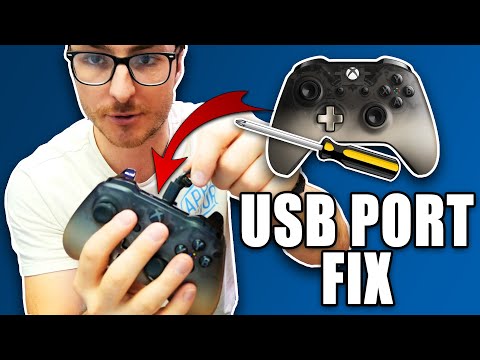
The answer to this question depends on the specific Xbox controller model you’re referring to. While older Xbox controllers primarily used Micro USB for charging and wired connections, the newer generation has transitioned to USB-C. To be precise, Xbox Series X|S Wireless Controllers feature a USB-C port, whereas Xbox One controllers largely use Micro USB. Understanding this distinction is crucial for correctly charging your controller and selecting compatible accessories.
The Evolution of Xbox Controller Ports
The change from Micro USB to USB-C in Xbox controllers reflects broader trends in consumer electronics. USB-C is a more versatile and advanced standard, offering faster charging speeds and improved data transfer capabilities. Let’s delve deeper into the specifics of each port type.
Micro USB on Xbox One Controllers
The Xbox One controller, which was initially released with the console, primarily utilizes Micro USB for both charging and wired gameplay. If you have an Xbox One, Xbox One S, or Xbox One X controller, you’ll likely find a Micro USB port on the top edge of the controller, above the Xbox button. This Micro USB port is used in conjunction with either an official Xbox Play & Charge Kit (which previously came with a Micro USB cable) or any compatible Micro USB cable to charge rechargeable battery packs. You can also use regular AA batteries, which do not use the port for power.
Micro USB has been a standard for many years, used in various devices like smartphones, cameras, and older gaming peripherals. However, its limitations are evident when compared to the newer USB-C standard. Micro USB is also more delicate and prone to damage.
USB-C on Xbox Series X|S Controllers
The Xbox Series X|S Wireless Controller represents a significant upgrade, featuring a USB-C port for charging and wired connectivity. This USB-C port is also located on the top edge of the controller, above the Xbox button. The switch to USB-C brings numerous benefits. Notably, it facilitates faster charging times, ensuring your controller is ready for action more quickly. It also supports quicker data transfer, beneficial for wired gameplay, though it’s essential to remember that the default pairing method is wireless, via Bluetooth. The adoption of USB-C on the latest generation of Xbox controllers underscores the industry-wide move towards this more robust standard.
Why the Shift to USB-C?
The decision to integrate USB-C into Xbox Series X|S controllers reflects several key factors:
- Faster Charging: USB-C offers higher power delivery, meaning quicker recharge times for controller battery packs. This minimizes downtime, letting you get back to gaming sooner.
- Durability: USB-C connectors are designed to be more robust and resistant to wear and tear compared to the more fragile Micro USB connections. The USB-C port’s oval shape also means it can be plugged in either way, unlike the directional nature of Micro USB.
- Improved Data Transfer: USB-C can transfer data much faster than Micro USB. While not the primary use case for controllers, it allows for more efficient wired data transmission during firmware updates or wired gameplay.
- Industry Standard: USB-C is rapidly becoming the industry standard for charging and data transfer, simplifying the charging ecosystem and making it easier for users with multiple devices.
- Future-Proofing: By adopting USB-C, Microsoft ensures the Xbox controller remains compatible with future accessories and technologies, making them more long-lasting.
Frequently Asked Questions (FAQs)
To provide further clarity, here are 15 frequently asked questions about Xbox controller ports and charging:
1. Can I use a Micro USB cable to charge my Xbox Series X|S controller?
No, you cannot directly charge an Xbox Series X|S controller using a Micro USB cable. These controllers are designed with a USB-C port, which is not compatible with Micro USB.
2. Can I use a USB-C cable to charge my Xbox One controller?
Yes, you can use a USB-C cable if you are using a rechargeable battery pack that supports USB-C. However, the controller itself has a Micro USB port. You will need a third-party charging kit or battery pack with a USB-C port. The official Xbox One Play & Charge Kit originally came with a Micro USB cable, but for the newer controllers and packs, a USB-C cable is required.
3. Does the Xbox Series X|S controller come with a USB-C cable?
Yes, the Xbox Series X|S Wireless Controller typically includes a USB-C cable in the box. This cable can be used for both charging and wired gameplay.
4. Can I use a phone charger to charge my Xbox controller?
Yes, you can use a phone charger with a compatible USB-C or Micro USB cable, depending on your controller model, to charge your Xbox controller. However, ensure the charger meets safety standards.
5. Do Xbox controllers charge through the console’s USB ports?
Yes, you can charge your Xbox controller through any of the console’s USB ports. Simply connect the USB-C or Micro USB cable from your controller to a USB port on your Xbox console.
6. What if my third-party battery pack has a Micro USB connection when my controller is USB-C?
You’ll need to use a USB-C compatible battery pack or a cable that will connect your Micro USB battery pack to the USB-C port of the new controller.
7. Is there any difference in charging time between USB-C and Micro USB?
Yes, USB-C typically offers faster charging speeds compared to Micro USB due to its higher power delivery capacity.
8. Are all USB-C cables the same?
No, not all USB-C cables are the same. There are different types of USB-C cables that vary in charging speed and data transfer capabilities. Use a quality cable that is rated appropriately for charging or data transfer.
9. Will Micro USB become obsolete?
Micro USB is becoming less prevalent, particularly in new devices. While it may still be found on some older devices, USB-C is the direction the technology is going.
10. Can I connect my Xbox controller to a PC with a USB-C cable?
Yes, you can connect your Xbox controller to a PC using a USB-C cable for both charging and playing wired games.
11. Does the Xbox One console have a USB-C port?
No, the Xbox One console does not have a USB-C port. The ports on the Xbox One are primarily USB-A.
12. What is the “Pair” button for on the Xbox controller?
The Pair button is used to sync your controller wirelessly to your console or another compatible device via Bluetooth.
13. Can I charge the Xbox controller without the USB-C or Micro USB port?
Yes, you can charge the controller if you are using the old AA batteries, which do not require any charging port. However, for rechargeable packs, you will always need either a USB-C or Micro USB port depending on the controller and battery pack you are using.
14. How can I check if my Xbox controller is charging?
When connected to a power source, the Xbox button on the controller will pulse. The progress can also be seen on your Xbox console in the upper right-hand corner when you power on the console and sync the controller.
15. Why is USB-C replacing Micro USB?
USB-C is replacing Micro USB due to its increased functionality, faster charging, higher data speeds, and more durable design. It’s a standard capable of handling more requirements, so the industry at large is adopting it.
Conclusion
In summary, the Xbox Series X|S Wireless Controllers utilize USB-C ports for charging and wired connections, while older Xbox One controllers primarily use Micro USB. Understanding the distinctions between these ports is essential for properly charging your controller and choosing compatible accessories. The move to USB-C reflects technological advancement, offering improved performance and future-proofing your gaming experience. Whether you’re using a USB-C or a Micro USB cable, ensuring you’re using the correct connection is crucial for a smooth gaming experience.