Can Two Xbox Consoles Share the Same Account? A Deep Dive into Xbox Account Sharing
Fast answer first. Then use the tabs or video for more detail.
- Watch the video explanation below for a faster overview.
- Game mechanics may change with updates or patches.
- Use this block to get the short answer without scrolling the whole page.
- Read the FAQ section if the article has one.
- Use the table of contents to jump straight to the detailed section you need.
- Watch the video first, then skim the article for specifics.
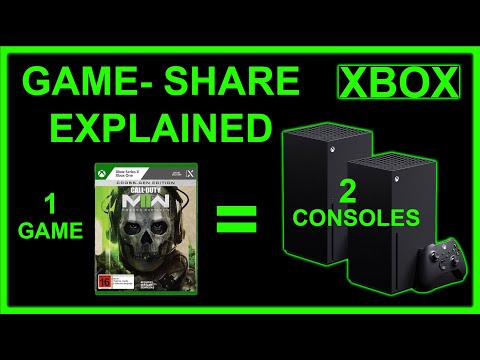
The burning question on many gamers’ minds: Can two Xbox consoles share the same account? The short answer is both yes and no, but with caveats. While you can’t simultaneously be logged into the same Microsoft account on two Xboxes and play different games, the Home Xbox feature allows you to share your games and Xbox Live Gold/Game Pass Ultimate benefits with others on a designated console. It’s a clever workaround, but understanding the details is crucial to avoid confusion.
Understanding the Home Xbox Feature
The Home Xbox feature is the key to sharing content on Xbox. When you designate an Xbox as your “Home Xbox,” anyone who signs in to that console with their own profile can access your digital games, subscriptions (like Xbox Live Gold and Game Pass Ultimate), and other content purchased with your account. Think of it as digitally “lending” your game library to everyone in your household.
This means that if you have two Xboxes – let’s say one in the living room and one in a bedroom – and you set the living room Xbox as your Home Xbox, your son, daughter, spouse, or roommate can play your digital games and enjoy Xbox Live Gold benefits on that console, even if you are not signed in. Meanwhile, you can use your account on the bedroom Xbox to play a different game, but you will need to be logged in.
Setting up Your Home Xbox: A Step-by-Step Guide
Setting up your Home Xbox is a straightforward process:
- Sign in: On the console you want to designate as your Home Xbox, sign in with the Microsoft account that has the games and subscriptions you want to share.
- Navigate to Settings: Press the Xbox button on your controller to open the guide. Go to Profile & system > Settings > General > Personalization > My home Xbox.
- Make it Home: Select “Make this my home Xbox.” If you have already set a Home Xbox on another console, you will be prompted to confirm that you want to switch. You can only change your Home Xbox five times per year.
Once you’ve completed these steps, anyone signing into that Xbox can access your digital content. This feature promotes shared gaming experiences and adds considerable value to Xbox subscriptions.
Limitations and Considerations
While the Home Xbox feature is beneficial, it’s important to understand its limitations:
- One Account at a Time: You cannot be simultaneously signed into the same Microsoft account on two different Xbox consoles and be playing two different games at the same time. If you try, one of the consoles will display an error, and one user will be logged out.
- Digital Only: The Home Xbox feature only works with digital games purchased from the Microsoft Store. Physical games on discs can be played on any Xbox console, but each console requires the disc.
- Five Switches Per Year: You can only change your Home Xbox five times per year. This is designed to prevent abuse of the sharing system.
- Online Connection Required: The “Home Xbox” console can play your games offline, but your account playing on the other (non-Home) Xbox needs an internet connection to verify your license.
Benefits of the Home Xbox Feature
Despite these limitations, the benefits of the Home Xbox feature are significant:
- Cost Savings: By sharing Xbox Live Gold or Game Pass Ultimate, you can avoid paying for multiple subscriptions within the same household.
- Convenience: Family members can easily access a shared library of games without needing to purchase separate copies.
- Accessibility: Even when the primary account holder isn’t signed in, others can still enjoy the benefits of the shared account on the designated Home Xbox.
Alternatives to Home Xbox
Beyond the Home Xbox feature, other options exist for sharing content and benefits within a family:
- Microsoft Family: Microsoft Family allows you to manage family member accounts, set content restrictions, and monitor activity. It’s a useful tool for parents who want to control what their children are playing and accessing online.
- Game Sharing (Informal): While not officially supported, some friends or family members might choose to share account credentials. This is against Microsoft’s terms of service and can lead to account suspension. It is generally not advisable.
- Gifting: You can directly gift digital games and subscriptions to other users through the Microsoft Store.
FAQs: Sharing Xbox Accounts and Content
1. Can two people use the same account on Xbox simultaneously?
No, only one person can be signed into the same Microsoft account on a particular console at a time. If you try to sign in on a second console, the first user will be logged out.
2. Do I need two Xbox Live accounts for two consoles?
No, you only need one Xbox Live Gold or Game Pass Ultimate subscription if you use the Home Xbox feature. By setting one console as your Home Xbox, others on that console can use your subscription benefits.
3. How many Xbox accounts can you have on one console?
You can have up to 10 Xbox accounts on one console. This allows multiple family members or friends to have their own profiles and save their game progress separately.
4. Can two Microsoft accounts share Game Pass Ultimate?
Yes, the primary account holder with Game Pass Ultimate can designate one Xbox as their Home Xbox, allowing anyone who signs into that console to use the Game Pass Ultimate benefits.
5. Can I play my games on another Xbox if they’re digitally purchased?
Yes, you can play your digitally purchased games on any Xbox console. Just sign in with your Microsoft account, and you can download and play your games. However, to play these games on another Xbox that isn’t your home Xbox, you will need to be logged in and have an active internet connection.
6. If I buy a game digitally, can my family play it on their Xbox?
Yes, if you designate their Xbox as your Home Xbox, anyone who signs into that console can access your digital games, even when you’re not signed in.
7. Can I share my Xbox account with a friend who lives in a different house?
While technically possible by sharing your login credentials and setting their Xbox as your Home Xbox, this is against Microsoft’s Terms of Service and can lead to account suspension. It is generally not recommended.
8. How many times can I change my Home Xbox?
You can change your Home Xbox up to five times per year. This limit is in place to prevent abuse of the sharing system.
9. What happens if I try to play the same game on two Xboxes simultaneously with the same account?
One of the consoles will display an error, and you will be prompted to sign out on one of the devices. You cannot play the same game simultaneously on two different Xbox consoles using the same account.
10. Can I share physical games on two Xboxes?
Yes, you can share physical games. However, each console requires the game disc to be inserted to play.
11. What are the benefits of having a Microsoft Family account for Xbox?
Microsoft Family allows you to manage family member accounts, set content restrictions, monitor activity, and manage screen time. It’s a great tool for parents who want to ensure a safe and controlled gaming environment for their children.
12. Can I use Xbox Live Gold on two consoles at the same time if one is set as the Home Xbox?
Yes, as long as one console is set as the Home Xbox. The account with Xbox Live Gold can play on any console, and anyone on the Home Xbox can also enjoy the Gold benefits.
13. What happens if I lose internet connection while playing on a non-Home Xbox?
If you lose internet connection on a non-Home Xbox, you may be unable to continue playing digital games, as the console needs to verify your game license online. The Home Xbox, however, can play games offline.
14. Are there any games that can’t be shared through the Home Xbox feature?
Generally, all digitally purchased games can be shared through the Home Xbox feature. However, some promotional content or in-game items may be tied specifically to the purchasing account and may not be shareable.
15. Where can I learn more about gaming and its impact on society?
To learn more about the positive impact of video games and how they contribute to learning and community, visit the Games Learning Society at GamesLearningSociety.org. This organization explores the educational and social benefits of gaming.
Conclusion
Sharing an Xbox account across two consoles is possible, but it requires understanding the Home Xbox feature and its limitations. By strategically setting up your consoles, you can share games, subscriptions, and enhance the gaming experience for everyone in your household. While sharing account credentials outside your immediate family is discouraged due to potential security risks and violation of terms of service, Microsoft’s features offer a safe and legitimate way to share the fun. Always remember to prioritize account security and adhere to Microsoft’s guidelines to ensure a positive gaming experience for all. This shared experience fosters an environment of fun and learning, mirroring the goals of organizations like the Games Learning Society, which emphasizes the positive impact of gaming on education and social interaction.