Can a 3DS be Charged with USB? The Definitive Guide
Fast answer first. Then use the tabs or video for more detail.
- Watch the video explanation below for a faster overview.
- Game mechanics may change with updates or patches.
- Use this block to get the short answer without scrolling the whole page.
- Read the FAQ section if the article has one.
- Use the table of contents to jump straight to the detailed section you need.
- Watch the video first, then skim the article for specifics.
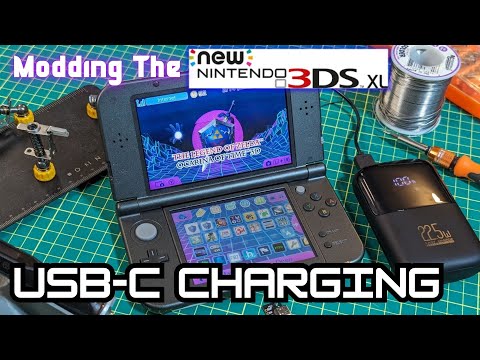
Yes, you can absolutely charge a Nintendo 3DS (including the original 3DS, 3DS XL, 2DS, New 3DS, and New 3DS XL) with a USB cable. However, it’s not as straightforward as plugging it into any USB port you find. Let’s dive into the specifics, clearing up any confusion and providing you with the knowledge you need to keep your handheld gaming machine powered up.
Understanding the 3DS Charging Landscape
The Nintendo 3DS family of consoles predates the widespread adoption of USB-C as the standard for charging. Nintendo opted for a proprietary charging port instead. This means you can’t use a standard phone charger without an adapter or a specific USB cable designed for the 3DS. This decision, made long ago, now feels a bit antiquated in our world of ubiquitous USB charging.
However, fear not! The solution is relatively simple: you need a USB charging cable specifically designed for the Nintendo 3DS. These cables have a standard USB-A connector on one end (the type that plugs into your computer or a USB wall adapter) and the proprietary Nintendo 3DS connector on the other.
How to Charge Your 3DS with USB
Here’s a step-by-step guide to charging your 3DS with a USB cable:
- Acquire a USB Charging Cable: Ensure it’s specifically made for the Nintendo 3DS, 3DS XL, 2DS, New 3DS, or New 3DS XL. These are readily available online and in most electronics stores.
- Connect the Cable: Plug the USB-A end into a USB port on your computer, a USB wall adapter (like a phone charger – make sure it is a 5V adapter!), or a USB power bank.
- Plug into the 3DS: Connect the other end (the 3DS connector) into the charging port on your 3DS console.
- Charging Indicator: The charging indicator LED on your 3DS should light up, usually in orange. This confirms that the console is receiving power and charging.
- Charging Time: Charging time can vary depending on the battery level and the power output of the USB source. Typically, it takes 2-4 hours to fully charge a 3DS.
- Full Charge: Once fully charged, the charging indicator LED will typically turn off or change color (depending on the model), indicating that the battery is full.
Important Considerations for USB Charging
- Power Output: While most USB ports will work, using a higher amperage USB adapter (like those used for tablets) may charge the 3DS faster, but avoid using adapters that exceed 5V. Overpowering the 3DS can potentially damage the battery or circuitry.
- Cable Quality: Invest in a good quality USB charging cable. Cheaply made cables may not provide a stable connection or sufficient power, leading to slower charging or even damage to the 3DS.
- Third-Party Accessories: While Nintendo officially sold AC adapters, the vast majority of USB charging cables for the 3DS are third-party. Read reviews and choose a reputable brand.
- Original AC Adapter: If you have the original AC adapter that came with your 3DS, it’s still a perfectly viable and reliable option for charging. USB charging is often more convenient, but the original adapter is generally just as good, if not faster.
Potential Issues and Troubleshooting
- 3DS Not Charging: If your 3DS isn’t charging when plugged into USB, try a different USB port, a different USB cable, or a different USB adapter.
- Slow Charging: Slow charging can be due to a weak USB port, a poor-quality cable, or a degraded battery.
- Damaged Charging Port: Inspect the charging port on your 3DS for any damage or debris. A damaged port may prevent proper charging.
- Battery Issues: If your 3DS battery is old or heavily used, it may not hold a charge as well as it used to. Consider replacing the battery.
The Educational Value of Games
The Nintendo 3DS, beyond being a fantastic entertainment device, can also be a valuable learning tool. Many games on the platform promote problem-solving, strategic thinking, and even literacy. Learning and gaming go hand in hand, as explored by organizations like the Games Learning Society at https://www.gameslearningsociety.org/. GamesLearningSociety.org investigates how games can be utilized to make an impact in the world.
Frequently Asked Questions (FAQs)
1. Will any USB cable charge my 3DS?
No. You need a USB charging cable specifically designed for the Nintendo 3DS, 3DS XL, 2DS, New 3DS, or New 3DS XL. Standard USB cables like micro-USB or USB-C will not work.
2. Can I use my phone charger to charge my 3DS?
Potentially, yes. If your phone charger has a standard USB-A port and you have a 3DS-specific USB charging cable, you can use it. Make sure the output voltage is 5V. Using a charger with a higher voltage could damage your 3DS.
3. How long does it take to charge a 3DS with USB?
Typically, it takes 2-4 hours to fully charge a 3DS using a USB cable. The charging time can vary based on battery level, cable quality, and power output of the USB source.
4. Can I overcharge my 3DS battery?
Modern devices, including the 3DS, have built-in protection circuits that prevent overcharging. Once the battery is fully charged, the charging process will stop.
5. What does the orange light mean on my 3DS?
The orange light (or a similarly colored light) on your 3DS indicates that the console is currently charging.
6. What does it mean when the orange light goes off on my 3DS?
When the orange light turns off, it usually signifies that the battery is fully charged. However, it could also indicate a charging error or a loose connection.
7. My 3DS isn’t charging at all. What should I do?
- Try a different USB port.
- Try a different USB charging cable.
- Try a different USB adapter.
- Check the charging port on your 3DS for damage or debris.
- Ensure the battery is not completely dead. Let it charge for at least 15 minutes before attempting to power it on.
8. Can I charge my 3DS while playing?
Yes, you can charge your 3DS while playing. However, this may increase the charging time.
9. Is it safe to use a cheap, generic USB charging cable?
While it might work, it’s generally recommended to avoid extremely cheap, generic cables. They may be poorly made and could potentially damage your 3DS or charge it inefficiently. Invest in a reputable brand.
10. Will a USB 3.0 port charge my 3DS faster?
USB 3.0 ports can often provide more power than USB 2.0 ports, but the difference in charging speed for a 3DS may not be significant. The 3DS itself has limitations on how much power it can draw.
11. Can I use a power bank to charge my 3DS?
Yes, you can use a power bank to charge your 3DS, as long as it has a standard USB-A output port and you have a 3DS-specific USB charging cable.
12. Does the New 3DS charge differently than the original 3DS?
No, the charging process is the same for the New 3DS, New 3DS XL, original 3DS, 3DS XL, and 2DS models. They all use the same proprietary charging port.
13. Where can I buy a replacement battery for my 3DS?
Replacement batteries for the 3DS are available online from various retailers. Be sure to purchase a battery that is specifically designed for your 3DS model.
14. Is it normal for the 3DS to get warm while charging?
Yes, it’s normal for the 3DS to get slightly warm while charging. However, if it becomes excessively hot, disconnect it immediately and investigate the issue.
15. How can I extend the battery life of my 3DS?
- Lower the screen brightness.
- Turn off Wi-Fi when not in use.
- Disable 3D mode.
- Close unused applications.
- Keep the console in a cool environment.
By following these guidelines, you can confidently charge your Nintendo 3DS with USB and keep the gaming fun going!