Can a PlayStation 4 Be Repaired? A Comprehensive Guide
Fast answer first. Then use the tabs or video for more detail.
- Watch the video explanation below for a faster overview.
- Game mechanics may change with updates or patches.
- Use this block to get the short answer without scrolling the whole page.
- Read the FAQ section if the article has one.
- Use the table of contents to jump straight to the detailed section you need.
- Watch the video first, then skim the article for specifics.
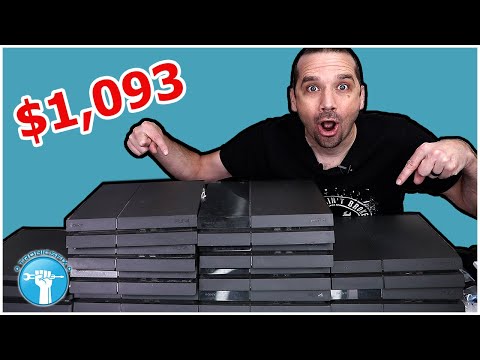
Absolutely! A PlayStation 4 (PS4), like any electronic device, is susceptible to malfunction. The good news is that in most cases, a PS4 can indeed be repaired. Whether it’s a minor issue like a faulty HDMI port or a more complex problem such as a failing hard drive, skilled technicians can diagnose and fix a wide range of problems, breathing new life into your beloved console. This article delves into the ins and outs of PS4 repairs, exploring common issues, repair options, and essential information to help you get back to gaming.
Understanding Common PS4 Issues
Before diving into repair options, it’s crucial to understand the common ailments that can plague a PS4:
- Overheating: This is a frequent culprit, often caused by dust buildup obstructing airflow. Overheating can lead to performance issues, freezes, and even permanent damage.
- Hard Drive Failure: The hard drive is where your games, saves, and system software reside. A failing hard drive can result in slow loading times, game crashes, or the dreaded “corrupted database” error.
- HDMI Port Problems: A damaged HDMI port prevents the console from transmitting video and audio to your TV. This can be caused by physical damage or electrical issues.
- Power Supply Issues: The power supply unit (PSU) provides electricity to the console. A faulty PSU can prevent the PS4 from turning on at all.
- Disc Drive Problems: The disc drive might fail to read discs, eject them unexpectedly, or make unusual noises.
- Software Glitches: Software problems can lead to freezes, errors, and system instability.
- Controller Connectivity Issues: Problems connecting the controller to the console.
Repair Options: Choosing the Right Path
Once you’ve identified a problem with your PS4, you have several repair options to consider:
- Professional Repair Services: Companies like Asurion and uBreakiFix specialize in console repairs. They have experienced technicians, access to quality parts, and offer warranties on their work. This is a reliable option for complex issues.
- Sony PlayStation Support: Sony offers a repair service for out-of-warranty consoles, but there will be a charge.
- Local Repair Shops: Many independent electronics repair shops can fix PS4s. Be sure to research their reputation and experience before entrusting them with your console.
- Do-It-Yourself (DIY) Repair: For those comfortable with electronics repair, DIY is an option. However, it’s important to proceed with caution, as improper repairs can cause further damage. Online resources such as iFixit offer detailed guides and parts for various PS4 repairs.
Factors to Consider When Choosing a Repair Option
Several factors should influence your choice of repair option:
- Cost: Repair costs vary depending on the problem and the service provider. Get quotes from multiple sources before making a decision.
- Warranty: If your PS4 is still under warranty, Sony or the retailer may cover the repair costs. Always check your warranty status first.
- Complexity of the Problem: Simple issues, like cleaning dust, can be handled DIY. Complex problems, such as hard drive replacement or HDMI port repair, are best left to professionals.
- Turnaround Time: How quickly do you need your console back? Repair times vary depending on the service provider and the complexity of the problem.
- Risk Tolerance: DIY repairs can be risky. If you’re not comfortable working with electronics, it’s best to seek professional help.
Essential Tips for Maintaining Your PS4
Preventative maintenance can significantly extend the lifespan of your PS4:
- Keep it Clean: Regularly clean the console’s exterior and vents to prevent dust buildup.
- Ensure Proper Ventilation: Place the console in a well-ventilated area, away from direct sunlight and heat sources.
- Use a Surge Protector: Protect the console from power surges by using a surge protector.
- Avoid Overuse: Give the console breaks to prevent overheating, especially during long gaming sessions.
- Handle with Care: Avoid dropping or bumping the console.
Frequently Asked Questions (FAQs) About PS4 Repairs
1. What causes a PS4 to stop working?
The reasons can range from hard drive issues, software glitches, power supply failure, overheating, and even physical damage to components like the HDMI port. A systematic diagnosis is often needed to pinpoint the exact cause.
2. Can I fix my PS4 myself if it won’t turn on?
Potentially, yes. Start by checking the power cord and outlet. If that doesn’t work, consult online guides or videos to troubleshoot common issues like a faulty power supply. However, proceed with caution, and if you’re not comfortable, seek professional help.
3. Is it worth repairing a PS4, or should I just buy a new one?
This depends on the cost of the repair and the age and condition of your PS4. If the repair cost is a significant portion of the price of a new console, it might be more economical to upgrade. However, if the repair is relatively inexpensive, it’s often worth it to extend the life of your PS4.
4. How much does it cost to repair a PS4 HDMI port?
The cost to repair a PS4 HDMI port typically ranges from $80 to $150, depending on the repair service and the complexity of the repair.
5. How much does it cost to replace a PS4 hard drive?
Replacing a PS4 hard drive usually costs between $100 and $200, including the cost of the new hard drive and the labor.
6. Where can I buy replacement parts for my PS4?
You can buy replacement parts for your PS4 from online retailers like Amazon, eBay, and specialized electronics parts suppliers. Be sure to purchase from reputable sources to ensure quality.
7. How long does a PS4 repair typically take?
Repair times vary depending on the problem and the repair service. Simple repairs can take a few hours, while more complex repairs can take several days.
8. Can GameStop fix my PS4?
No, GameStop does not offer console repair services. They may offer trade-in credit for broken consoles.
9. Does Sony fix PS4 consoles for free?
No, Sony only fixes PS4 consoles for free if they are still under warranty. Out-of-warranty repairs are subject to a fee.
10. What is the warranty period for a PS4?
The standard warranty period for a PS4 is one year from the date of purchase.
11. Can I sell my broken PS4?
Yes, you can sell your broken PS4 to companies that specialize in buying used or broken electronics. You can even trade it for credit at some retailers.
12. Is it safe to buy a refurbished PS4?
Yes, buying a refurbished PS4 from a reputable retailer can be a good way to save money. Be sure to check the warranty and return policy before making a purchase.
13. What is the Blue Light of Death on a PS4?
The “Blue Light of Death” (BLOD) is a common issue where the PS4’s power light pulses blue continuously without turning white, indicating a serious hardware or software problem.
14. How do I prevent my PS4 from overheating?
Ensure proper ventilation, clean dust regularly, and avoid prolonged gaming sessions without breaks. Consider using a cooling fan accessory.
15. What can I do with my old PlayStation?
You can reuse it by gifting or donating it. Resell your device after wiping your data. Recycle your console through responsible e-waste programs. You can always find ways to reuse tech and share the importance of games with the Games Learning Society and visit GamesLearningSociety.org to find out ways to get involved in game design.
In conclusion, while a malfunctioning PS4 can be frustrating, it’s often repairable. By understanding common issues, exploring repair options, and taking preventative maintenance measures, you can keep your console running smoothly and enjoy countless hours of gaming.