Can GeForce Run Fortnite? A Comprehensive Guide
Fast answer first. Then use the tabs or video for more detail.
- Watch the video explanation below for a faster overview.
- Game mechanics may change with updates or patches.
- Use this block to get the short answer without scrolling the whole page.
- Read the FAQ section if the article has one.
- Use the table of contents to jump straight to the detailed section you need.
- Watch the video first, then skim the article for specifics.
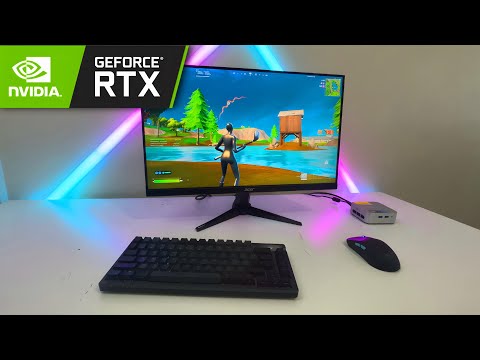
Yes, absolutely! GeForce, encompassing both NVIDIA GeForce graphics cards and the GeForce NOW cloud gaming service, can indeed run Fortnite. However, the way you experience Fortnite through GeForce varies significantly. This article breaks down how different aspects of GeForce interact with Fortnite, offering a complete picture for anyone looking to play the game. Whether you’re interested in playing on your local PC or through cloud streaming, this guide will cover all your bases.
GeForce Graphics Cards and Fortnite
Powering Local Gameplay
When we talk about GeForce graphics cards, we’re referring to the physical hardware installed in your computer. These cards are responsible for rendering the game’s visuals, from the vibrant landscapes to the intense battles. The performance you experience is directly linked to the power of your GeForce GPU.
- Entry-Level Gaming: For players on a budget, cards like the NVIDIA GTX 1650 or the AMD Radeon RX 6500 XT are viable options for playing Fortnite. These cards can typically handle 1080p resolution with 60 FPS, though you may need to adjust some graphical settings.
- Mid-Range Performance: For a smoother, more visually impressive experience, consider cards such as the NVIDIA RTX 3060 Ti or the AMD Radeon RX 6650 XT. These cards enable 1440p resolution gameplay at 60+ FPS with higher graphical settings.
- High-End Enthusiasts: If you want the absolute best visuals and framerates, then an NVIDIA RTX 3080, RTX 3090, or even the latest RTX 4090 are the way to go. These cards can handle 4K resolution, high refresh rates (120+ FPS), and ray tracing for the best possible visual experience.
It’s worth noting that the GeForce Experience software is a powerful tool that is often bundled with these cards. This software helps you optimize game settings, record gameplay highlights using the ShadowPlay Highlights feature, and update drivers for the best performance. Fortnite is fully supported by GeForce Experience.
Optimizing Your Experience
- ShadowPlay Highlights: This feature automatically records your best moments in Fortnite, such as kills, deaths, and Victory Royales.
- Driver Updates: Keep your GeForce drivers up to date to ensure the best possible performance and compatibility with Fortnite.
- Game Optimization: The GeForce Experience can suggest optimal graphical settings for your specific hardware.
GeForce NOW: Cloud Gaming and Fortnite
Streaming Fortnite to Almost Any Device
The GeForce NOW cloud gaming service allows you to stream Fortnite to a wide range of devices, including PCs, Macs, Android devices, Android TVs, and LG TVs. This means you don’t need a high-end gaming PC to play the game. GeForce NOW streams the game directly from powerful servers, allowing you to play on devices that wouldn’t normally be capable of running Fortnite.
- Free Tier: Free members have access to basic rigs capable of streaming games at up to 1080p resolution and 60 FPS.
- Paid Tiers: Paid memberships provide access to premium rigs that can stream at higher resolutions and refresh rates.
- Cross-Platform Compatibility: GeForce NOW provides seamless access to your Epic Games Store library, allowing you to play Fortnite on any supported device.
Setting Up GeForce NOW for Fortnite
Connecting Fortnite to GeForce NOW is straightforward:
- Install the GeForce NOW App: On your device, install the appropriate app.
- Log In: Use your GeForce NOW account to log in.
- Connect Epic Games: Go to Settings > Connections and connect your Epic Games account.
- Launch Fortnite: Find Fortnite in the library and start playing.
Considerations for Cloud Gaming
While GeForce NOW provides a convenient way to play Fortnite, there are a few factors to keep in mind:
- Internet Connection: You need a strong, stable internet connection. NVIDIA recommends at least a 35Mbps connection for smooth performance.
- Latency: Cloud gaming introduces latency. While GeForce NOW is designed to minimize it, it’s still an important factor to consider, especially for competitive play.
- Bandwidth Usage: Cloud gaming consumes a significant amount of bandwidth. Limit other network usage while playing.
- Possible Issues: You might encounter occasional lag, disconnects, and buffering if your internet isn’t optimal.
Conclusion
In conclusion, GeForce can certainly run Fortnite in two distinct ways: via physical GeForce graphics cards on a local PC, and through the GeForce NOW cloud gaming service. Which option is right for you depends on your setup, your needs, and your budget. Both approaches offer a fantastic way to enjoy Fortnite. Regardless of which option you choose, always aim to keep your drivers updated, your internet connection strong, and your gameplay settings optimized.
Frequently Asked Questions (FAQs)
1. Is GeForce NOW free?
Yes, GeForce NOW offers a free tier, providing access to basic rigs capable of streaming games at up to 1080p and 60 FPS. Paid tiers offer access to higher-performance servers, and additional features.
2. Does GeForce NOW support Fortnite on mobile?
Yes, GeForce NOW supports Fortnite on Android devices. The mobile version is optimized with touch-screen controls, allowing you to use your phone as a controller.
3. What’s a good FPS for Fortnite?
While 30-60 FPS is adequate, a higher FPS is preferable for a smoother experience. Ideally, aiming for 120-240 FPS will give you a competitive edge in Fortnite.
4. What is the minimum graphics card required for Fortnite?
The minimum graphics card for Fortnite is the Intel HD 4000 or a discrete card like the Nvidia GTX 660 or the AMD Radeon HD 7870. The minimum required video memory is 2GB.
5. Is Fortnite easier on PC with GeForce?
PC offers better controls for building and aiming, but it’s not necessarily easier. Console players can utilize auto-aim, which is not available on the PC version of the game. A dedicated PC player using GeForce graphics can however have an advantage given the better control, higher resolution and FPS.
6. Can a GTX 1650 run Fortnite?
Yes, the Nvidia GTX 1650 can comfortably run Fortnite at 1080p, though you might need to adjust settings for optimal performance.
7. Why is my GeForce NOW lagging?
Lagging on GeForce NOW is usually due to a weak or unstable internet connection. Reducing other network traffic, moving closer to your router, and using a 5GHz channel can help.
8. Is GeForce NOW reliable?
GeForce NOW is generally reliable but relies heavily on your internet connection. If your connection is good, the experience is close to playing on a local PC.
9. What if my internet is slow with GeForce NOW?
If your internet is slow, you may experience issues with lag, buffering, and resolution. Ensure you meet the minimum recommended bandwidth requirements, especially for paid tiers.
10. Can I play my existing Epic Games Store Fortnite on GeForce NOW?
Yes, GeForce NOW supports games from multiple digital game stores including the Epic Games Store. You can play Fortnite if it’s in your Epic library.
11. Is a GTX 1650 overkill for Fortnite?
The GTX 1650 is not overkill for Fortnite; it’s a solid entry-level option for achieving decent performance at 1080p.
12. Does GeForce Experience work with Fortnite?
Yes, GeForce Experience fully supports Fortnite. It allows you to optimize game settings, update drivers, and use the ShadowPlay Highlights feature.
13. What is the best GPU for Fortnite?
The best GPUs for Fortnite include high-end options such as the NVIDIA RTX 3090, RTX 2080 Ti, and RTX 3080. However, these are more expensive and not necessary for playable performance.
14. How do I enable GeForce ShadowPlay Highlights for Fortnite?
When you first launch Fortnite with GeForce Experience, you will be prompted to enable ShadowPlay Highlights. If you miss it, you can go to GeForce Experience settings and enable it for Fortnite there.
15. Is 60 FPS bad for Fortnite?
No, 60 FPS is not bad for Fortnite, however it’s considered the lower end of the performance spectrum. For a competitive edge, higher frame rates like 120+ FPS are generally preferred.