Can GTA 5 Run on an i3 3rd Gen Processor? The Definitive Guide
Fast answer first. Then use the tabs or video for more detail.
- Watch the video explanation below for a faster overview.
- Game mechanics may change with updates or patches.
- Use this block to get the short answer without scrolling the whole page.
- Read the FAQ section if the article has one.
- Use the table of contents to jump straight to the detailed section you need.
- Watch the video first, then skim the article for specifics.
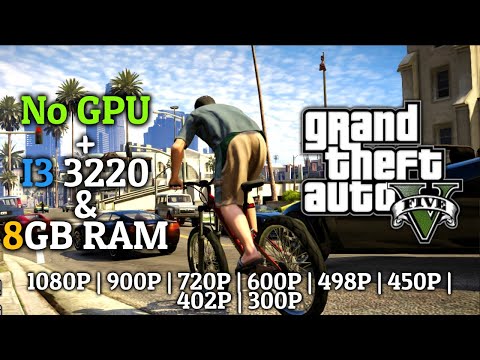
Yes, GTA 5 can technically run on an Intel Core i3 3rd generation processor. However, before you get too excited and start planning your heists, there are significant caveats to consider. Prepare yourself for a deep dive into performance expectations, necessary settings adjustments, and crucial hardware considerations. The experience won’t be smooth sailing, but it’s possible to cruise through Los Santos (with some bumps along the way) if you manage your expectations and tweak your settings appropriately.
Understanding the i3 3rd Gen’s Capabilities
The Intel Core i3 3rd generation processors, released around 2012, were solid performers for their time. Built on the Ivy Bridge architecture, these dual-core CPUs (with Hyper-Threading, effectively allowing them to handle four threads) provided a decent entry point for gaming and everyday tasks. However, GTA 5 is a demanding game, and the i3 3rd gen falls far below today’s gaming standards. The i3 3rd gen processors simply lack the raw horsepower found in modern quad-core or higher CPUs.
Key Hardware Considerations Beyond the Processor
While the processor is essential, it’s not the only factor. Here’s a breakdown of other critical components:
- Graphics Card (GPU): This is arguably more important than the processor for GTA 5. An integrated GPU like Intel HD Graphics 2500 or 4000 will struggle immensely. A dedicated graphics card (even a relatively older one) is highly recommended. Aim for at least an NVIDIA GeForce GTX 650 or an AMD Radeon HD 7770.
- RAM: 8GB of RAM is highly recommended. While technically, GTA 5 can run on 4GB, you’ll experience frequent stuttering and slow loading times. With 8GB, the game will allocate enough resources to properly run without the need to constantly access the hard drive, which significantly slows down the experience.
- Storage: An SSD (Solid State Drive) is strongly recommended over a traditional HDD (Hard Disk Drive). The vastly faster read and write speeds of an SSD will drastically reduce loading times and improve overall responsiveness, even with lower graphical settings.
- Operating System: A 64-bit version of Windows 7, 8.1, or 10 is a must. GTA 5 requires a 64-bit OS to properly utilize system memory.
Performance Expectations and Settings Adjustments
With an i3 3rd gen and a suitable (but older) graphics card, expect to play GTA 5 at 720p resolution with low settings. Frame rates will likely hover around 30 FPS (frames per second), with occasional dips below, especially during demanding scenes like high-speed chases or explosions. The game may look noticeably less detailed than what you’re used to seeing in modern titles.
Here’s a breakdown of settings you should adjust:
- Resolution: 1280×720 (720p) is the sweet spot.
- Texture Quality: Set to “Normal” or “Low.”
- Shader Quality: Set to “Normal” or “Low.”
- Shadow Quality: Set to “Normal” or “Low.” Disable “Long Shadows.”
- Reflection Quality: Set to “Normal” or “Low.”
- Water Quality: Set to “Normal” or “Low.”
- Grass Quality: Set to “Normal” or “Low.” This setting can have a significant impact on performance.
- Anti-Aliasing: Disable FXAA and MSAA.
- Population Density/Variety/Distance Scaling: Reduce these sliders to their minimum values.
- VSync: Experiment with enabling or disabling VSync to see if it improves smoothness on your system.
Optimizing Your System for GTA 5
Beyond in-game settings, consider these system optimizations:
- Update Graphics Drivers: Ensure you have the latest drivers for your graphics card.
- Close Unnecessary Applications: Before launching GTA 5, close any programs running in the background that consume system resources (web browsers, music players, etc.).
- Defragment Your Hard Drive (if using an HDD): Regular defragmentation can improve HDD performance.
- Monitor Temperatures: Keep an eye on your CPU and GPU temperatures to ensure they’re not overheating, which can cause performance throttling.
- Consider Overclocking (with Caution): If you’re comfortable with it, overclocking your CPU and GPU (within safe limits) can provide a small performance boost. However, proceed with extreme caution and research, as overclocking can damage your hardware if not done correctly.
Mitigating Lag and Stuttering
Even with optimized settings, you may still experience lag and stuttering. Here are a few more troubleshooting tips:
- Lower Resolution Further: If performance is still poor, try reducing the resolution to 1024×768 or even lower.
- Clean Install of Windows: A fresh Windows install can eliminate software conflicts and improve overall system performance.
- Upgrade Your Hardware (if possible): Ultimately, the best solution is to upgrade your CPU, GPU, and RAM.
The Verdict: Playable, But Not Ideal
While GTA 5 can run on an i3 3rd gen, the experience will be far from ideal. Expect low settings, low resolution, and inconsistent frame rates. However, if you’re willing to make compromises and carefully optimize your system, it’s possible to enjoy the game. If you are interested in learning more about games and the learning process, check out the Games Learning Society at GamesLearningSociety.org.
Frequently Asked Questions (FAQs)
Here are 15 frequently asked questions about running GTA 5 on an i3 3rd generation processor:
1. Will GTA 5 run on an i3 3rd gen without a dedicated graphics card?
Technically, yes, but the performance will be abysmal. Expect single-digit frame rates and an unplayable experience. A dedicated graphics card is virtually essential.
2. What’s the minimum graphics card I need to play GTA 5 on an i3 3rd gen?
An NVIDIA GeForce GTX 650 or AMD Radeon HD 7770 would be the absolute minimum. A slightly more powerful card would be highly recommended for a better experience.
3. How much RAM do I need to play GTA 5 on an i3 3rd gen?
8GB of RAM is highly recommended. 4GB might technically work, but you’ll encounter frequent stuttering and slow loading times.
4. Will an SSD improve performance with an i3 3rd gen?
Absolutely. An SSD will significantly reduce loading times and improve overall responsiveness, even with lower graphical settings.
5. What resolution and settings should I use for GTA 5 on an i3 3rd gen?
Aim for 720p resolution with all settings on low.
6. Why is my GTA 5 stuttering on my i3 3rd gen?
Stuttering can be caused by various factors, including insufficient RAM, a weak graphics card, a slow HDD, and background applications consuming resources.
7. Can I overclock my i3 3rd gen to improve GTA 5 performance?
Overclocking can provide a small performance boost, but proceed with extreme caution and research, as it can damage your hardware if not done correctly.
8. Is it worth upgrading my i3 3rd gen system just to play GTA 5?
If you primarily want to play GTA 5 and other modern games, a complete system upgrade is the best option. An i3 3rd gen is outdated for modern gaming.
9. What’s the difference between an i3 3rd gen and a modern i3?
Modern i3 processors have significantly more cores, higher clock speeds, and improved architectures, resulting in vastly superior performance.
10. Will GTA 5 run better on Windows 10 than Windows 7 with an i3 3rd gen?
Windows 10 generally offers better performance than Windows 7, but the difference may not be significant on an older system like an i3 3rd gen.
11. Can I use mods with GTA 5 on an i3 3rd gen?
Using mods will further decrease performance, as they require even more processing power. It’s generally not recommended to use mods with an i3 3rd gen.
12. Will closing background applications really make a difference?
Yes, closing unnecessary background applications can free up valuable system resources and improve GTA 5 performance.
13. What are the official minimum system requirements for GTA 5?
The official minimum system requirements include an Intel Core 2 Quad CPU Q6600 @ 2.40GHz or AMD Phenom 9850 Quad-Core Processor @ 2.5GHz, 4GB of RAM, and an NVIDIA 9800 GT 1GB.
14. Is an i3 3220 good for gaming?
In 2024, an i3 3220 is not a viable option for most modern games.
15. If I can’t get GTA 5 running smoothly, what other games can I play on my i3 3rd gen system?
Consider less demanding titles such as older games, indie games, or esports titles like League of Legends or Counter-Strike: Global Offensive.