Can I Buy Robux on Google? A Comprehensive Guide
Fast answer first. Then use the tabs or video for more detail.
- Watch the video explanation below for a faster overview.
- Game mechanics may change with updates or patches.
- Use this block to get the short answer without scrolling the whole page.
- Read the FAQ section if the article has one.
- Use the table of contents to jump straight to the detailed section you need.
- Watch the video first, then skim the article for specifics.
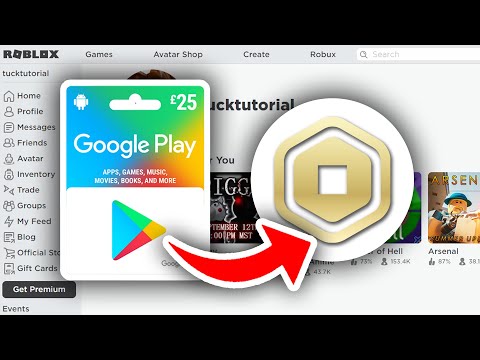
The short answer is yes, you can buy Robux using Google Pay. However, the process isn’t as simple as directly purchasing Robux through a Google search. You primarily buy Robux within the Roblox app or through the Roblox website, and Google Pay becomes an option during the checkout process when using the Roblox mobile app on Android devices.
Here’s a more detailed breakdown:
How to Use Google Pay to Purchase Robux:
-
Open the Roblox App: Ensure you have the Roblox app installed on your Android device.
-
Navigate to the Robux Purchase Section: Within the app, look for the Robux icon (usually represented as an “R$”) at the top of the screen. Tap on it to access the Robux purchase options.
-
Select the Desired Robux Package: Choose the amount of Robux you wish to purchase. Different packages offer varying amounts of Robux at different price points. Keep an eye out for occasional promotional offers that might provide bonus Robux.
-
Choose Google Pay as Your Payment Method: At the checkout screen, you’ll see various payment options. Select Google Pay. If you haven’t already set up Google Pay on your device, you’ll be prompted to add a payment method (credit card, debit card, or linked bank account).
-
Confirm Your Purchase: After selecting Google Pay, review the purchase details and confirm the transaction. You may be required to authenticate the payment using your fingerprint, PIN, or password, depending on your Google Pay settings.
-
Enjoy Your Robux: Once the transaction is complete, the Robux will be added to your Roblox account balance. You can then use your Robux to purchase virtual items, accessories, game passes, and other enhancements within the Roblox platform.
Buying Roblox eGift Cards with Google Pay:
Another method to indirectly use Google Pay to acquire Robux is by purchasing Roblox eGift cards online from retailers that accept Google Pay as a payment method. Once you have the eGift card, you can redeem it within your Roblox account to add the corresponding amount to your Robux balance.
Roblox Premium and Google Pay:
Roblox Premium is a subscription service that provides benefits like a monthly Robux stipend, access to exclusive virtual items, and a higher percentage of Robux earned from selling items. You can subscribe to Roblox Premium through the Roblox app, and if you’re on an Android device, you can use Google Pay as your payment method for the subscription.
Why Choose Google Pay?
- Convenience: Google Pay offers a streamlined and convenient way to make purchases directly from your mobile device.
- Security: Google Pay employs robust security measures to protect your financial information, including encryption and fraud monitoring.
- Integration: Google Pay is seamlessly integrated with the Android ecosystem, making it a readily available payment option within the Roblox app.
Frequently Asked Questions (FAQs) About Buying Robux
Here are some frequently asked questions about buying Robux, payment methods, and related topics:
Payment Options and Availability
-
Can I buy Robux on my computer using Google Pay? No, Google Pay is primarily a mobile payment method. On a computer, you’ll typically use credit cards, debit cards, PayPal, or Roblox gift cards to purchase Robux.
-
Is it possible to buy Robux using a Google Play gift card? Yes, you can redeem a Google Play gift card for credit in your Google Play account, and then use that credit to purchase Robux within the Roblox app on an Android device.
-
Does Roblox accept all credit cards? Roblox generally accepts major credit cards like Visa, Mastercard, American Express, and Discover. However, it’s always best to check the Roblox website or app for the most up-to-date list of accepted payment methods.
-
Can I use a prepaid card to buy Robux? Yes, you can use most prepaid debit cards that are affiliated with major credit card networks (like Visa or Mastercard) to purchase Robux, provided the card has sufficient funds and is activated.
Robux Value and Pricing
-
How much Robux do I get for $5? You typically get around 400 Robux for $5. However, this can vary slightly depending on promotional offers or if you have a Roblox Premium subscription.
-
What is the best value Robux package to buy? Generally, buying larger Robux packages offers better value per Robux. For example, the $99.99 package usually provides the most Robux per dollar spent.
-
Do Roblox Premium members get a discount on Robux? Yes, Roblox Premium members often receive bonus Robux when purchasing packages compared to non-premium members.
Gifting Robux and Safety
-
Can I gift Robux directly to another player? You cannot directly transfer Robux to another player’s account. However, you can purchase a Roblox gift card and give it to them, allowing them to redeem it for Robux.
-
Is it safe to buy Robux from third-party websites? It is strongly advised against buying Robux from unofficial third-party websites. These sites are often scams and can compromise your account security. Always purchase Robux directly through the Roblox website or app.
-
How can I protect my child’s account from unauthorized Robux purchases? You can set parental controls within the Roblox platform to restrict spending and monitor account activity. Additionally, ensure that your Google Pay or other payment methods are password-protected. GamesLearningSociety.org offers resources on safe gaming practices for children and parents.
Robux and Development
-
What is DevEx, and how does it relate to Robux? DevEx (Developer Exchange) is a program that allows Roblox developers to exchange their earned Robux for real-world currency. There are specific requirements and exchange rates that apply.
-
How much Robux do I need to earn to use DevEx? As of the last update, you typically need a minimum of 100,000 Robux in your account to be eligible to participate in the DevEx program.
Miscellaneous Robux Questions
-
Can I earn Robux for free? While it’s difficult to get large amounts of Robux for free, you can earn small amounts by creating and selling virtual items on the Roblox Marketplace, participating in Roblox events, or through promotional giveaways. Be wary of offers that promise unrealistic amounts of free Robux, as they are often scams.
-
What can I buy with Robux? You can use Robux to purchase a wide variety of virtual items, including clothing, accessories, animations, and game passes. You can also use Robux to support your favorite Roblox game developers by purchasing their in-game items.
-
How do I check my Robux balance? Your Robux balance is displayed in the top right corner of the Roblox website and app, next to the “R$” icon.
Buying Robux on Google is more about using Google Pay within the Roblox ecosystem rather than a direct purchase through a Google search. By understanding the available payment methods and security precautions, you can safely and effectively manage your Robux purchases.