Can I Give My Nintendo Switch Account to Someone Else?
Fast answer first. Then use the tabs or video for more detail.
- Watch the video explanation below for a faster overview.
- Game mechanics may change with updates or patches.
- Use this block to get the short answer without scrolling the whole page.
- Read the FAQ section if the article has one.
- Use the table of contents to jump straight to the detailed section you need.
- Watch the video first, then skim the article for specifics.
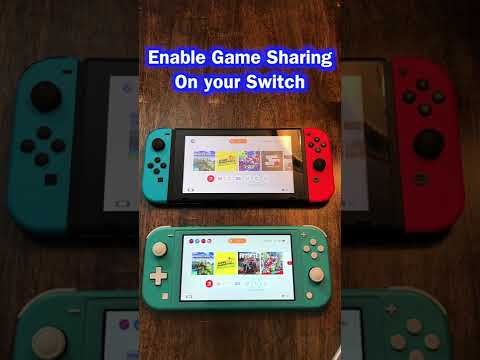
The answer to the question of whether you can give your Nintendo Switch account to someone else is no, as per the Nintendo Account User Agreement and Nintendo Network Services Agreement, which clearly state that your Nintendo Account and/or Nintendo Network ID (NNID) cannot be transferred or sold to another person. This policy is in place to protect users’ accounts and maintain the integrity of the Nintendo Switch online ecosystem, ensuring that each account remains tied to its original owner and their associated digital game purchases and save data.
Understanding Nintendo Account Policies
To delve deeper into the specifics of Nintendo Switch account management and the rules surrounding account transfers, sales, and sharing, let’s explore some frequently asked questions that can provide clarity on these matters.
Frequently Asked Questions
1. Can I Transfer My Nintendo Account to a Different Email?
Yes, you can transfer your Nintendo Account to a different email by going to the Nintendo Account website, signing in, selecting User information, scrolling down to Email address, and clicking Edit. You may need to confirm your identity through a password re-entry, passkey re-authentication, or email verification.
2. Can 2 People Use the Same Nintendo Account?
While the Nintendo Account itself cannot be used by two people simultaneously for online play due to its unique association with a single user, Nintendo Switch Online Family or Nintendo Switch Online + Expansion Pack Family memberships allow up to 8 Nintendo Account users to enjoy Nintendo Switch Online services, including online multiplayer and cloud saves, under a single family group.
3. Can You Transfer Ownership of Digital Switch Games?
Digital game purchases and code redemptions are final and cannot be transferred to a different Nintendo Account. It’s crucial to ensure you’re logged into the correct Nintendo Account when purchasing or redeeming games, as the game isn’t limited to the Nintendo Account that made the purchase but is accessible on the primary console associated with that account.
4. Can I Sell My Nintendo Switch Account?
No, you cannot sell your Nintendo Account. The Nintendo Account Agreement and Nintendo Network Agreement explicitly forbid the transfer or sale of Nintendo Accounts and NNIDs to other individuals, emphasizing the non-transferable nature of these accounts.
5. How to Game Share Between Two Nintendo Switch Consoles
Game sharing between two Nintendo Switch consoles is facilitated through the Nintendo Account system. By designating one console as the primary console for your Nintendo Account, all users on that system can play games purchased by any Nintendo Account that has registered the system as their primary console, enabling a form of game sharing within the same household.
6. Can I Share My Digital Switch Games with Family?
Yes, digital games are tied to the Nintendo Account that purchased them, and all users on a system can play these games if the system is registered as the primary console for that Nintendo Account, making it easy to share games among family members.
7. Can You Unlink a Nintendo Account from a Switch?
Once a Nintendo Account is linked to a user account on a Nintendo Switch, this link cannot be undone without deleting the associated user account. To unlink a Nintendo Account, you must delete the user account associated with it.
8. Can You Transfer Switch Games to Another Switch?
If you don’t have access to the original console, you can still transfer your Nintendo Account and digital games to a different Nintendo Switch console and make that console your account’s primary console, facilitating the transfer of games between consoles.
9. How Many People Can Use a Nintendo Online Account?
A family membership for Nintendo Switch Online provides the service to everyone in the purchaser’s family group, with up to 8 people able to use the services under one membership, highlighting the flexibility of Nintendo’s online offerings for families.
10. Can Two Nintendo Accounts Share Online?
Yes, with a Family Membership and the creation of a Family Group, each Nintendo Account can use Nintendo Switch Online services, even if family members are using their accounts on different Nintendo Switch consoles, allowing for shared online experiences.
11. What is the Difference Between Users and Accounts on Nintendo Switch?
User accounts manage each player’s save data and personal settings, with up to 8 user accounts creatable on a Nintendo Switch. A user account can be linked to a Nintendo Account at any time, providing access to online features and Nintendo eShop purchases.
12. How Do I Share My Switch Online Account?
To share your Nintendo Switch Online account, log in to the Nintendo Account of the family group administrator, select Nintendo Account, then Family Group, and Add Member to include other Nintendo Accounts in your family group.
13. Can You Have 2 Nintendo Online Accounts on One Switch?
Yes, you can link up to 8 Nintendo Accounts to a single Nintendo Switch console. Games purchased are playable by everyone on the active Nintendo Switch console for your Nintendo Account, offering flexibility in account management.
14. Can I Play Nintendo Switch with Someone in Another State?
Yes, you can play with family and friends who are far away by using Nintendo Switch Online for online multiplayer. For local play, up to 8 Nintendo Switch consoles can be linked together in the same room for compatible games.
15. How Do I Make a User Primary on a Switch?
To make a user primary on a Switch, use your Nintendo Account to access the Nintendo eShop on the console you want to be primary, and the system will automatically be set as the primary console for your Nintendo Account, accessible through your Nintendo eShop Account Information.