Unleash Gaming Freedom: Mastering Multiple Xbox Consoles in Your Home
Fast answer first. Then use the tabs or video for more detail.
- Watch the video explanation below for a faster overview.
- Game mechanics may change with updates or patches.
- Use this block to get the short answer without scrolling the whole page.
- Read the FAQ section if the article has one.
- Use the table of contents to jump straight to the detailed section you need.
- Watch the video first, then skim the article for specifics.
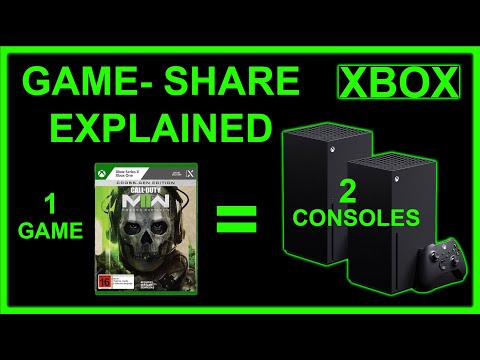
Yes, absolutely! You can have two or more Xbox consoles in the same house, and you can even leverage some clever techniques to share games and subscriptions between them. Let’s dive into the details of how to make the most of a multi-Xbox setup.
Setting Up Your Multi-Xbox Gaming Paradise
Having multiple Xbox consoles in your home opens up a world of gaming possibilities, from family-friendly competitions to enjoying different games simultaneously. However, proper setup and understanding the sharing features are key to a seamless experience. Here’s a breakdown of how to make it work.
The “Home Xbox” Advantage
The cornerstone of managing multiple Xboxes is the “Home Xbox” feature. Each Microsoft account can designate one Xbox console as its “Home Xbox.” This designation unlocks several crucial benefits:
- Game Sharing: Anyone signed in to your Home Xbox can play any digital games that the Home Xbox account owns, even if that account isn’t actively signed in.
- Gold & Game Pass Sharing: Similarly, Xbox Live Gold and Xbox Game Pass benefits associated with the Home Xbox account are shared with all other profiles on that console.
Leveraging Game Sharing
To utilize game sharing effectively, follow these steps:
-
Choose a Primary Account: Decide which Microsoft account will be your primary gaming account – the one with most of your digital games and subscriptions.
-
Designate a Home Xbox: On the Xbox you want to share games with, sign in with the primary gaming account. Go to Settings > Personalization > My Home Xbox and select “Make this my Home Xbox.” This will be the “secondary” Xbox.
-
Sign In with Secondary Accounts: On both Xboxes, sign in with the accounts of all players who will be using the consoles.
-
Play Together: The primary account can now play games on the Xbox that isn’t the home Xbox. The secondary Xbox, designated as the home console, lets anyone play the primary account’s games.
Scenario Examples
-
Parents & Kids: Dad’s account has Game Pass Ultimate. He sets the living room Xbox as his Home Xbox. His kids can then use their own accounts on the living room Xbox and access all of Dad’s Game Pass games and online multiplayer without needing their own subscriptions. Dad can still play his games on his own Xbox in the study.
-
Siblings: Two siblings each have their own Xbox. Sibling A makes Sibling B’s Xbox their Home Xbox. Sibling B makes Sibling A’s Xbox their Home Xbox. Now they both have access to each other’s digital games.
Important Considerations
- Simultaneous Play Restrictions: While sharing games is fantastic, remember that the primary account can only actively play on one Xbox at a time. If the primary account tries to launch a game on the secondary Xbox while already playing on the first, it will get a message asking to sign out of the first Xbox.
- Physical Games: Sharing physical games is straightforward – just insert the disc into the console. However, only the console with the disc inserted can play the game.
- Account Security: Be mindful of account security. Only share your account information with trusted individuals, as anyone with access to your account can make purchases or change settings. Consider using two-factor authentication for added security.
- Digital Ownership: You can play games you own on disc on any Xbox console. Simply insert the disc, install the game (if required), and play. This doesn’t require any Home Xbox designations.
- Family Settings: Consider using Xbox Family Settings to manage your children’s accounts and control their access to content and features. These settings apply across all Xbox consoles and devices that your child uses. Xbox Family Settings are important to GamesLearningSociety.org, as it helps young children learn safely and have a healthy gaming experience.
Frequently Asked Questions (FAQs)
Here are some common questions about using multiple Xbox consoles in the same house:
-
Can I have two Home Xboxes? No, each Microsoft account can only designate one Xbox as its Home Xbox.
-
Do I need two Xbox Live Gold subscriptions for two consoles? Not necessarily. If one console is set as the Home Xbox for an account with Gold, all other profiles on that console can access Gold features. However, if you want to play online simultaneously on both consoles with different accounts, you’ll need separate subscriptions.
-
Can I play the same digital game on two Xboxes at the same time? If you are using the same account, no. The account can only be logged into one Xbox console at a time. However, using the Home Xbox feature, different accounts can play the same game (owned by the “Home Xbox” account) simultaneously on the Home Xbox and on another console with the primary account logged in.
-
How do I change my Home Xbox? Go to Settings > Personalization > My Home Xbox on the console you want to designate as your new Home Xbox. Select “Make this my Home Xbox.” Note that you can only switch Home Xbox designations a limited number of times per year.
-
Can I gameshare with someone outside my household? Yes, but it’s generally not recommended. Game sharing is intended for use within a single household. Sharing account information with people outside your home can pose security risks and may violate Microsoft’s terms of service.
-
What happens if I try to play a game on two Xboxes simultaneously using the same account? The second Xbox you try to play on will display a message indicating that your account is already in use on another console. You’ll be prompted to sign out of the first Xbox.
-
Can I share Xbox Game Pass Ultimate across multiple consoles? Yes! Similar to Xbox Live Gold, Game Pass Ultimate benefits are shared with all profiles on the Home Xbox.
-
Can I have multiple accounts on one Microsoft account? No, each Microsoft account can only have one Xbox profile associated with it.
-
How many Xbox accounts can I have on one console? You can add up to 10 accounts on a single Xbox console.
-
Can I play physical games on any Xbox console? Yes, you can play games you own on disc on any Xbox console. Just insert the disc, install the game (if necessary), and enjoy.
-
Do I need an internet connection to play games on my Home Xbox? For digital games, the Home Xbox requires an internet connection to verify the game license periodically. However, once verified, you can play offline.
-
Can I set parental controls on a secondary account on my Home Xbox? Yes, you can set parental controls for any account on your Xbox console, regardless of whether it’s your Home Xbox or not. Use Xbox Family Settings to manage content restrictions, screen time limits, and communication privileges.
-
What happens if I forget which console is my Home Xbox? Go to Settings > Personalization > My Home Xbox on each of your consoles. The console that displays the option to “Remove this as my Home Xbox” is currently your Home Xbox.
-
Can I use the cloud gaming feature of Xbox Game Pass Ultimate on multiple consoles at the same time? Yes, as long as each console is signed in with a different account and each account has an active Game Pass Ultimate subscription.
-
Is it safe to have two consoles so close to each other? Ensure both consoles have proper ventilation to prevent overheating. Avoid placing them directly next to each other where they might recycle hot air.
Conclusion
Managing multiple Xbox consoles in your home is a manageable process. By strategically utilizing the Home Xbox feature and understanding the nuances of game and subscription sharing, you can create a seamless and enjoyable gaming experience for everyone in your household. So, power up those consoles and get ready for hours of gaming fun! The Games Learning Society is all about learning, and that includes learning how to game responsibly and safely. Check out more about games on their website at https://www.gameslearningsociety.org/.