Can I Pause a Download and Turn Off My PS4? The Definitive Guide
Fast answer first. Then use the tabs or video for more detail.
- Watch the video explanation below for a faster overview.
- Game mechanics may change with updates or patches.
- Use this block to get the short answer without scrolling the whole page.
- Read the FAQ section if the article has one.
- Use the table of contents to jump straight to the detailed section you need.
- Watch the video first, then skim the article for specifics.
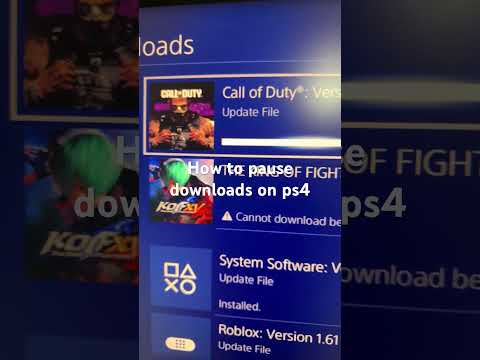
Yes, you can pause a download on your PS4. However, turning off your console completely will halt the download. To continue downloading while the console is not actively in use, you need to utilize the PS4’s Rest Mode. Rest Mode allows the console to enter a low-power state while maintaining an internet connection, enabling downloads to proceed in the background.
Understanding PS4 Download Behavior
The PlayStation 4 is designed to accommodate different user needs and energy-saving preferences. Understanding how downloads behave in various power states is crucial for managing your downloads efficiently.
The Role of Rest Mode
Rest Mode is the key to downloading while your PS4 isn’t actively in use. Here’s why it’s important:
- Background Downloads: Rest Mode allows your PS4 to download games, updates, and other content in the background without consuming as much power as when the console is fully active.
- Automatic Updates: With the correct settings, your PS4 can also automatically download and install system software updates while in Rest Mode, ensuring your console is always up to date.
- Remote Play: Rest Mode enables features like Remote Play, allowing you to stream games to other devices, such as your smartphone or PC.
How to Enable Rest Mode Downloads
To ensure your PS4 downloads while in Rest Mode, follow these steps:
- Navigate to Settings from the PS4 home screen.
- Select Power Save Settings.
- Choose Set Features Available in Rest Mode.
- Make sure the checkbox for Stay Connected to the Internet is selected.
- You may also want to select Supply Power to USB Ports if you want to charge controllers or other devices while in Rest Mode.
What Happens When You Pause a Download?
When you pause a download on your PS4, it simply stops the data transfer. The console remembers where the download left off. When you resume, it picks up from that point, rather than restarting the entire process. This is particularly useful for large files or when you need to temporarily free up bandwidth.
What Happens When the PS4 Is Turned Off?
If you completely turn off your PS4, all active processes, including downloads, will stop. The console loses its internet connection and cannot continue downloading until it is powered back on and the download is manually resumed.
Optimizing Your Download Experience
To make the most of your PS4’s download capabilities, consider these tips:
- Use a Wired Connection: An Ethernet cable provides a more stable and often faster internet connection compared to Wi-Fi.
- Close Unnecessary Applications: Close any running games or applications to free up system resources and bandwidth.
- Schedule Downloads: Start large downloads during off-peak hours when network traffic is lower.
- Check Your Internet Speed: Ensure your internet connection meets the recommended speeds for gaming and downloading large files.
- Keep Your System Updated: Make sure your PS4 system software is always up to date to benefit from the latest performance improvements and bug fixes.
Frequently Asked Questions (FAQs)
Here are 15 frequently asked questions related to pausing downloads and turning off your PS4, providing additional clarity and insights:
-
Can I resume a paused download after turning my PS4 off?
No, you can’t resume a download if you completely turn off your PS4. The download progress is saved, but the console needs to be in Rest Mode to continue downloading without being actively used.
-
Does Rest Mode consume a lot of electricity?
Rest Mode uses minimal electricity compared to when the console is fully powered on. The exact consumption depends on your settings, but it’s significantly less than active gameplay.
-
Will my PS4 automatically download updates in Rest Mode?
Yes, if you have enabled the Stay Connected to the Internet option in the Rest Mode settings, your PS4 can automatically download and install system software updates and game patches.
-
Is it safe to leave my PS4 in Rest Mode overnight?
Yes, it is generally safe to leave your PS4 in Rest Mode overnight. The console is designed to handle this low-power state for extended periods.
-
How do I check the progress of a download in Rest Mode?
You can’t directly check the download progress while the console is in Rest Mode. However, when you turn the console back on, the download progress will be displayed in the Notifications area.
-
Can I pause a download and then switch to a different game?
Yes, you can pause a download and switch to a different game. The download will remain paused in the background until you choose to resume it.
-
Does playing online games affect my download speed?
Yes, playing online games consumes bandwidth, which can slow down your download speeds. It’s best to avoid playing online games while downloading large files.
-
What is the ideal internet speed for downloading games on PS4?
A download speed of 15-25 Mbps is generally considered good for downloading games on PS4. Faster speeds will result in quicker downloads.
-
How do I improve slow download speeds on my PS4?
To improve slow download speeds, try using an Ethernet cable, closing unnecessary applications, restarting your PS4, and checking your internet connection. You can also try changing your DNS settings.
-
Can I download games remotely to my PS4 while it’s in Rest Mode?
Yes, you can initiate downloads remotely via the PlayStation App on your smartphone or through the PlayStation Store website. The PS4 must be in Rest Mode and connected to the internet for this to work.
-
What happens if there’s a power outage while my PS4 is in Rest Mode?
If there’s a power outage, the download will be interrupted. Once power is restored, you will need to resume the download. The PS4 should pick up where it left off.
-
Is it better to download games during peak or off-peak hours?
It’s generally better to download games during off-peak hours (e.g., late at night or early in the morning) when network traffic is lower, which can result in faster download speeds.
-
Does the size of the game affect the download speed?
While the size of the game determines the total download time, it does not directly affect the download speed. The download speed is primarily determined by your internet connection and network conditions.
-
Can I use a download manager to speed up downloads on my PS4?
No, you cannot use a third-party download manager on the PS4. The console uses its own built-in download system.
-
Where can I learn more about the intersection of gaming and education?
The Games Learning Society (GamesLearningSociety.org) is an excellent resource for exploring the educational potential of video games. Explore how games are transforming learning experiences.
Final Thoughts
Understanding how to manage downloads on your PS4 is essential for a smooth gaming experience. By utilizing Rest Mode and optimizing your settings, you can ensure that your downloads continue seamlessly, even when you’re not actively using your console. Remember to consider factors like your internet connection and network conditions to achieve the best possible download speeds.