Can I Play the Same Game on Two Different Xboxes?
Fast answer first. Then use the tabs or video for more detail.
- Watch the video explanation below for a faster overview.
- Game mechanics may change with updates or patches.
- Use this block to get the short answer without scrolling the whole page.
- Read the FAQ section if the article has one.
- Use the table of contents to jump straight to the detailed section you need.
- Watch the video first, then skim the article for specifics.
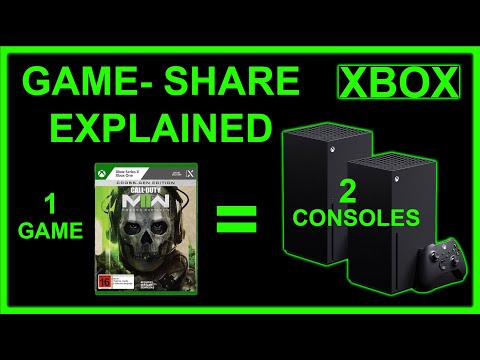
The short answer is yes, you can, but there are crucial nuances and limitations depending on whether you’re using physical discs, digital licenses, Xbox Game Pass, and who is signed in on each console. Understanding how these elements interact is key to enjoying a seamless gaming experience across multiple Xbox consoles. Essentially, Microsoft allows for a “home Xbox” and a “you” scenario, ensuring accessibility while preventing widespread, unauthorized game sharing. Let’s delve into the details.
Understanding Xbox Game Sharing and Licensing
The key to playing the same game on two different Xboxes lies in understanding how Xbox licensing and game sharing work. Microsoft employs a system that differentiates between the console’s license and the user’s license for digital games. This distinction enables the flexibility needed for playing games on multiple consoles.
-
Console License: When you purchase a digital game, the license is tied to the Xbox console that was used for the purchase. This console is automatically designated as your “home Xbox.” Anyone signed in on your home Xbox can play the games you own, regardless of who purchased them.
-
User License: You also have a user license that’s tied to your Microsoft account. This license allows you to play any game you own on any Xbox console, as long as you are signed in with your Microsoft account.
This duality is the foundation for playing the same game on multiple consoles. You can effectively “share” your game library with another person by designating their Xbox as your home Xbox, while still being able to play your games on a different Xbox console.
Playing Digital Games on Two Xboxes
Using this system, here’s how you can play digital games on two different Xboxes:
-
Set up your Home Xbox: On the Xbox you want others to have access to your games on (e.g., a family member’s console), sign in with your Microsoft account and go to Settings > Personalization > My home Xbox. Select “Make this my home Xbox.”
-
Sign in on the Other Xbox: On your primary Xbox, sign in with your Microsoft account.
-
Play your Games: Now, anyone signed in on your home Xbox can play the digital games you own. You can also play those same games on your primary Xbox, as long as you’re signed in.
Considerations for Digital Games
- Internet Connection: An internet connection is typically required to verify your license when playing on an Xbox that is not your home Xbox. If the connection is lost, the game may stop working until the connection is restored.
- Simultaneous Play: You cannot be signed into the same Microsoft account on both Xboxes and play the same digital game simultaneously. This will result in one of the consoles being kicked off the game. Each user needs to have separate profiles.
- Xbox Game Pass: If the game is part of Xbox Game Pass, the same principles apply. The account with the Xbox Game Pass subscription must designate the other person’s Xbox as the home Xbox.
Playing Physical Games on Two Xboxes
Playing physical games on two different Xboxes is much simpler:
- Insert the Disc: Insert the game disc into one Xbox.
- Insert the Disc: Insert the same game disc into the other Xbox.
There are no account restrictions or license checks involved. However, both Xboxes need to physically have the game disc inserted to play the game. This means you’ll need two copies of the game if you want to play simultaneously.
Considerations for Physical Games
- Two Copies Required: You need two separate copies of the physical game disc to play on both consoles simultaneously.
- No Account Restrictions: The account logged in on the Xbox is irrelevant; the game will run as long as the disc is present.
Family Sharing and Microsoft Accounts
Microsoft encourages family sharing through its Microsoft Account system. This allows parents to manage their children’s accounts, set spending limits, and control what content they can access.
- Microsoft Family Group: You can create a Microsoft Family Group and add family members to it. This makes managing permissions and content access easier.
- Child Accounts: Child accounts have restrictions based on age, and parents can approve or deny requests for purchases.
Utilizing the Microsoft Family Group features can enhance the game-sharing experience by providing a secure and managed environment for younger players.
Potential Issues and Troubleshooting
While the system is generally reliable, some issues may arise.
- License Transfer Problems: If you encounter problems playing a digital game, ensure the console is set as your home Xbox. Sometimes, licenses may need to be refreshed. Go to Settings > General > Personalization > My home Xbox and switch to another account and back. Also, be sure to restart your Xbox.
- Network Connectivity Issues: Check your internet connection if you are experiencing problems playing on a console that is not your home Xbox.
- Account Conflicts: Make sure you are not signed in with the same Microsoft account on both Xboxes while trying to play the same digital game simultaneously.
If problems persist, contacting Xbox Support is recommended.
Frequently Asked Questions (FAQs)
1. Can I play online multiplayer games on two Xboxes simultaneously with one digital copy?
No, you cannot. While you can share the game, you need separate Xbox Live Gold/Game Pass Ultimate subscriptions for each account playing online multiplayer. Even with game sharing, each player needs their own active subscription to access online features.
2. Can I share my Xbox Game Pass Ultimate subscription with another person?
Yes, you can share your Xbox Game Pass Ultimate subscription by setting their Xbox as your home Xbox. They will then have access to the Game Pass library and online multiplayer features using their own account, while you retain access on your primary console.
3. What happens if I change my Home Xbox?
You can change your home Xbox up to five times a year. When you switch, the new home Xbox gains access to your digital games, and the previous home Xbox loses access (unless the user signs in with the account that owns the games).
4. Can I play Xbox 360 games on two Xbox One/Series X|S consoles simultaneously using the same digital license?
Yes, provided the Xbox 360 game is backward compatible and you follow the same game-sharing principles as with newer Xbox games. Designate one console as your home Xbox and sign in with your account on the other.
5. If I buy a game on the Microsoft Store on my PC, can I play it on my Xbox?
Yes, if the game is an Xbox Play Anywhere title. These games have a shared license between Xbox and PC, allowing you to play them on either platform with a single purchase.
6. What if I get a new Xbox and want to transfer my games?
On your new Xbox, sign in with your Microsoft account. If it’s to be your new home Xbox, designate it as such. Your digital games will automatically be available for download.
7. Can I lend my physical Xbox game to a friend?
Yes, you can lend a physical game to a friend, and they can play it on their Xbox. However, only one person can play the game at a time using the same disc.
8. How do I check which Xbox is set as my Home Xbox?
Sign in to your Microsoft account on your Xbox. Navigate to Settings > Personalization > My home Xbox. It will indicate whether the console is currently set as your home Xbox.
9. What happens to my saved game progress when playing on different Xboxes?
Saved game progress is typically stored in the cloud, so you can pick up where you left off on any Xbox console as long as you are signed in with your Microsoft account and have an active internet connection.
10. Is game sharing allowed by Microsoft?
Yes, game sharing using the home Xbox feature is an intended and allowed feature by Microsoft. However, selling or distributing your game licenses is a violation of their terms of service.
11. Can I use a VPN to bypass regional restrictions on games?
Using a VPN to bypass regional restrictions is generally against Microsoft’s terms of service and could result in account suspension.
12. What should I do if I suspect someone is using my account to play games without my permission?
Change your Microsoft account password immediately and enable two-factor authentication for added security. You can also review your account activity on the Microsoft website.
13. Can I play the same game on Xbox and PC if I only bought it on Xbox?
Only if the game is an Xbox Play Anywhere title. Otherwise, you need to purchase a separate PC version of the game.
14. If I buy a digital game and later sell my Xbox, will the buyer have access to my games?
If your Xbox is set as your home Xbox, the buyer will have access to your games until you change your home Xbox. It’s essential to remove your account and reset the console before selling it to prevent unauthorized access.
15. Are there any specific game titles that cannot be shared using the Home Xbox feature?
While rare, some games might have specific licensing restrictions imposed by the publisher that could prevent them from being shared through the home Xbox feature. Always check the game’s description for any such limitations.