Can I Transfer FIFA 23 to PS5? A Complete Guide
Fast answer first. Then use the tabs or video for more detail.
- Watch the video explanation below for a faster overview.
- Game mechanics may change with updates or patches.
- Use this block to get the short answer without scrolling the whole page.
- Read the FAQ section if the article has one.
- Use the table of contents to jump straight to the detailed section you need.
- Watch the video first, then skim the article for specifics.
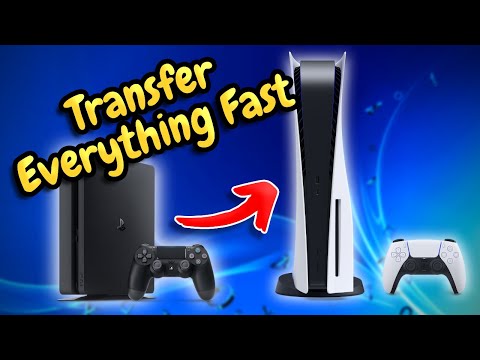
Yes, you can transfer FIFA 23 to your PS5, but the process isn’t as straightforward as simply copying files. The transfer involves downloading the PS5 version of the game if you own it and then transferring your game progress, if applicable. There are nuances depending on whether you purchased a physical or digital copy and whether you’re dealing with cross-gen compatibility for game progress. This article will break down the process in detail, answer common questions, and ensure you can get back to scoring goals on your next-gen console as quickly as possible.
Understanding the FIFA 23 Transfer Process
The first thing to understand is that FIFA 23 is a different application on PS4 versus PS5. Think of them as entirely separate games, even though they share the same title. The transfer process, therefore, revolves around two main steps:
- Downloading/Installing the PS5 Version: This depends on how you originally bought the game.
- Transferring Game Data (where applicable): This primarily concerns modes like Ultimate Team (FUT), Career Mode, and Volta.
Purchasing the PS5 Version
- Digital Purchase: If you bought FIFA 23 digitally on your PlayStation account and it included both the PS4 and PS5 versions (a common practice, particularly with the Ultimate Edition), the PS5 version should already be available in your PlayStation library. Simply download it from there. Ensure you are logged into the same PlayStation account you used to purchase the game.
- Physical Disc: If you bought the physical copy of FIFA 23 on PS4, you’ll generally need to purchase the PS5 version separately. There may have been limited-time upgrade offers available at launch or from specific retailers, but these are usually no longer valid. Check the PlayStation Store for upgrade options, but assume you will likely need to buy the game again.
- Dual Entitlement: Keep an eye out for games offering “Dual Entitlement.” This feature, often included with premium editions, gives you both the PS4 and PS5 versions of the game with a single purchase. Check the game’s packaging or store page for the “Dual Entitlement” label before buying.
Transferring Game Data
This is where things can get a bit more complex. Not all game modes allow for progress transfer across console generations.
- Ultimate Team (FUT): The good news is that your FUT progress, including your players, coins, and FIFA Points, are tied to your EA account, not your console. So, as long as you log in to FIFA 23 on your PS5 with the same EA account you used on PS4, your FUT progress will be there.
- Volta Football: Similar to FUT, Volta progress is also usually tied to your EA account and should transfer automatically.
- Career Mode: This is where the limitation lies. Career Mode progress cannot be directly transferred from PS4 to PS5. You’ll have to start a new Career Mode save on the PS5 version of the game. This is a common limitation across many games with extensive save data.
- Other Modes: For modes outside of FUT, Volta, and Career Mode, some settings and preferences might transfer, but substantial progress (like season records) will likely not. These elements are typically saved locally on the console.
Step-by-Step Transfer Guide
Here’s a practical guide to help you move FIFA 23 to your PS5:
-
Download the PS5 Version: Go to the PlayStation Store or your game library on your PS5. Search for FIFA 23 and download the PS5 version. If you have a disc, insert it into your PS5. Note that having the PS4 disc inserted may sometimes allow for purchasing a discounted upgrade to the PS5 version.
-
Install the Game: Wait for the download and installation to complete. This may take some time depending on your internet speed.
-
Log in to your EA Account: Launch FIFA 23 on your PS5. It will prompt you to log in to your EA account. This is crucial for transferring your FUT and Volta progress. Use the same email and password you used on your PS4.
-
Verify Your Progress: Once logged in, check your Ultimate Team and Volta Football to ensure your progress has transferred correctly. Your team, players, and FIFA Points should be there.
-
Start Playing: Unfortunately, if you were hoping to continue your Career Mode, you’ll need to begin a new save file.
Troubleshooting Common Issues
- Game Not Appearing in Library: Ensure you’re logged in to the correct PlayStation account. If you purchased the game with a different account, you won’t see it.
- FUT Progress Missing: Double-check that you’re using the correct EA account. If you have multiple accounts, you might be logged into the wrong one. Contact EA support if the problem persists.
- Download Errors: Make sure you have enough storage space on your PS5. Clear up some space if necessary. Also, check your internet connection.
FAQs About Transferring FIFA 23 to PS5
H3 FAQ 1: Do I need PlayStation Plus to transfer FIFA 23?
No, you do not need PlayStation Plus to download or install FIFA 23 on your PS5. However, PlayStation Plus is required for online multiplayer modes like FUT Champions and online Seasons.
H3 FAQ 2: Can I play FIFA 23 on both PS4 and PS5 with the same account?
Yes, you can play FIFA 23 on both PS4 and PS5 with the same account. Your FUT and Volta progress will sync between the two consoles, as they are tied to your EA account. You will need to own the game for both consoles, or have a version with Dual Entitlement.
H3 FAQ 3: I bought a used FIFA 23 disc for PS4. Can I upgrade to the PS5 version?
Likely not directly. Upgrade offers linked to physical copies are usually tied to the original purchase and account. You’ll probably need to buy the PS5 version separately. Check the PlayStation Store for any available upgrade options, but they may no longer be available.
H3 FAQ 4: What happens to my FIFA Points when I transfer to PS5?
Your FIFA Points balance will transfer to the PS5 version of FIFA 23 as long as you log in with the same EA account.
H3 FAQ 5: Can I transfer my Pro Clubs player from PS4 to PS5?
Pro Clubs progress is generally linked to your EA account, similar to FUT and Volta, so your player’s stats and customizations should transfer.
H3 FAQ 6: Is there a specific tool for transferring game data?
No, there isn’t a dedicated tool specifically for FIFA 23. The data transfer for FUT and Volta happens automatically when you log in with your EA account. Career Mode data cannot be transferred.
H3 FAQ 7: Will my custom tactics in FUT transfer from PS4 to PS5?
Yes, your custom tactics should transfer because they are associated with your FUT squad and EA account.
H3 FAQ 8: What if I’m having trouble logging into my EA account?
First, ensure you are using the correct email address and password. If you’ve forgotten your password, use the “Forgot Password” option on the EA website to reset it. If you’re still having issues, contact EA Support for assistance.
H3 FAQ 9: Does the PS5 version of FIFA 23 have any exclusive features?
Yes, the PS5 version of FIFA 23 leverages the console’s hardware to deliver enhanced graphics, faster loading times, and improved gameplay. It also features HyperMotion2 technology, which provides more realistic player animations.
H3 FAQ 10: How much storage space do I need on my PS5 for FIFA 23?
The PS5 version of FIFA 23 typically requires around 40-50 GB of storage space. Ensure you have enough free space before starting the download.
H3 FAQ 11: If I have the PS4 disc, can I still play the PS4 version on my PS5?
Yes, the PS5 is backward compatible. You can play the PS4 version of FIFA 23 on your PS5 by inserting the PS4 disc.
H3 FAQ 12: Can I share my FIFA 23 game with a friend on PS5?
Game sharing depends on your PlayStation Network settings and region restrictions. Refer to Sony’s official guidelines on game sharing for details.
H3 FAQ 13: My friend’s FUT team is showing up, not mine! What do I do?
This strongly suggests you’re logged into the wrong EA account. Double-check the email address associated with your EA account and ensure it matches the one you used on your PS4.
H3 FAQ 14: What if I upgraded my PlayStation account? Will that affect the transfer?
Upgrading your PlayStation account (e.g., upgrading PlayStation Plus tiers) should not directly impact your FIFA 23 progress transfer, as long as you’re using the same PlayStation account. However, ensure your payment information is up-to-date to avoid any service interruptions.
H3 FAQ 15: Will my FIFA 23 settings transfer when I start the game on PS5?
Most of your basic settings (camera angles, controller preferences, etc.) should be tied to your profile. However, you might need to tweak them slightly to get the exact same feel on the PS5 due to the different hardware.
By following these steps and understanding these FAQs, you should be well-equipped to transfer FIFA 23 to your PS5 and get back to enjoying the game. Remember to double-check your account logins and be aware of the limitations regarding Career Mode progress. Good luck, and enjoy the next-gen FIFA experience!