Can I Turn Off My Console While Downloading? The Definitive Guide
Fast answer first. Then use the tabs or video for more detail.
- Watch the video explanation below for a faster overview.
- Game mechanics may change with updates or patches.
- Use this block to get the short answer without scrolling the whole page.
- Read the FAQ section if the article has one.
- Use the table of contents to jump straight to the detailed section you need.
- Watch the video first, then skim the article for specifics.
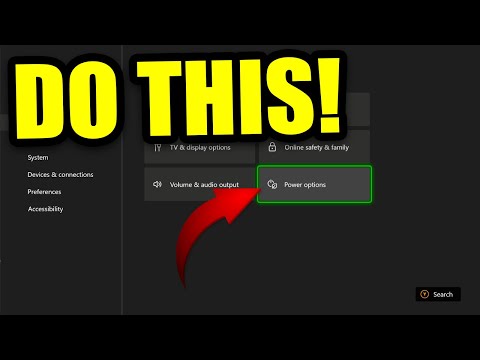
Yes, you absolutely can turn off your console while downloading games and updates, provided you have the correct settings enabled! Modern consoles like the Xbox Series X/S and PlayStation 5 are designed with features that allow background downloads while in a low-power state or standby mode. This ensures you don’t have to keep your console actively running, consuming power and potentially generating unnecessary heat, just to get your latest game ready to play.
Understanding Console Power Modes
The key to downloading while “off” lies in understanding the various power modes available on your console. Let’s break down the common options and how they affect downloads.
Instant-On/Standby Mode
This mode, often called “Instant-On” on Xbox or “Rest Mode” on PlayStation, keeps the console in a low-power state where it can still perform certain tasks in the background. These tasks include:
- Downloading games and updates: The primary focus of this article!
- Installing downloaded content: Preparing the game for immediate play.
- Checking for updates: Ensuring your system is always running the latest software.
- Remote wake-up: Allowing you to turn on your console remotely via the mobile app.
The benefit of this mode is convenience. Your downloads progress while the console appears to be off, and you can jump into your games faster because the system is never truly shut down. The downside is that it consumes slightly more power than a complete shutdown.
Energy Saving/Shutdown Mode
This mode completely shuts down the console, minimizing power consumption. While in this state, the console cannot download or install anything automatically. It’s the most environmentally friendly option but requires a full boot-up sequence when you want to play.
How to Configure Your Console for Background Downloads
Here’s a quick guide on how to set up your Xbox and PlayStation for downloading while “off”:
Xbox Series X/S and Xbox One:
- Press the Xbox button to open the guide.
- Go to Profile & system > Settings > General > Power mode & startup.
- Choose “Instant-On” power mode.
- Ensure “Keep my console up to date” is checked.
PlayStation 5:
- Go to Settings > System > Power Saving.
- Set “Features Available in Rest Mode” to your preferences.
- Enable “Stay Connected to the Internet.”
- Enable “Enable Turning on PS5 from Network.”
Optimizing Download Speeds
Enabling the correct power mode is only half the battle. You also want to ensure you’re getting the fastest possible download speeds. Here are some tips:
- Wired Connection: Whenever possible, use an Ethernet cable to connect your console directly to your router. Wired connections are typically more stable and faster than Wi-Fi.
- Minimize Network Activity: Avoid streaming videos, downloading large files on other devices, or engaging in other bandwidth-intensive activities while your console is downloading.
- Router Placement: Ensure your router is located in a central, unobstructed location. Walls and other obstacles can interfere with the Wi-Fi signal.
- Router Firmware: Keep your router’s firmware up to date. Manufacturers often release updates that improve performance and security.
- Quality of Service (QoS): Some routers have QoS settings that allow you to prioritize network traffic. If available, prioritize your console’s network traffic to ensure it gets the most bandwidth.
- Pause and Resume: Sometimes, pausing and resuming a download can kickstart the connection and improve speed. It is always a hit or miss.
- Check ISP: Sometimes there is throttling on your ISP end, so it is best to contact them to confirm.
Troubleshooting Download Issues
Even with the correct settings and optimizations, you might still encounter download problems. Here are some common issues and their solutions:
- Slow Download Speeds: Check your internet speed with an online speed test. If your speed is significantly lower than what you’re paying for, contact your ISP.
- Download Errors: Restart your console and try the download again. If the error persists, check the game publisher’s website or support forums for known issues.
- Storage Space: Make sure you have enough free storage space on your console’s hard drive.
- Network Connectivity Issues: Ensure your console is properly connected to the internet. Restart your router and modem.
- Server Issues: Sometimes, game servers can be overloaded, leading to slow or interrupted downloads. Try again later.
Why is this Important?
Understanding these settings are important because of the many benefits. It is both eco-friendly and convenient to turn off your console while downloading your games. It allows you to not have to waste energy, while still enjoying the fun and excitement of gaming! To see the learning side of gaming, visit the Games Learning Society at GamesLearningSociety.org.
Frequently Asked Questions (FAQs)
Here are 15 frequently asked questions about downloading games while your console is “off”:
1. Does shutting down my console completely stop downloads?
Yes, if you select the “Shutdown” or “Energy Saving” option, your console will completely power off and stop all downloads. You must use Instant-On or Rest Mode to download while the console appears to be off.
2. Will my downloads continue if the power goes out?
No. If the power goes out, your console will lose power, and the download will be interrupted. Once power is restored, you’ll need to resume the download. Using a UPS (Uninterruptible Power Supply) can prevent this issue.
3. Does it damage my console to leave it in Instant-On mode all the time?
No, leaving your console in Instant-On or Rest Mode is generally safe. These modes are designed for continuous operation and won’t harm your console. However, it will consume slightly more power than a complete shutdown.
4. Will my controller charge while the console is in standby mode?
Yes, on both Xbox and PlayStation, controllers connected via USB will charge while the console is in Instant-On/Rest Mode, provided the necessary settings are enabled.
5. Does the size of the game affect download speed?
Yes, larger games will naturally take longer to download than smaller games, even with the same internet connection.
6. Can I download multiple games at once?
Yes, both Xbox and PlayStation allow you to queue up multiple downloads. However, downloading multiple games simultaneously may slow down the individual download speeds.
7. Does playing a game online affect download speeds?
Yes, playing a game online consumes bandwidth, which can reduce the available bandwidth for downloads. It’s best to avoid online gaming while downloading large files.
8. How do I check the progress of my downloads?
On Xbox, you can check download progress in the “My games & apps” section. On PlayStation, you can find it in the “Downloads/Uploads” section of the “Notifications” menu.
9. Is it better to download games at night?
In some cases, yes. Internet traffic is typically lower during off-peak hours (late night/early morning), which can result in faster download speeds. However, this depends on your ISP and network conditions.
10. Can I remotely start a download from my phone?
Yes, both Xbox and PlayStation have mobile apps that allow you to remotely start downloads, manage your library, and even turn on your console.
11. Does having a full hard drive affect download speed?
While a full hard drive won’t directly affect download speed, it can cause performance issues if the console is constantly struggling to manage storage space. It’s best to keep some free space available.
12. Can VPN affect the download speed?
VPN can slow your internet connection and therefore, download speeds, due to added encryption. It is recommended to turn it off while downloading large files.
13. What can I do if my Xbox is stuck in download mode?
There are few options to perform. You can restart your console, disconnect and reconnect to your network, or try clearing the cache.
14. Will playing games on my PC affect my download speed on the Xbox?
Yes, playing games that are downloaded from your PC can affect download speed, as your PC and Xbox are sharing the same network.
15. Are there certain times I should not download?
You should avoid downloading at peak times when networks are congested.
Hopefully, this article has cleared up any confusion about downloading games while your console is “off.” With the right settings and a little bit of optimization, you can enjoy a seamless and convenient gaming experience. Happy gaming!