Power Up Your Play: Choosing the Right USB-C Charger for Your Nintendo Switch
Fast answer first. Then use the tabs or video for more detail.
- Watch the video explanation below for a faster overview.
- Game mechanics may change with updates or patches.
- Use this block to get the short answer without scrolling the whole page.
- Read the FAQ section if the article has one.
- Use the table of contents to jump straight to the detailed section you need.
- Watch the video first, then skim the article for specifics.
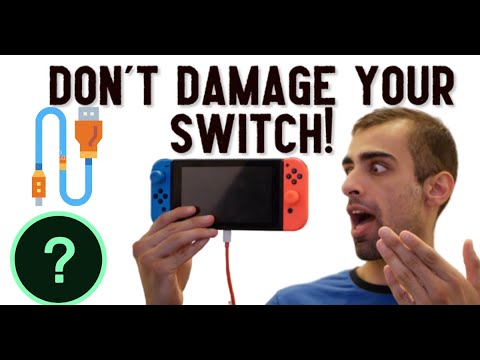
Can you use any Type-C charger for your Nintendo Switch? The short answer is: Yes, but with caution. While the Nintendo Switch utilizes the ubiquitous USB-C port for charging, not all USB-C chargers are created equal. Using an incompatible or low-quality charger can potentially damage your console, lead to slow charging, or even prevent charging altogether. It’s crucial to understand the nuances of USB-C Power Delivery (PD) and the Nintendo Switch’s power requirements to ensure a safe and optimal charging experience.
Understanding USB-C and Power Delivery
The Promise of USB-C
The USB-C connector has become a standard in modern electronics, offering a reversible design and the potential for faster data transfer and power delivery. This “universal” port aims to simplify our tech lives, reducing the need for multiple proprietary cables. However, the standardization primarily refers to the physical connector, not necessarily the power delivery capabilities behind it.
The Importance of Power Delivery (PD)
USB Power Delivery (PD) is a fast-charging protocol that allows devices to negotiate and receive the optimal amount of power from a compatible charger. The Nintendo Switch supports USB PD, allowing for faster charging speeds when using a PD-compliant charger. A charger that doesn’t support PD can still charge the Switch, but it will likely do so at a much slower rate.
Risks of Using Incompatible Chargers
While most reputable USB-C chargers are safe to use, there are potential risks associated with using incompatible or low-quality options:
- Over-voltage/Over-current: Substandard chargers may not have the necessary protection circuits to regulate voltage and current, potentially leading to damage to the Switch’s internal components.
- Slow Charging or No Charging: A charger with insufficient power output (wattage) may not be able to charge the Switch effectively, especially while gaming. Some chargers might only provide a trickle charge or not charge at all.
- Cable Quality: Poorly constructed cables can be prone to damage, overheating, and even fire hazards.
- Battery Degradation: Inconsistent charging patterns from low-quality chargers can negatively impact the Switch’s battery lifespan.
Choosing the Right Charger for Your Nintendo Switch
To ensure a safe and effective charging experience, consider the following factors when choosing a USB-C charger for your Nintendo Switch:
- Power Delivery (PD) Support: Look for chargers that explicitly state they support USB PD. This ensures optimal charging speeds.
- Wattage: The Nintendo Switch typically requires a charger with at least 15W (5V/3A) to charge effectively. For docking and playing in TV mode, a charger with 45W or higher is recommended.
- Reputable Brands: Stick to well-known and trusted brands that have a reputation for quality and safety. These brands typically include over-voltage, over-current, and over-temperature protection.
- Cable Quality: Choose a durable cable made from high-quality materials. Look for reinforced connectors and braided cables for added longevity.
- Certifications: Check for safety certifications such as UL, CE, or FCC, which indicate that the charger has been tested and meets safety standards.
- Nintendo Official Charger: The safest and most reliable option is to use the official Nintendo Switch AC adapter. While it may be more expensive, it guarantees compatibility and optimal performance.
Additional Considerations
- Docking: When using the official Nintendo Switch dock, you MUST use the official Nintendo AC adapter. Using a third-party charger with the dock can potentially damage the dock and/or the console.
- Portable Charging: For on-the-go charging, consider using a power bank (portable charger) that supports USB PD.
- Third-Party Docks: Exercise caution when using third-party docks, as some have been known to cause issues with the Switch. Always research and choose reputable brands.
FAQs: Powering Up Your Nintendo Switch Knowledge
1. Can I use my phone charger to charge my Nintendo Switch?
Technically, yes, you can use a phone charger that has a USB-C connector. However, most phone chargers provide significantly less power than the Switch requires for optimal charging, especially while playing. It might charge the Switch very slowly or not at all if the console is in use. As noted above, Nintendo recommends that players should not charge the Nintendo Switch with other charging cables.
2. Will a charger with higher wattage damage my Nintendo Switch?
No, a charger with higher wattage will not damage your Nintendo Switch, as long as it supports USB Power Delivery (PD). The Switch will only draw the amount of power it needs. The charger and the Switch negotiate how much power to transfer. A higher wattage charger simply provides more headroom for faster charging or for charging the console while it’s actively being used.
3. What is the recommended wattage for a Nintendo Switch charger?
For portable charging, a 15W (5V/3A) charger is sufficient. For docking and playing in TV mode, a charger with 45W or higher is recommended.
4. Are all USB-C cables the same?
No, not all USB-C cables are created equal. They can vary in terms of data transfer speed, power delivery capabilities, and build quality. For charging the Nintendo Switch, ensure the cable supports at least 3A current.
5. Is it safe to use a cheap USB-C cable with my Nintendo Switch?
It’s generally not recommended. Cheap USB-C cables may not meet safety standards, and they can potentially damage your Switch due to poor construction or lack of proper shielding.
6. Can I charge my Nintendo Switch in my car?
Yes, you can use a car charger with a USB-C port to charge your Nintendo Switch. Make sure the car charger supports USB Power Delivery (PD) and has sufficient wattage (at least 15W) for optimal charging. The article mentions officially licensed Nintendo Switch Car Chargers with a 5V/3A voltage for high-speed charging
7. Why is my Nintendo Switch charging so slowly?
Several factors can contribute to slow charging: using a low-wattage charger, using a damaged or low-quality cable, or playing a demanding game while charging. The condition of the battery also can affect this
8. Can I use a power bank to charge my Nintendo Switch?
Yes, you can use a power bank to charge your Nintendo Switch, provided it supports USB Power Delivery (PD) and has sufficient capacity (at least 10,000mAh) for multiple charges.
9. Does the Nintendo Switch Lite have the same charging requirements as the regular Switch?
Yes, the Nintendo Switch Lite also uses a USB-C port for charging and has similar power requirements as the regular Switch.
10. What does “eMarked” mean in relation to USB-C cables?
An “eMarked” USB-C cable contains an electronic chip that identifies the cable’s capabilities and ensures proper communication between the charger and the device. These cables are typically used for higher-power applications, such as charging laptops.
11. How do I know if my USB-C charger supports Power Delivery (PD)?
Check the charger’s specifications or packaging. It should explicitly state that it supports USB Power Delivery (PD).
12. Is it better to use the official Nintendo Switch AC adapter?
Yes, the official Nintendo Switch AC adapter is the safest and most reliable option, as it is specifically designed to meet the console’s power requirements and ensure optimal performance.
13. Can I use a USB-C hub to charge my Nintendo Switch?
While some USB-C hubs may offer charging capabilities, they are generally not recommended for charging the Nintendo Switch, as they may not provide sufficient power or support USB Power Delivery (PD).
14. What should I do if my Nintendo Switch is not charging at all?
First, try using a different charger and cable to rule out a faulty charger. Then, check the Switch’s USB-C port for any debris or damage. If the problem persists, contact Nintendo support for assistance.
15. Where can I learn more about the impact of gaming on learning and development?
To learn more about the positive aspects of gaming, including how games can be used as educational tools, visit the Games Learning Society website at https://www.gameslearningsociety.org/ or GamesLearningSociety.org.
Conclusion
While the USB-C port offers a degree of universality, choosing the right charger for your Nintendo Switch requires careful consideration. By understanding the power requirements of the console and the capabilities of different USB-C chargers, you can ensure a safe, efficient, and enjoyable gaming experience. Always prioritize quality, safety, and compatibility to protect your investment and maximize your playtime.