Unleash the Power of Storage: Can Your Nintendo Switch Handle a 1TB SD Card?
Fast answer first. Then use the tabs or video for more detail.
- Watch the video explanation below for a faster overview.
- Game mechanics may change with updates or patches.
- Use this block to get the short answer without scrolling the whole page.
- Read the FAQ section if the article has one.
- Use the table of contents to jump straight to the detailed section you need.
- Watch the video first, then skim the article for specifics.
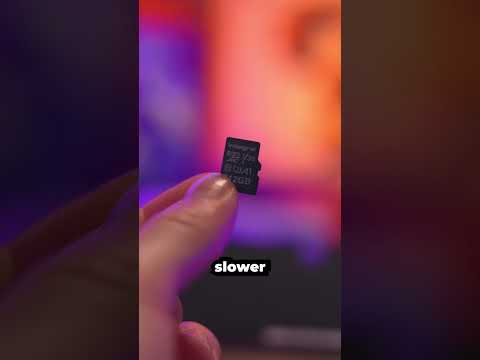
Absolutely! The Nintendo Switch is indeed compatible with 1TB SD cards. For avid gamers with extensive digital libraries, this is fantastic news. However, there’s more to the story than a simple “yes.” Let’s delve into the details to ensure you choose the right card and get the most out of your Switch.
Choosing the Right SD Card: A Deep Dive
Selecting the proper SD card for your Nintendo Switch is crucial for optimal performance. While the Switch officially supports up to 2TB microSD cards, those aren’t readily available yet. The practical maximum currently sits at 1TB. Here’s what you need to consider:
- Type of SD Card: The Switch supports microSD (up to 2GB), microSDHC (4GB – 32GB), and microSDXC (64GB and above) cards. A 1TB card will always be a microSDXC card.
- Speed Class: Nintendo recommends at least a Class 10 and UHS-I card. These offer sufficient read and write speeds for most Switch games.
- Read and Write Speeds: While higher speeds are generally better, the Switch’s microSD card reader has a maximum speed of 104MB/s. Don’t overspend on a card with speeds far exceeding this limit, as the Switch won’t be able to fully utilize them.
- Brand Reputation: Stick to reputable brands like SanDisk, Samsung, and Lexar. These brands are known for their reliability and performance.
- Real-World Testing: Read reviews and watch videos of people testing specific SD cards with their Switch to get an idea of real-world performance.
Formatting Your 1TB SD Card
Before using your new 1TB SD card with your Nintendo Switch, you’ll need to format it. The Switch uses a proprietary formatting system. Here’s how to do it:
- Power on your Nintendo Switch.
- From the HOME Menu, select “System Settings.”
- Scroll down and select “System” and then “Formatting Options.”
- If parental controls are enabled, you’ll need to enter your PIN.
- Select “Format microSD Card.”
- Select “Continue.”
- Select “Format.”
Important Note: Formatting the microSD card will erase all data on it. Make sure to back up any important files before proceeding.
Installing Your SD Card
Inserting the microSD card into your Nintendo Switch is easy:
- Power off your Nintendo Switch.
- Gently swing the adjustable stand open to reveal the microSD card slot.
- Ensure the microSD card is correctly positioned with the label facing away from the console.
- Insert the microSD card into the slot and gently push down until it clicks into place.
Filling Your 1TB SD Card: Game Storage Considerations
A 1TB SD card offers substantial storage space for your Nintendo Switch games. On average, a Switch game is approximately 6.7GB. Therefore, a 1TB card can hold around 150 games. Keep in mind that the actual number of games you can store will vary depending on the game size.
Why Use an SD Card?
Why bother with an SD card at all? The Nintendo Switch has limited internal storage. Once you start downloading digital games, demos, and updates, you’ll quickly run out of space. An SD card provides a cost-effective way to expand your storage and carry your entire game library with you.
The Future of Switch Storage
While 2TB microSD cards are theoretically possible, they are not yet widely available. As technology advances, larger capacity cards will likely become more common and affordable, further enhancing the Nintendo Switch’s storage capabilities.
FAQs: Nintendo Switch and SD Cards
1. What types of microSD cards are compatible with the Nintendo Switch?
The Nintendo Switch supports microSD (up to 2GB), microSDHC (4GB – 32GB), and microSDXC (64GB and above) cards.
2. Can I use multiple microSD cards with my Switch?
Nintendo recommends using a single microSD card with your Nintendo Switch console. If you run out of space, you can copy all the data to a larger microSD card.
3. Is there a limit to the size of the SD card I can use?
The Nintendo Switch can accommodate cards up to 2TB in size, though 2TB cards aren’t readily available currently.
4. How do I transfer data from the system memory to the microSD card?
On the HOME Menu, select “System Settings” → “Data Management” → “Move Data Between System / microSD Card.” Then select “Move to microSD Card”.
5. What read/write speeds should I look for in an SD card?
Nintendo recommends at least a Class 10 and UHS-I card. These offer sufficient read and write speeds for most Switch games, even though Switch’s microSD card reader can only read at speeds up to 104MB/s.
6. Will any microSD card work with my Switch?
The standard Nintendo Switch, Nintendo Switch Lite, and Nintendo Switch OLED are all compatible with microSD cards that have up to 2TB in memory capacity — anything higher won’t work.
7. Does the brand of SD card matter?
Yes, sticking to reputable brands like SanDisk, Samsung, and Lexar is generally recommended.
8. Can I use an SD card that’s faster than the Switch’s maximum read speed?
Yes, you can, but the Switch won’t be able to utilize the card’s full potential. The Switch’s microSD card reader has a maximum speed of 104MB/s.
9. Why is my Nintendo Switch not recognizing my SD card?
Verify that the microSD card is compatible with Nintendo Switch. If the microSD card is not compatible with the console, replacing it with a compatible type may resolve the problem.
10. What happens if I run out of space on my SD card?
You can either delete games you no longer play or upgrade to a larger SD card. You can transfer data from the old card to the new one using a computer.
11. Is 512GB enough for the Switch?
Whether 512GB is enough depends on your gaming habits. If you primarily buy physical games, 512GB may be sufficient. However, if you download many digital games, a 1TB card may be a better choice.
12. Are all SD cards the same?
No, SD cards vary in terms of capacity, speed, and reliability. Choosing the right card for your needs is essential.
13. Can I move game save data to the SD card?
Some save data can be transferred, but not all. Cloud saves (with Nintendo Switch Online) are a great way to back up your save data.
14. Where can I learn more about gaming and education?
The Games Learning Society is a fantastic resource for exploring the intersection of gaming and education. Visit their website at GamesLearningSociety.org or https://www.gameslearningsociety.org/ to learn more.
15. Is it worth buying a 1TB SD card for my Switch?
For dedicated gamers with extensive digital libraries, a 1TB SD card is absolutely worth the investment. It provides ample storage space and eliminates the need to constantly delete and redownload games.
By understanding these details, you can confidently choose a 1TB SD card for your Nintendo Switch and enhance your gaming experience. Enjoy!