Can Your PS4 Update Games While Off? The Definitive Guide
Fast answer first. Then use the tabs or video for more detail.
- Watch the video explanation below for a faster overview.
- Game mechanics may change with updates or patches.
- Use this block to get the short answer without scrolling the whole page.
- Read the FAQ section if the article has one.
- Use the table of contents to jump straight to the detailed section you need.
- Watch the video first, then skim the article for specifics.
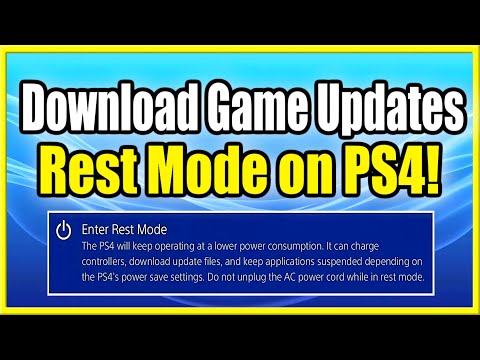
The short answer is no, your PS4 cannot update games while completely turned off. However, don’t despair! The PS4 has a “Rest Mode” that allows it to perform a variety of tasks, including downloading and installing game updates, while appearing to be off. This article dives deep into how Rest Mode works, how to configure it for optimal updating, and answers all your burning questions about keeping your PS4 games updated efficiently.
Understanding Rest Mode: The Key to Automatic Updates
The crucial distinction here is between a full power-off and Rest Mode. When your PS4 is completely powered down, it’s just like any other electronic device that’s switched off – it’s not using any processing power and cannot perform any functions. Rest Mode, on the other hand, is a low-power state that allows the PS4 to keep certain processes running in the background. Think of it like sleep mode on your computer.
Here’s why Rest Mode is essential for automatic game updates:
- Network Connectivity: Rest Mode allows your PS4 to maintain a connection to the internet, which is necessary for downloading updates.
- Background Processes: The PS4 can continue to download and install game updates, as well as system software updates, even when in Rest Mode.
- Low Power Consumption: While not completely off, Rest Mode uses significantly less power than when the PS4 is actively being used.
Configuring Your PS4 for Automatic Updates
To ensure your PS4 automatically updates games while in Rest Mode, you need to configure a few settings. Here’s a step-by-step guide:
-
Enable Internet Connection in Rest Mode:
- Go to (Settings) > [Power Save Settings] > [Set Features Available in Rest Mode].
- Make sure the checkbox for [Stay Connected to the Internet] is selected. This is the most crucial setting for downloading updates.
-
Enable Automatic Downloads and Installs:
- Go to (Settings) > [System] > [Automatic Downloads].
- Ensure that the checkboxes for [Application Update Files] and [System Software Update Files] are selected.
-
Sufficient Hard Drive Space: Make sure you have sufficient space on your hard drive. A good estimate is to have at least 100-150 GB of free space.
With these settings enabled, your PS4 will automatically download and install game updates (and system software updates) whenever they become available, as long as the console is in Rest Mode.
Why Rest Mode is Better Than Leaving the PS4 On
You might wonder why not just leave the PS4 on all the time? Here’s why Rest Mode is the preferred method:
- Reduced Power Consumption: Rest Mode uses significantly less power than leaving the PS4 fully on, saving you money on your electricity bill and reducing your carbon footprint.
- Prevention of Overheating: Leaving the PS4 on for extended periods can potentially lead to overheating, which can damage the console. Rest Mode mitigates this risk.
- Quieter Operation: When the PS4 is fully on, the fan can become quite loud, especially during demanding games. Rest Mode is virtually silent.
Troubleshooting Update Issues in Rest Mode
Sometimes, despite having the correct settings enabled, updates might not download automatically. Here are some common troubleshooting tips:
- Check Your Internet Connection: Ensure your internet connection is stable and working correctly. You can test your connection in the PS4’s settings.
- Restart Your PS4: A simple restart can often resolve minor software glitches that might be preventing updates from downloading.
- Check for System Software Updates: Make sure your PS4’s system software is up to date, as this can sometimes affect the ability to download game updates.
- Free Up Hard Drive Space: If your hard drive is full or nearly full, the PS4 might not be able to download updates. Delete any unnecessary games, apps, or files to free up space.
- Rebuild Database: Rebuilding the PS4’s database can resolve various issues, including download problems. You can access this option in Safe Mode.
- Manually Check for Updates: If all else fails, you can manually check for game updates by highlighting the game in your library, pressing the Options button on your controller, and selecting “Check for Update.”
Benefits of Keeping Your Games Updated
Keeping your games updated is crucial for several reasons:
- Bug Fixes: Updates often include fixes for bugs and glitches that can negatively impact gameplay.
- Performance Improvements: Updates can improve the overall performance of the game, resulting in smoother gameplay and reduced lag.
- New Content: Many updates include new content, such as characters, levels, weapons, and game modes, extending the lifespan of the game.
- Security Patches: Updates can include security patches that protect your PS4 from potential vulnerabilities.
Additional Ways to Improve PS4 Performance
Beyond keeping your games updated, there are other steps you can take to improve your PS4’s overall performance:
- Clean Your PS4: Dust can accumulate inside the PS4, leading to overheating and reduced performance. Regularly clean the console with a can of compressed air.
- Upgrade to an SSD: Replacing the PS4’s hard drive with an SSD (Solid State Drive) can significantly improve loading times and overall responsiveness.
- Rebuild the Database: As mentioned earlier, rebuilding the database can resolve various issues and improve performance.
- Ensure Proper Ventilation: Make sure the PS4 is placed in a well-ventilated area to prevent overheating.
The Future of Gaming and Updates
The landscape of gaming is constantly evolving, with digital downloads and online updates becoming increasingly prevalent. Understanding how to manage updates effectively is essential for maximizing your gaming experience. The Games Learning Society is an excellent resource for staying informed about the latest trends and best practices in the gaming world. Visit GamesLearningSociety.org to learn more.
FAQs: Your PS4 Update Questions Answered
Can I turn off my PS4 while downloading an update?
No, you cannot completely turn off your PS4 while downloading an update. The download will be interrupted, and you may have to restart it when you turn the console back on. Use Rest Mode instead.
Does Rest Mode consume a lot of electricity?
No, Rest Mode consumes very little electricity. It’s significantly more energy-efficient than leaving the PS4 fully on.
Can I eject a game disc while it’s updating?
Yes, you can eject a game disc while it’s updating. The update will continue to download and install in the background.
Does my PS4 need to be connected to the internet to update games?
Yes, your PS4 needs to be connected to the internet to download game updates.
How long does it take for a PS4 to update?
The time it takes for a PS4 to update depends on the size of the update and your internet speed. It can range from a few minutes to several hours.
Is it bad to leave my PS4 in Rest Mode overnight?
No, it’s not bad to leave your PS4 in Rest Mode overnight. In fact, it’s recommended for automatic downloads and updates.
Will my game continue to download in sleep mode?
No. “Sleep Mode” turns off your disk and download will not progress.
Does PS4 get hot in rest mode?
It should be safe, but it’s recommended to close the game before putting it in rest mode to avoid overheating.
How many hours should the PS4 rest?
The console doesn’t need a rest, but it’s recommended players take a 15-minute break every hour.
Do game updates download faster in rest mode?
Yes, rest mode appears to download games quicker.
What makes PS4 run faster?
Switching to a hardwired connection, freeing up disk space, rebuilding your database, and upgrading to an SSD can make your PS4 run faster.
Why is my game updating so slow?
Congestion on your home network, your physical location in relation to the content server, the size of downloads or updates, whether you have a game running (even in the background), or Remote Play connections from your PC to your console can cause slow updates.
How much electricity does a PS4 use?
The average electricity use of a PlayStation 4 (PS4) is approximately 100-150 watts.
How long can a PS4 stay on?
To prevent overheating, it is better to play your PS4 for less than 4 hours every time.
Do updates continue in sleep mode?
Sleep and Hibernate settings can interfere with your scheduled updates.