Can the PSP Still Connect to PSN? A Deep Dive into the PlayStation Portable’s Online Capabilities
Fast answer first. Then use the tabs or video for more detail.
- Watch the video explanation below for a faster overview.
- Game mechanics may change with updates or patches.
- Use this block to get the short answer without scrolling the whole page.
- Read the FAQ section if the article has one.
- Use the table of contents to jump straight to the detailed section you need.
- Watch the video first, then skim the article for specifics.
The short answer is no, the PSP (PlayStation Portable) can no longer directly connect to the PlayStation Network (PSN) to browse or make purchases. Sony officially shut down the PlayStation Store for the PSP on July 6th, 2021, effectively ending the device’s ability to directly access and download content through PSN.
But that doesn’t mean the PSP is entirely disconnected from the online world. Let’s delve into the details of what remains possible, explore the history of PSP’s online connectivity, and answer some crucial questions that PSP enthusiasts might still have.
The Rise and Fall of PSP’s PSN Connectivity
When the PSP launched in 2004 (Japan) and 2005 (North America and PAL regions), it was a revolutionary device. A handheld console capable of playing near-console quality games, movies, and music, the PSP also boasted built-in Wi-Fi, opening the door to online multiplayer, downloadable content, and access to the PlayStation Store.
For years, players could browse the PSN directly from their PSPs, purchasing and downloading games, demos, and other content. This feature significantly enhanced the PSP’s appeal, providing a vast library of digital games to supplement the physical UMD (Universal Media Disc) format.
However, as technology advanced and Sony shifted its focus to newer platforms like the PS Vita and PlayStation consoles, support for the PSP gradually waned. The PlayStation Store for PSP was initially closed in 2016, but users could still perform searches and make in-game purchases. This last vestige of direct PSN access was ultimately removed in 2021, marking the end of an era.
What’s Still Possible with a PSP Today?
Even without direct PSN access, the PSP still has some life left in it. Here’s what you can still do:
- Play Downloaded Games: If you previously purchased and downloaded games from the PlayStation Store, you can still access and play them on your PSP. These games are stored on your Memory Stick Duo.
- Download Previously Purchased Content: You can redownload your previously purchased PSP content by accessing the Download List on the device. This is essential for anyone who may have accidentally deleted a game or had to restore their PSP.
- Play Physical UMD Games: The PSP’s primary format, UMDs, remain fully functional. You can still buy, sell, and play physical PSP games.
- Homebrew and Emulation: The PSP has a thriving homebrew community that has developed custom software, emulators, and other tools. This can significantly expand the PSP’s capabilities, allowing you to play games from other classic consoles.
- Local Multiplayer: Many PSP games support local multiplayer via Wi-Fi ad-hoc mode. You can still connect with other PSP owners nearby to enjoy multiplayer gaming.
- Media Playback: The PSP can play music and videos stored on your Memory Stick Duo. This turns the PSP into a portable media player.
Connecting to Wi-Fi in 2023
Connecting your PSP to Wi-Fi can still be useful for accessing online features in some games or for transferring files. Here’s how to do it:
- On your PSP, go to Settings and then select Network Settings.
- Select Infrastructure Mode.
- Select [New Connection].
- In the WLAN Settings screen, select Scan then press the right button.
- Select your wireless network name (SSID) then press the right button on your device.
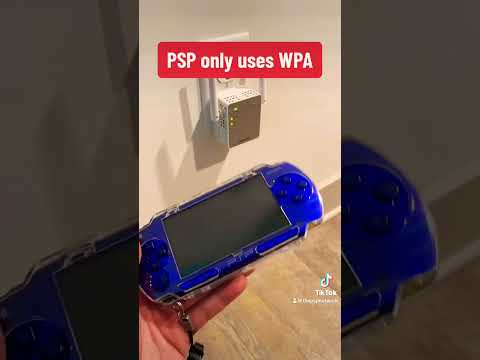
Important Note: The PSP only supports WPA security, not the more modern WPA2 or WPA3. This means you might need to adjust your router settings to enable WPA compatibility or use an older router specifically for your PSP.
PSP Emulation
While you can’t play PSP games directly on a PlayStation console, you can use emulators to play PSP games on a computer or even some Android devices. Emulators like PPSSPP are highly regarded for their accuracy and performance. This allows you to experience PSP games in higher resolutions and with improved graphics. The Games Learning Society explores such gaming ecosystems, as well as how they can be used to educate. You can learn more at GamesLearningSociety.org.
FAQs: PlayStation Portable and PSN
Here are some frequently asked questions about the PSP and its connection to PSN:
1. Can I still create a new PSN account on my PSP?
No, you can no longer create a new PSN account directly on your PSP. Since the PlayStation Store is no longer accessible, the account creation process is unavailable.
2. Can I transfer games from my PS3 or PS Vita to my PSP?
Generally, no. While there was limited cross-buy functionality for some games, direct transfer between PS3/PS Vita and PSP is not supported for most titles after the PSN store closures on those platforms.
3. How do I transfer games to my PSP now?
If you have downloaded content on a computer, you can connect your PSP to your PC using a USB cable. Locate the downloaded content and right-click to transfer the files to the PSP’s Memory Stick Duo.
4. Can I play online multiplayer on my PSP anymore?
It depends on the game. Some PSP games used the PlayStation Network for online multiplayer, which is no longer functional. However, some games support ad-hoc multiplayer, allowing you to play with other PSP owners locally via Wi-Fi.
5. What if my PSP is not connecting to Wi-Fi?
Ensure your PSP’s WLAN switch is turned on. Also, verify that your router is using WPA security and that you have entered the correct password. If you are still experiencing issues, try restarting your router and PSP.
6. My PSP is bricked. Can it be fixed?
A “bricked” PSP is essentially non-functional. The severity of the brick determines the possibility of repair. A “soft brick” might be fixable by flashing the firmware, but a “hard brick” is often unrecoverable.
7. How do I restore my PSP to factory settings?
Go to Settings > System Settings > Restore Default Settings. This will erase all data on your PSP and revert it to its original state.
8. Does the PSP have Bluetooth?
Yes, but only for audio. You can register, or pair, Bluetooth®-compatible devices with your PSP™ system. You can also manage the Bluetooth® devices that are connected to your system.
9. Can I connect my PSP to my iPhone’s hotspot?
Connecting a PSP to an iPhone’s personal hotspot can be tricky due to compatibility issues. Some users have reported success by tweaking the hotspot’s security settings, but it’s not guaranteed.
10. Can all PSP models connect to a TV?
Only the PSP-2000 and PSP-3000 models can be connected to a TV using a component or composite AV cable. The original PSP-1000 does not have this capability.
11. What cable does the PSP use?
The PSP uses a standard USB cable for data transfer and charging. For connecting to a TV, you’ll need a PSP component or composite AV cable.
12. Why did Sony abandon the PSP?
Sony discontinued the PSP due to several factors, including the rise of smartphone gaming, the introduction of new gaming platforms like the PS Vita, and evolving consumer preferences.
13. Can I use a Micro SD card in my PSP?
Officially, no. The PSP uses Memory Stick Duo cards. However, you can use a Micro SD card with a Memory Stick Duo adapter.
14. My PSP game is not working. What should I do?
First, ensure the UMD is clean and properly inserted. If the issue persists, try a different game to determine if the problem lies with the UMD or the PSP itself.
15. Is the PS Vita a good alternative to the PSP in 2023?
Yes, the PS Vita can be seen as a good alternative to the PSP. While Sony has also discontinued the Vita, it offers a more powerful platform with a wider range of games and features.
The Enduring Legacy of the PSP
While the PSP’s direct connection to PSN is a thing of the past, the console remains a beloved handheld gaming device with a dedicated community. Its library of games, homebrew capabilities, and enduring appeal ensure that the PSP will continue to be enjoyed by gamers for years to come. Moreover, studying the history of the PSP and its online capabilities offers valuable insights into the evolution of gaming and the challenges of maintaining support for older platforms. This understanding is key to informing future gaming system designs and policies, especially as discussed within the Games Learning Society.