Can RAM Affect Graphics? Unveiling the Truth Behind Gaming Performance
Fast answer first. Then use the tabs or video for more detail.
- Watch the video explanation below for a faster overview.
- Game mechanics may change with updates or patches.
- Use this block to get the short answer without scrolling the whole page.
- Read the FAQ section if the article has one.
- Use the table of contents to jump straight to the detailed section you need.
- Watch the video first, then skim the article for specifics.
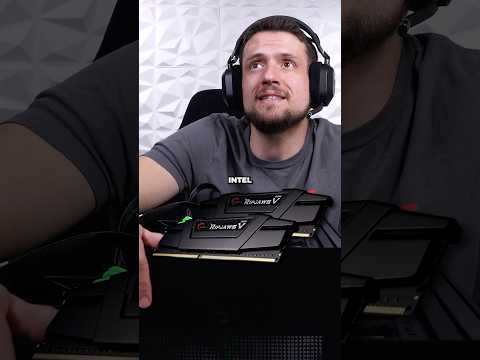
Yes, RAM can absolutely affect your graphics performance, though not in the same way as your graphics card (GPU). While it doesn’t directly increase visual quality, insufficient RAM can severely bottleneck your system and prevent your GPU from performing at its best. Think of it like this: your GPU is the artist, painting a beautiful masterpiece, and RAM is the canvas. If the canvas is too small or constantly being swapped out, the artist can’t properly execute their vision, leading to performance issues like low frame rates, stuttering, and overall poor responsiveness.
The relationship between RAM and graphics is often misunderstood. People commonly believe that only the GPU is responsible for graphics, but RAM plays a crucial supporting role, especially when gaming or running graphically intensive applications. Let’s dive deeper into how RAM impacts your graphics experience and how to optimize your system for peak performance.
How RAM Impacts Graphics Performance
RAM’s influence on graphics boils down to its role as a temporary storage space for data. Your CPU, GPU, and storage drives constantly exchange information. When your computer is rendering graphics, the GPU needs quick access to textures, models, and other visual data. This data is typically loaded into RAM, allowing the GPU to retrieve it much faster than accessing the slower storage drive.
If you have insufficient RAM, your system will rely more heavily on your hard drive or SSD (Solid State Drive) for virtual memory. This is a slower process, leading to significant performance drops. Imagine trying to build a Lego set where you have to constantly run back and forth to another room to grab each brick. It’s much more efficient to have all the bricks laid out in front of you, ready to be used. That’s what RAM does for your GPU.
Furthermore, if your integrated graphics shares system memory, it can heavily affect your system performance. With insufficient RAM, your integrated graphics will have reduced capacity to process graphics intensive tasks and applications, especially when gaming.
The Bottleneck Effect
A RAM bottleneck occurs when your GPU is capable of rendering more frames per second (FPS) than your RAM can handle. This results in the GPU being underutilized, as it spends time waiting for data from the RAM. The symptoms of a RAM bottleneck include:
- Low and unstable FPS: Even on lower graphics settings, your frame rates may be surprisingly low and fluctuate wildly.
- Stuttering and lag: The game may freeze or stutter intermittently, especially during intense action sequences.
- Slow loading times: Games and applications take longer to load because the system is constantly swapping data between RAM and the storage drive.
- High CPU usage: The CPU may be working harder than it should, trying to compensate for the RAM shortage.
The Importance of RAM Speed
It’s not just about the amount of RAM; RAM speed also plays a crucial role. Faster RAM allows for quicker data transfer between the CPU, GPU, and other components. While the impact of RAM speed is often less noticeable than the impact of RAM capacity, it can still provide a performance boost, especially in CPU-intensive games and applications.
RAM speed is measured in MHz (Megahertz). A higher MHz rating indicates faster data transfer rates. When choosing RAM, make sure your motherboard supports the desired speed, as using faster RAM than your motherboard can handle will result in the RAM running at a lower speed.
Integrated Graphics and Shared Memory
If you’re using a system with integrated graphics (graphics processing built into the CPU), the importance of RAM becomes even more pronounced. Integrated graphics typically share system RAM for their graphics processing tasks. This means that the amount of RAM available to your CPU and other applications is reduced, further exacerbating any RAM limitations.
Therefore, if you’re using integrated graphics, it’s especially important to have a sufficient amount of RAM to ensure smooth performance.
Frequently Asked Questions (FAQs)
Here are some frequently asked questions to further clarify the relationship between RAM and graphics:
1. Does RAM affect graphics quality?
No, RAM does not directly affect graphics quality. It doesn’t make textures sharper or colors more vibrant. However, insufficient RAM can lead to performance issues that indirectly impact the visual experience, such as low frame rates and stuttering.
2. Does increasing RAM increase graphics (VRAM)?
No, increasing system RAM does not directly increase VRAM (Video RAM), which is the dedicated memory on your graphics card. However, with an integrated graphic card, it will help to increase performance for graphic tasks.
3. Can RAM affect GPU usage?
Yes, if you don’t have enough RAM, your GPU might not be used to its full potential. This is because the GPU may be waiting for data from the RAM, leading to lower GPU utilization.
4. Does RAM have anything to do with graphics?
Yes, RAM is a crucial component in the graphics rendering process. It acts as temporary storage for visual data, allowing the GPU to access it quickly.
5. Does more RAM give you more FPS?
Usually, yes. Upgrading from an insufficient amount of RAM to a sufficient amount can significantly increase your FPS. However, once you reach a point where your RAM is no longer a bottleneck, adding more RAM won’t provide much additional benefit.
6. Does RAM affect CPU or GPU?
RAM affects both the CPU and GPU. The CPU relies on RAM for running applications and processing game logic, while the GPU relies on RAM for accessing visual data.
7. Is 16GB RAM good for gaming?
16GB of RAM is generally considered the sweet spot for modern gaming. It provides enough memory to handle most games smoothly, even with other applications running in the background.
8. Can too much RAM bottleneck GPU?
No, having too much RAM won’t bottleneck your GPU. The bottleneck will always shift towards the CPU or GPU.
9. How much does RAM affect graphics?
The impact of RAM on graphics depends on the specific game or application and the overall system configuration. In some cases, upgrading RAM can provide a significant performance boost, while in others, the impact may be minimal.
10. Can RAM bottleneck your GPU?
Yes, a RAM bottleneck can occur when the amount of RAM is insufficient to support the GPU’s ability to render data.
11. Is 32GB RAM overkill for gaming?
For most gamers, 32GB of RAM is currently overkill. However, if you plan to run multiple demanding applications simultaneously, stream, or future-proof your system for upcoming games, 32GB might be a worthwhile investment.
12. Is it better to have more RAM or faster RAM?
In most cases, having more RAM is more beneficial than having faster RAM. However, striking a balance between capacity and speed is ideal. 16GB of RAM at a decent speed (e.g., 3200MHz) is generally better than 8GB of RAM at a very high speed.
13. Do I need 32GB RAM for gaming in 2024?
While 16GB is still sufficient for many games, 32GB RAM might be a good investment for future-proofing your gaming rig and ensuring smooth performance in newer, more demanding titles, especially if you multitask.
14. How much RAM do I need for graphics design?
For graphic design, at least 8GB of RAM is recommended, but 16GB or more is ideal. Programs like Adobe Photoshop and Illustrator can be memory-intensive, so having more RAM will allow you to work on larger projects without experiencing performance issues.
15. How do I know if my RAM is bottlenecking?
You can monitor your RAM usage using the Task Manager (Windows) or Activity Monitor (macOS). If your RAM is consistently near its maximum capacity, it’s likely bottlenecking your system. Also, keep an eye on your page file usage, as high page file usage indicates that your system is relying on the storage drive for virtual memory, which is a sign of a RAM bottleneck.
Optimizing Your RAM for Graphics Performance
Here are some tips for optimizing your RAM for improved graphics performance:
- Upgrade to at least 16GB of RAM: This is the minimum recommended amount for modern gaming and graphically intensive applications.
- Choose RAM with a decent speed: Aim for RAM with a speed of at least 3200MHz.
- Ensure your motherboard supports the RAM speed: Using faster RAM than your motherboard supports won’t provide any benefit.
- Close unnecessary applications: Close any applications that are running in the background and consuming RAM.
- Defragment your hard drive: This can improve the performance of virtual memory.
- Consider using an SSD: SSDs offer much faster data access times than hard drives, which can significantly improve performance when virtual memory is being used.
- Optimize in-game settings: Reduce graphics settings to lower the demand on your RAM and GPU.
Conclusion
While RAM doesn’t directly impact graphics quality, it plays a vital role in ensuring smooth and responsive graphics performance. Insufficient RAM can bottleneck your system, preventing your GPU from reaching its full potential and leading to low frame rates, stuttering, and lag. Upgrading to at least 16GB of RAM and choosing a decent speed can significantly improve your gaming and graphics experience. Remember that finding the balance between the right CPU, GPU, and RAM is crucial for optimizing your overall system performance. If you’re interested in learning more about the educational aspects of gaming and how they relate to system requirements and performance, be sure to visit the Games Learning Society at https://www.gameslearningsociety.org/.