Can the PS Vita Go On the Internet? A Deep Dive into Sony’s Handheld Wonder
Fast answer first. Then use the tabs or video for more detail.
- Watch the video explanation below for a faster overview.
- Game mechanics may change with updates or patches.
- Use this block to get the short answer without scrolling the whole page.
- Read the FAQ section if the article has one.
- Use the table of contents to jump straight to the detailed section you need.
- Watch the video first, then skim the article for specifics.
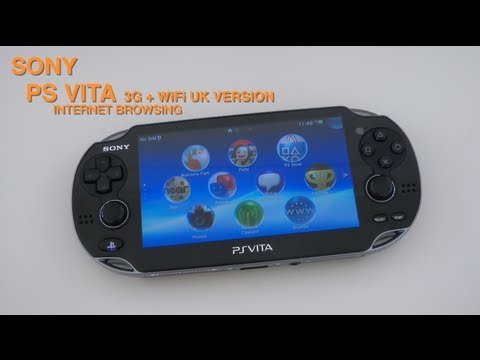
Yes, the PS Vita can connect to the internet. This little handheld, a marvel of its time, boasts both Wi-Fi and, in some models, 3G connectivity, allowing you to browse the web, download games, access online services, and engage in multiplayer gaming. While its online ecosystem isn’t as vibrant as it once was, the Vita retains the capability to connect to the internet, unlocking a world of possibilities for those who still cherish this portable console. This article will delve into the specifics of connecting your PS Vita to the internet and address common questions users may have.
Understanding the PS Vita’s Internet Capabilities
The PS Vita offers several ways to connect to the internet:
- Wi-Fi: All PS Vita models are equipped with Wi-Fi capabilities. You can connect to your home network, public hotspots, or any other available Wi-Fi network. This is the most common and often the most convenient way to get your Vita online.
- 3G (Specific Models): Some PS Vita models came with built-in 3G connectivity. This allowed users to connect to the internet using a mobile data plan, providing internet access even when a Wi-Fi network wasn’t available. However, due to the age of the device and changes in mobile network technology, 3G support may be limited or unavailable in certain regions.
Connecting Your PS Vita to Wi-Fi: A Step-by-Step Guide
Connecting your PS Vita to Wi-Fi is a straightforward process:
- Power on your PS Vita.
- Navigate to the Settings app on the home screen.
- Select Network.
- Choose Wi-Fi Settings.
- Your PS Vita will scan for available Wi-Fi networks.
- Select your desired Wi-Fi network from the list.
- Enter the Wi-Fi password (if required) using the on-screen keyboard.
- Tap OK.
- Your PS Vita will attempt to connect to the network. Once connected, you’ll see a Wi-Fi icon in the top right corner of the screen.
Navigating the PS Vita’s Online Landscape
Once connected to the internet, you can access various online features and services:
- PlayStation Store: Download games, demos, and other content from the PlayStation Store.
- Web Browser: Browse the internet using the built-in web browser. Note that the browser may not be compatible with all modern websites due to its age.
- Online Multiplayer: Play online multiplayer games with other PS Vita users (for games that still support online play).
- Social Networking: Access social networking services like Facebook and Twitter (though the availability and functionality of these apps may be limited).
- Remote Play: Connect to your PlayStation 4 or PlayStation 5 and stream games to your PS Vita (requires a stable internet connection).
The Future of the PS Vita’s Online Functionality
While Sony has discontinued the PS Vita and its official online services are diminishing, the console still holds a special place in the hearts of many gamers. The community continues to support the Vita through homebrew and other initiatives.
It’s important to remember that online services and features may become unavailable over time. Always check the official PlayStation website or the game developer’s website for the latest information.
FAQs: Your PS Vita Internet Questions Answered
Here are some frequently asked questions regarding the PS Vita’s internet capabilities:
Q1: Can I still use my PS Vita online in 2024?
A: Yes, you can still connect your PS Vita to the internet in 2024. However, the availability of online services, such as the PlayStation Store and online multiplayer, may be limited.
Q2: Is the PlayStation Store still accessible on the PS Vita?
A: The PlayStation Store is still accessible on the PS Vita, but purchasing new digital content directly on the device is no longer possible. You can still download previously purchased content.
Q3: Can I use 3G on my PS Vita if I have a 3G model?
A: 3G connectivity may be limited or unavailable depending on your region and mobile carrier. Many carriers have discontinued their 3G networks.
Q4: What type of Wi-Fi does the PS Vita support?
A: The PS Vita supports 802.11b/g/n Wi-Fi.
Q5: How do I troubleshoot Wi-Fi connection problems on my PS Vita?
A: First, ensure your Wi-Fi network is working correctly. Try restarting your PS Vita and your router. Also, make sure your PS Vita has the latest system software update. Check your Wi-Fi password is correct and that MAC address filtering is not enabled on your router, or if it is, that the Vita’s MAC address is on the approved list.
Q6: Can I use a VPN on my PS Vita?
A: There is no native VPN client on the PS Vita. However, you may be able to configure a VPN on your router and connect your PS Vita to that router’s Wi-Fi network.
Q7: Is it safe to connect my PS Vita to public Wi-Fi networks?
A: Connecting to public Wi-Fi networks can be risky, as they may not be secure. Avoid transmitting sensitive information while connected to public Wi-Fi. Consider using a VPN for added security.
Q8: Can I update the PS Vita’s system software over the internet?
A: Yes, you can update the PS Vita’s system software by navigating to Settings > System Update > Update via Wi-Fi.
Q9: Does the PS Vita support Bluetooth internet tethering?
A: No, the PS Vita does not support Bluetooth internet tethering.
Q10: Can I access YouTube on my PS Vita?
A: While there isn’t a dedicated YouTube app, you can try accessing YouTube through the web browser. However, compatibility may be limited due to the age of the browser.
Q11: What is the maximum download speed on the PS Vita?
A: The maximum download speed on the PS Vita depends on your internet connection and network conditions. The device’s Wi-Fi capabilities may limit the maximum speed.
Q12: Can I use the PS Vita to browse the web?
A: Yes, the PS Vita has a built-in web browser that allows you to browse the internet. However, the browser may not be compatible with all modern websites.
Q13: What are the best uses for the PS Vita’s internet connectivity in 2024?
A: Some of the best uses include:
- Downloading previously purchased games.
- Remote Play with PS4 or PS5.
- Browsing retro-style websites.
- Accessing online communities and forums dedicated to the PS Vita.
Q14: How can I improve the internet speed on my PS Vita?
A: Try moving closer to your Wi-Fi router, minimizing interference from other electronic devices, and ensuring your router’s firmware is up to date.
Q15: Are there any educational games or applications that utilize the PS Vita’s internet connectivity?
A: While the PS Vita’s active development is over, there are still ways to utilize its capabilities for learning. Consider exploring older educational titles or checking out resources from organizations like the Games Learning Society, found at GamesLearningSociety.org, which explores the intersection of games and education.