Can the Switch Read Amiibo Cards? A Comprehensive Guide
Fast answer first. Then use the tabs or video for more detail.
- Watch the video explanation below for a faster overview.
- Game mechanics may change with updates or patches.
- Use this block to get the short answer without scrolling the whole page.
- Read the FAQ section if the article has one.
- Use the table of contents to jump straight to the detailed section you need.
- Watch the video first, then skim the article for specifics.
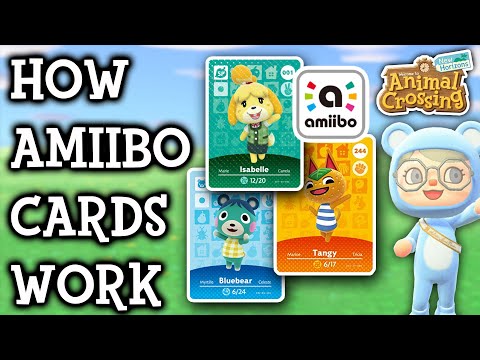
Yes, the Nintendo Switch can absolutely read amiibo cards, as well as amiibo figures. The Switch console family (including the original Switch, Switch OLED, and Switch Lite) is equipped with an NFC (Near Field Communication) reader, which allows it to interact with amiibo technology. This functionality opens up a world of in-game bonuses, content unlocks, and unique experiences within compatible games. Let’s dive into everything you need to know about using amiibo cards with your Nintendo Switch.
Understanding Amiibo Technology
Amiibo are essentially collectible figures and cards containing an NFC chip. This chip stores data that can be read by compatible devices, like the Nintendo Switch. When you tap an amiibo to the console, the game recognizes the specific amiibo and responds accordingly, often unlocking special items, characters, or features.
Amiibo Figures vs. Amiibo Cards
Both amiibo figures and cards serve the same purpose: to interact with your Nintendo Switch games. The primary difference lies in their form factor and collectibility. Amiibo figures are physical figurines, often depicting popular Nintendo characters, while amiibo cards are credit card-sized cards with character artwork and the embedded NFC chip. Functionally, they perform identically.
How to Scan Amiibo on Your Switch
Scanning an amiibo on your Nintendo Switch is a straightforward process:
- Ensure amiibo Functionality is Enabled: Some games might require you to enable amiibo functionality in the settings menu before you can use them.
- Locate the NFC Touchpoint: On the standard Nintendo Switch and Switch OLED, the NFC reader is located on the right Joy-Con’s control stick. On the Nintendo Switch Lite, the NFC reader is also located on the right control stick. The Pro Controller’s NFC reader is located in the center, over the Nintendo Switch logo.
- Start the Amiibo-Compatible Software: Make sure the game you wish to use the amiibo with is running.
- Tap the Amiibo: Gently touch the amiibo card (or figure) to the NFC touchpoint on the designated controller. The game will then register the amiibo and trigger the associated action or reward.
Troubleshooting Amiibo Scanning Issues
Sometimes, the amiibo scanning process might not go as smoothly as planned. Here are a few troubleshooting tips to consider:
- Ensure the Game is Compatible: Not all games support amiibo. Check the game’s packaging or in-game menu to confirm amiibo compatibility.
- Check the Amiibo’s Condition: While amiibo are generally durable, the NFC chip can be damaged. If you suspect damage, try another amiibo to see if the issue persists.
- Restart Your Switch: A simple restart can often resolve temporary software glitches that might interfere with amiibo scanning.
- Update Your System Software: Ensure your Nintendo Switch is running the latest system software, as updates often include bug fixes and improved compatibility.
- Test with Another Controller: If you’re using Joy-Cons, try scanning the amiibo with a Pro Controller (if you have one) to rule out a controller-specific issue.
- Check for Obstructions: Make sure nothing is blocking the NFC touchpoint on your controller or the amiibo card itself.
The Legality and Ethics of Fake Amiibo Cards
The popularity of amiibo has led to the emergence of unofficial or “fake” amiibo cards. While using these cards might seem harmless, it’s important to understand the potential implications.
Are Fake Amiibo Cards Illegal?
The sale of prefabricated fake amiibo cards is a grey area, legally. Nintendo has reportedly taken action against sellers in the past, citing copyright infringement. Creating your own amiibo cards for personal use is less likely to cause legal issues, but it’s always a good idea to be mindful of copyright laws.
Are Fake Amiibo Cards Safe to Use?
From a technical standpoint, fake amiibo cards are generally safe to use on your Nintendo Switch. The game cannot distinguish between a genuine amiibo and a properly programmed fake. However, purchasing fake amiibo cards supports unauthorized reproduction of copyrighted material.
Ethical Considerations
The use of fake amiibo cards raises ethical questions about supporting the original creators and developers. Nintendo invests significant resources in developing amiibo and integrating them into their games. Using fake amiibo cards deprives Nintendo of potential revenue and undermines their efforts to create unique gaming experiences. Consider supporting the official products to ensure the continued development and support of your favorite games. The Games Learning Society highlights the importance of ethical gaming practices, promoting a responsible and respectful approach to the gaming community. Visit GamesLearningSociety.org to learn more about responsible game development.
FAQs About Amiibo Cards and the Nintendo Switch
Here are some frequently asked questions to provide you with even more information about using amiibo cards on your Nintendo Switch:
1. Can I use amiibo cards on any Switch game?
No, only specific games are compatible with amiibo. Check the game packaging or in-game settings to confirm.
2. Where is the NFC reader on the Nintendo Switch?
It’s located on the right Joy-Con’s control stick for the standard Switch and Switch OLED, and also on the right control stick on the Switch Lite. The Pro Controller’s NFC reader is located in the center, over the Nintendo Switch logo.
3. Why won’t my Switch read my amiibo card?
Make sure the game is compatible, the amiibo isn’t damaged, and the NFC touchpoint isn’t obstructed. Try restarting your Switch and updating the system software.
4. Do amiibo cards stop working?
Amiibo cards can stop working if the NFC chip is damaged. Test with another amiibo to confirm if the problem is with the card or the console.
5. How often can I use an amiibo card?
Generally, you can use each amiibo figure once per day (per Nintendo Account).
6. Is it illegal to buy fake amiibo cards?
The sale of prefabricated fake amiibo is a legal grey area, and Nintendo has pursued action against sellers citing copyright infringement.
7. Is it safe to use fake amiibo cards?
Yes, from a technical standpoint. The game cannot distinguish between a real and fake amiibo.
8. Can Nintendo detect fake amiibo?
No, they have no way of knowing whether the card is spoofed.
9. Can I rewrite amiibo cards?
Yes, you can rewrite compatible NFC tags to function as amiibo, but be aware that this might have legal or ethical implications.
10. What do amiibo cards do in Animal Crossing: New Horizons?
Amiibo cards in Animal Crossing: New Horizons allow you to invite villagers to your campsite and eventually move them to your island.
11. Do amiibo cards give you special items in Zelda: Tears of the Kingdom?
Yes, scanning The Legend of Zelda amiibo will provide you with helpful in-game items, such as materials, weapons, or themed paraglider fabric.
12. Can I use amiibo cards if my island is full in Animal Crossing?
Yes, if you invite a villager to your campsite using amiibo cards when your town is full, you can ask them to move in, replacing one of your current villagers.
13. Are mini amiibo cards real?
Mini amiibo cards are not made by Nintendo. They are third-party products, but they can function like real amiibo cards if properly programmed.
14. How do I enable amiibo in a game?
The process depends on the game. Check the game’s settings menu for an amiibo option.
15. Can my phone read amiibo?
Yes, with the correct software and hardware, certain Android phones can read and even emulate amiibo.
Final Thoughts
Amiibo cards and figures add a layer of depth and collectibility to the Nintendo Switch gaming experience. Understanding how they work, how to troubleshoot common issues, and the ethical considerations surrounding unofficial products ensures that you can fully enjoy the world of amiibo while supporting the creators behind your favorite games.