Can Two Nintendo Switches Play Together Offline? The Ultimate Guide
Fast answer first. Then use the tabs or video for more detail.
- Watch the video explanation below for a faster overview.
- Game mechanics may change with updates or patches.
- Use this block to get the short answer without scrolling the whole page.
- Read the FAQ section if the article has one.
- Use the table of contents to jump straight to the detailed section you need.
- Watch the video first, then skim the article for specifics.
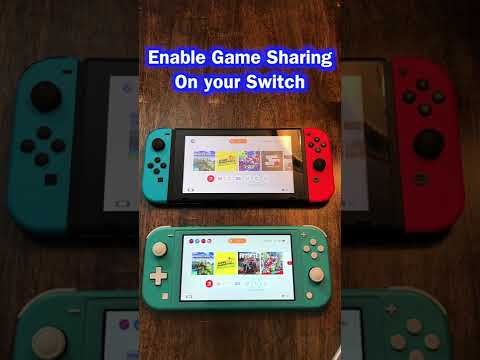
Absolutely! The Nintendo Switch shines as a beacon of local multiplayer gaming. You can absolutely play games together on two (or more!) Nintendo Switch consoles without an internet connection. This is thanks to the Switch’s fantastic local wireless play feature. Think of it as a portable party in your pocket (or backpack, depending on how many Switches you’re lugging around!).
Understanding Local Wireless Play
The key to offline Switch multiplayer is local wireless play, also affectionately known as “couch co-op” for a new generation. This mode allows multiple Switch consoles in the same physical vicinity to connect directly to each other, forming a private, ad-hoc network solely for the purpose of playing a game together. No internet connection is needed! It’s perfect for road trips, camping adventures, or any situation where Wi-Fi is scarce (or non-existent).
How It Works
The process is relatively simple. Typically, one player will host the game, creating a local lobby. The other players then join that lobby with their own Switch consoles. The specifics vary slightly from game to game, but most titles with local wireless support have a clear option in their main menu or multiplayer settings.
Game Requirements: What You Need
Before you start planning your offline Switch extravaganza, there are a few crucial things to keep in mind:
- Game Compatibility: Not all Switch games support local wireless multiplayer. Check the game’s packaging or the Nintendo eShop description to confirm that the game includes local wireless functionality. Some games are online-only, some are single-player only, and some have local options.
- Each Player Needs a Console: This might seem obvious, but each player needs their own Nintendo Switch console. Sadly, there’s no way to magically split one Switch into two.
- Game Ownership: The requirements for game ownership vary by game. Some games require each player to own a copy of the game, either digitally or physically (via a game cartridge). Others support “download play”, where only the host needs to own the game. Guest players download a temporary version of the game from the host’s console, allowing them to play together. Again, refer to the specific game’s documentation.
- Controllers: Make sure you have enough controllers for everyone. The Switch Joy-Cons can be used as two separate controllers in many games, which is perfect for quick, impromptu multiplayer sessions. However, a Pro Controller might be more comfortable for longer play sessions, especially in competitive games. You can pair up to eight controllers to one Nintendo Switch.
- Charged Batteries: This is a no-brainer, but nothing kills a gaming session faster than a dead battery. Make sure all your Switch consoles and controllers are fully charged before you start your offline adventures.
Popular Games for Offline Multiplayer
Many fantastic Switch games are designed to be played with friends and family in local wireless mode. Here are just a few examples:
- Mario Kart 8 Deluxe: A quintessential multiplayer experience. Up to eight players can connect via local wireless to race on a variety of tracks.
- Super Smash Bros. Ultimate: A chaotic and exhilarating fighting game that’s perfect for settling scores with friends.
- Minecraft: Build, explore, and survive together in this massively popular sandbox game.
- Overcooked! 2: A hilariously frantic cooking simulator that tests your teamwork skills (and your patience!).
- Super Mario Party: A digital board game with a variety of minigames that’s sure to bring out your competitive spirit.
- Animal Crossing: New Horizons: Visit each other’s islands and share resources and good times (though the multiplayer elements are limited compared to other games on this list).
- Pokémon: You can trade and battle locally with your Pokémon.
Troubleshooting Tips
While local wireless play is generally reliable, you might occasionally encounter some technical hiccups. Here are a few troubleshooting tips:
- Proximity: Make sure all Switch consoles are within a reasonable range of each other. Excessive distance can weaken the wireless signal and cause connection problems.
- Interference: Electronic devices and physical obstacles can interfere with the wireless signal. Try moving away from other electronic devices or ensuring a clear line of sight between the consoles.
- Restart: Sometimes, simply restarting your Switch consoles can resolve connection issues.
- Software Updates: Ensure that your Switch consoles and games are updated to the latest versions.
- Check Game Settings: Double-check the game’s settings to make sure local wireless play is enabled and configured correctly.
Benefits of Offline Multiplayer
Beyond the obvious benefit of being able to play games without an internet connection, offline multiplayer offers several other advantages:
- Reduced Latency: Because the consoles are connected directly, there’s typically less latency (lag) than online play. This results in a smoother and more responsive gaming experience.
- Privacy: Local wireless play is a private connection, so you don’t have to worry about random strangers joining your game.
- Social Interaction: Playing games together in the same room fosters face-to-face interaction and creates memorable experiences.
- Cost Savings: No need to pay for Nintendo Switch Online subscriptions for everyone!
Final Thoughts
The Nintendo Switch is truly a champion of local multiplayer. Its local wireless play feature allows friends and family to connect and play together, no matter where they are. The Switch’s portability, versatile controllers, and growing library of multiplayer games make it the ultimate system for gaming on the go. It is a fantastic way to experience the fun, excitement, and educational aspects of gaming! To learn more about the educational value of games, be sure to visit the Games Learning Society at https://www.gameslearningsociety.org/.
Frequently Asked Questions (FAQs)
Here are 15 frequently asked questions about playing Nintendo Switch games together offline:
1. Do I need a Nintendo Switch Online subscription to play local multiplayer?
No, a Nintendo Switch Online subscription is not required to play local multiplayer games. The subscription is only needed for online multiplayer features.
2. Can two Switches play the same game with only one copy?
It depends on the game. Some games support download play, where only the host needs to own the game. Guest players download a temporary version from the host’s console. Other games require each player to own a copy. Check the game’s description to see if it is a game that works in this way.
3. How many Nintendo Switches can be linked together for local play?
Up to eight Nintendo Switch consoles can be linked together for local wireless play in compatible games.
4. Can I use a mix of Joy-Cons and Pro Controllers for local multiplayer?
Yes, you can use any combination of Joy-Cons and Pro Controllers, as long as you have enough controllers for all players.
5. Does each player need their own Nintendo Account to play local multiplayer?
No, individual Nintendo Accounts are not required for local multiplayer. Players can use guest profiles or share a single account on different consoles (although this might affect save data).
6. Can I play split-screen multiplayer offline on a single Switch console?
Yes, many games support split-screen multiplayer on a single Switch console. This allows multiple players to play on the same screen, using separate controllers.
7. How do I set up local wireless play on my Nintendo Switch?
The specific steps vary by game, but generally, one player will select the “Local Wireless” or “Couch Co-op” option in the game’s menu and create a lobby. Other players will then search for and join that lobby.
8. Can I play online multiplayer without Nintendo Switch Online if I’m connected to a local network?
No, a Nintendo Switch Online subscription is still required to play online multiplayer, even if you’re connected to a local network. The subscription is tied to Nintendo’s online services, not your network connection.
9. What happens if one player loses connection during local wireless play?
The game will typically pause or disconnect all players. You may be able to resume the game from the point of disconnection, depending on the game.
10. Can I play different games simultaneously on two Switches connected via local wireless?
No, local wireless play is specific to a single game. You cannot play different games simultaneously on connected consoles.
11. Can I use airplane mode while playing local multiplayer?
Yes, you can enable airplane mode to disable all wireless communications except for local wireless play. This can help conserve battery life.
12. What is the maximum range for local wireless play?
The maximum range for local wireless play varies depending on the environment and potential interference, but it’s generally around 30 feet (10 meters).
13. Can I play with players on a Nintendo Switch Lite?
Yes, you can play local multiplayer with players on a Nintendo Switch Lite, as long as the game supports local wireless play.
14. How do I update my Nintendo Switch software for local multiplayer?
Go to System Settings > System > System Update to check for and install any available software updates.
15. Are there any games that are exclusively local multiplayer and don’t offer online play?
Yes, some games are designed specifically for local multiplayer and do not offer online play. These games often focus on creating a social, in-person experience.
These FAQs should address most of the common questions about playing Nintendo Switch games together offline. So gather your friends, charge your Switches, and get ready for some unforgettable offline gaming experiences!