Can Two Users Share Nintendo Online? A Comprehensive Guide
Fast answer first. Then use the tabs or video for more detail.
- Watch the video explanation below for a faster overview.
- Game mechanics may change with updates or patches.
- Use this block to get the short answer without scrolling the whole page.
- Read the FAQ section if the article has one.
- Use the table of contents to jump straight to the detailed section you need.
- Watch the video first, then skim the article for specifics.
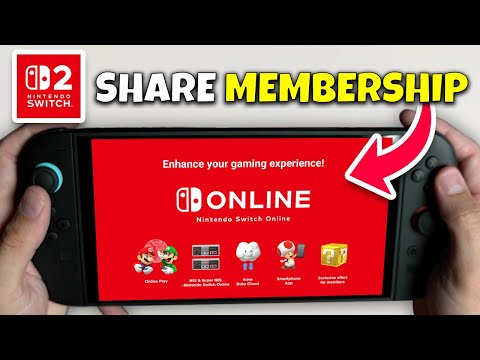
The short answer is yes, two users can share Nintendo Online, but the method and the level of access depend on the type of Nintendo Switch Online membership you have. Understanding the intricacies of Nintendo Account management, family groups, and primary consoles is key to maximizing your Nintendo Switch Online experience, especially if you’re looking to share. Let’s dive into the details to clarify how this works and what limitations you might encounter.
Understanding Nintendo Switch Online Memberships
There are two main types of Nintendo Switch Online memberships: Individual and Family. The choice between these two significantly impacts your ability to share the online service.
Individual Membership
An Individual membership is linked to a single Nintendo Account. This means only the account holder can access the benefits of Nintendo Switch Online with this subscription. This includes the ability to play online multiplayer games, access classic NES and Super NES titles, and utilize cloud saves. Other user profiles on the same console, even if they belong to family members, will not be able to access the online services if they are not part of a Family membership.
Family Membership
A Family membership provides the service to everyone in a Nintendo Account family group, up to a total of 8 members. This membership is ideal for households with multiple users or friends who frequently play together online. Every member of the family group can access Nintendo Switch Online benefits, regardless of whether they are playing on the same console or different ones.
How Two Users Share Nintendo Online
The way two users share Nintendo Online is determined by the membership they have.
Scenario 1: Sharing with an Individual Membership
With an Individual membership, sharing is not directly possible. If you have an individual membership, only your Nintendo Account will have access to Nintendo Switch Online features, even if other user accounts are created on the same Nintendo Switch console. In this case, the second user would need their own individual membership to play online or access the other perks.
Scenario 2: Sharing with a Family Membership
This is the preferred method for sharing. If you have a Family membership, you can add a second user to your family group. To do so:
- Have the second user create their own Nintendo Account if they don’t have one already.
- As the primary account holder with the Family Membership, select “Invite someone to your family group”.
- Enter the email address associated with the second user’s Nintendo Account.
- The second user will receive an email to confirm their inclusion into the Family Group.
Once they have accepted, they will immediately have access to all Nintendo Switch Online benefits, whether they play on the same system or a separate one. They can play online, access classic games, and use cloud saves under this shared membership.
Using Multiple Consoles
A key advantage of a Family Membership is that users don’t need to use the same Nintendo Switch console. The service can be shared even if two users are on separate devices. One console can be designated as the Primary Console for the primary account. If the second user is on a separate Non-Primary Console, they can still access all digital games purchased by the primary account and all Nintendo Switch Online benefits by using their linked account.
Account Sharing vs. Membership Sharing
It’s crucial to differentiate between sharing a Nintendo Account and sharing a Nintendo Switch Online membership. You cannot simply use one Nintendo Account for multiple users, especially on different consoles. This can lead to access issues and hinder the overall experience. Each user should have their own Nintendo Account, and then share a family membership. Games can be shared by signing into your account on the other console, but this is temporary and not ideal for ongoing play between two users.
Primary vs. Non-Primary Consoles
The concept of a primary console is important when sharing digitally purchased games.
- The primary console is the console where your Nintendo Account is primarily active and where all users on that console can access your digital games and Nintendo Switch Online benefits.
- On a non-primary console, only the Nintendo Account that purchased the digital content can access it. This distinction is crucial if you plan on playing the same digital games between two systems.
You can change which console is your primary console as many times as needed but keep in mind only one can be designated as primary at a time.
FAQs About Sharing Nintendo Online
Here are 15 frequently asked questions to further clarify how two users can share Nintendo Switch Online:
1. Can two profiles on the same Switch share an individual membership?
No, an individual membership is linked to a single Nintendo Account, not the console. Only the profile associated with the account that purchased the membership can use it. Other profiles on the same console cannot use the online features with an Individual Membership.
2. Can two people play online using the same Switch with one membership?
Yes, if you have a Family Membership. All users on a console, as well as on separate consoles, can use the service as long as their Nintendo Accounts are part of the Family Group.
3. Do both users need a separate Nintendo Account?
Yes, each user should have their own separate Nintendo Account. This is needed to be added to the family group.
4. Can I add a friend to my family membership if they don’t live with me?
Yes, your friend can be added to your Family Group. There is no requirement for family members or co-habitation for the Family Membership.
5. How many people can share a family membership?
A family membership supports up to 8 Nintendo Accounts.
6. Is it cheaper to get a family membership if we both play online?
Yes, a Family Membership is significantly cheaper than purchasing two individual memberships. For two or more people, it’s the most cost-effective option.
7. Can two people play the same digital game at the same time using a family membership?
Yes, they can play at the same time if they are using two different Nintendo Switch consoles. However, on the same console this might be dependent on the specific game.
8. Do I need a Family Membership to play online with my children?
If you want to share online play with children on your Nintendo Switch, and they have their own Nintendo Account, a Family Membership is essential for each child to use the service.
9. What if only one of us cares about the Expansion Pack?
The Expansion Pack upgrade, when purchased, applies to all members of a Family Membership.
10. Can we use our individual memberships and share games?
You can share digital games by logging onto another console with your Nintendo Account but you can’t share an individual membership. The service cannot be shared if it is an individual one.
11. What if one user is on a Lite and the other on an original Switch?
The type of Nintendo Switch does not matter. As long as the users are in the same Family Group, the Family Membership will work for both of them.
12. How do I remove someone from my Family Group?
You can remove someone from your Family Group through your Nintendo Account settings.
13. What happens if my family membership expires?
If your Family Membership expires, all members of the group will lose access to Nintendo Switch Online benefits.
14. Can I transfer my saves to another console?
Yes, if both users are using the same Nintendo Account or the same Family Membership, cloud save data can be used to transfer progress.
15. How often can I switch the primary console associated with my account?
You can change which system is your Nintendo Account’s primary console as many times as you need.
Conclusion
In summary, two users can absolutely share Nintendo Switch Online, especially if one user has a Family Membership. Understanding the nuances of Nintendo Account management, family groups, and primary consoles will significantly impact how you and others can access and enjoy online play and other benefits. By opting for a Family Membership, you can provide shared access to multiple users, maximizing the value of your subscription and making gaming with friends and family more enjoyable.