Can Windows 10 Run Any Game?
Fast answer first. Then use the tabs or video for more detail.
- Watch the video explanation below for a faster overview.
- Game mechanics may change with updates or patches.
- Use this block to get the short answer without scrolling the whole page.
- Read the FAQ section if the article has one.
- Use the table of contents to jump straight to the detailed section you need.
- Watch the video first, then skim the article for specifics.
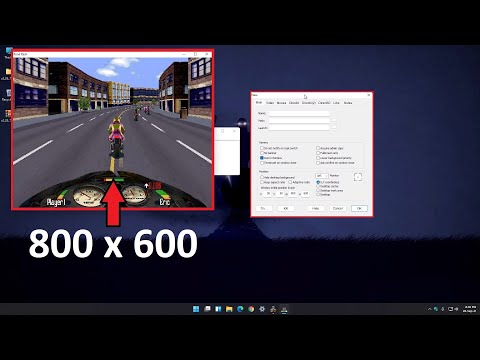
The short answer is no, Windows 10 cannot run any game ever created. While Windows 10 boasts broad compatibility thanks to decades of software development and backwards compatibility efforts, the reality is that some games simply won’t work without significant tweaking, emulation, or are fundamentally incompatible due to outdated technologies or architectural differences. However, Windows 10 runs the vast majority of PC games exceptionally well, and solutions often exist for those that don’t “just work.” Let’s delve into the reasons why, and what you can do about it.
Understanding the Compatibility Landscape
The PC gaming ecosystem is vast and spans decades. Games developed in the early 90s, for example, were built for operating systems and hardware architectures vastly different from what exists today. Think about it: games designed for MS-DOS or early versions of Windows were created before technologies like DirectX, modern graphics cards, and 64-bit processing became standard. These older games often rely on specific system configurations or software libraries that are no longer included or supported by default in Windows 10.
Hardware and Software Dependencies
One key reason for incompatibility is that older games may require specific versions of DirectX, a collection of APIs crucial for handling tasks related to multimedia, especially game programming and video. While Windows 10 includes newer versions of DirectX, it doesn’t always include the older versions needed by some games. Similarly, some games might be 16-bit applications, which are inherently incompatible with 64-bit versions of Windows 10.
DRM and Security Measures
Another issue can arise from Digital Rights Management (DRM) technologies. Older games sometimes used DRM schemes that are either no longer supported or conflict with modern operating system security features. This can prevent the game from launching or running correctly, even if it’s technically compatible in other ways.
Console Exclusives and Platform Limitations
Finally, it’s important to remember that some games are console exclusives, meaning they were specifically designed to run on platforms like PlayStation, Xbox, or Nintendo consoles. While some of these exclusives eventually make their way to PC, many remain tied to their original platforms.
Solutions and Workarounds
While the situation might seem bleak, there are often ways to get older games running on Windows 10:
-
Compatibility Mode: Windows 10 includes a Compatibility Mode that allows you to run programs as if they were running on an older version of Windows. Right-click the game’s executable file, select “Properties,” go to the “Compatibility” tab, and choose a compatible operating system from the dropdown menu.
-
Virtual Machines: Creating a virtual machine (VM) with an older operating system like Windows XP or Windows 98 can provide the necessary environment to run incompatible games. Software like VirtualBox or VMware allows you to create and manage VMs.
-
Emulators: For console games, emulators can simulate the hardware of the original console, allowing you to play the games on your PC. However, obtaining ROMs (game files) for these emulators can be legally complex.
-
DOSBox: For MS-DOS games, DOSBox is an open-source emulator that creates a DOS environment on modern operating systems. It’s often the best way to play classic DOS games on Windows 10.
-
Community Patches and Fixes: The PC gaming community is incredibly resourceful. Often, dedicated fans create patches and fixes that address compatibility issues with older games. A quick online search can often reveal solutions specific to a particular game.
-
GOG.com: GOG.com (Good Old Games) specializes in selling DRM-free classic PC games that have been updated to run smoothly on modern operating systems. They often provide compatibility fixes and enhancements.
Windows 10 vs. Windows 11 for Gaming
The article also mentioned the debate of Windows 10 vs. Windows 11 for gaming.
-
Windows 10: A stable, mature, and widely compatible OS. Runs most games smoothly. Will reach end of support on October 14, 2025.
-
Windows 11: A more modern OS with newer features. Can improve gaming experience, such as DirectStorage.
Choosing Your Platform
Ultimately, deciding if Windows 10 can run your game comes down to testing, research, and potentially a bit of technical tinkering. However, remember that gaming is not just about the technical aspects. It’s also about enjoying the experience, and understanding more about why games are made the way they are. Organizations like the Games Learning Society at GamesLearningSociety.org, foster the study of game design and game-based learning to benefit everyone.
FAQs: Windows 10 Gaming Compatibility
1. Is Windows 10 still good for gaming in 2024?
Yes, Windows 10 remains a solid choice for gaming. It offers a wide range of compatibility and has a mature driver ecosystem. However, Windows 11 offers some newer gaming features and might be a better long-term choice for some.
2. What are some games that are incompatible with Windows 10?
The provided list is just a small sample. Generally, very old games, particularly those designed for MS-DOS or early versions of Windows, are more likely to have compatibility issues. Games relying on outdated DRM can also pose problems.
3. How can I run old games on Windows 10?
Use compatibility mode, a virtual machine, emulators, DOSBox, or search for community patches. GOG.com is also a great resource for classic games that have been optimized for modern systems.
4. Why do some games not work on Windows 10?
The game may require an outdated software library (DirectX 9 or older), be a 16-bit application (incompatible with 64-bit Windows), or have DRM issues.
5. Can Windows 10 play Steam games?
Yes, Windows 10 has full compatibility with Steam.
6. Will Windows 10 receive any more feature updates?
No, the current version, 22H2, will be the final version of Windows 10. It will continue to receive security updates until its end-of-life date.
7. What happens when I run a game in Game Mode on Windows 10?
Game Mode prevents Windows Update from installing drivers or sending restart notifications during gameplay. It also aims to stabilize frame rates, depending on the game and system.
8. Is Steam free to use on Windows 10?
Yes, Steam is free to download and use. However, you typically need to purchase the games you want to play.
9. How do I improve game performance on Windows 10?
Ensure your drivers are up to date, close unnecessary background applications, and consider upgrading your hardware (CPU, GPU, RAM).
10. Can a non-gaming PC run games on Windows 10?
Yes, but performance may be limited. A dedicated gaming PC will provide a much better experience.
11. What is Compatibility Mode in Windows 10?
Compatibility Mode allows you to run programs as if they were running on an older version of Windows. You can access it by right-clicking the executable file, selecting “Properties,” and going to the “Compatibility” tab.
12. Will Windows 10 be obsolete after 2025?
While you can still use Windows 10 after its end-of-life date, it will no longer receive security updates, making your PC more vulnerable to security risks. Upgrading to a supported operating system is recommended.
13. Where can I find safe ROMs for emulators?
Finding legal and safe ROMs can be challenging. You should only download ROMs for games you legally own. Many abandonware sites exist, but proceed with caution.
14. What are the minimum system requirements for running games on Windows 10?
The minimum system requirements vary depending on the game. Check the game’s store page or official website for details. Generally, a dedicated graphics card, sufficient RAM (at least 8GB), and a decent processor (Intel Core i3 or AMD Ryzen 3 or better) are recommended.
15. Does Windows 10 include classic games like Solitaire and Minesweeper?
No, Windows 10 does not include the classic Windows 7 games by default. However, you can download and install them separately.