Can Wired Controllers Get Drift? The Truth About Analog Stick Issues
Fast answer first. Then use the tabs or video for more detail.
- Watch the video explanation below for a faster overview.
- Game mechanics may change with updates or patches.
- Use this block to get the short answer without scrolling the whole page.
- Read the FAQ section if the article has one.
- Use the table of contents to jump straight to the detailed section you need.
- Watch the video first, then skim the article for specifics.
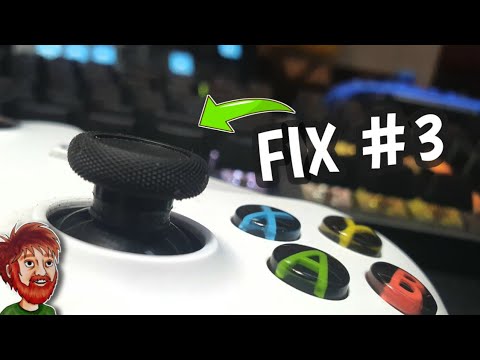
Yes, wired controllers can absolutely suffer from stick drift. The connection type (wired vs. wireless) has absolutely nothing to do with the underlying cause of stick drift, which stems from the wear and tear of the analog stick components themselves. Regardless of whether data is transmitted via a cable or wirelessly, the internal mechanics of the analog sticks remain the same, making wired controllers just as susceptible to this frustrating issue.
Understanding Stick Drift: It’s All About the Hardware
The primary culprit behind stick drift is the potentiometer within the analog stick module. Potentiometers are small variable resistors that translate the physical movement of the stick into electrical signals that the console or PC interprets as directional input. Over time, the carbon film within the potentiometer wears down, gets dirty, or becomes misaligned. This degradation leads to inaccurate readings, causing the controller to register movement even when the stick is at rest.
Wired controllers, despite their direct connection, use the same potentiometers as their wireless counterparts. Therefore, they are subject to the same mechanical wear and tear that leads to stick drift. The wired connection simply provides a stable data transmission pathway; it doesn’t change the physical components prone to failure. The Games Learning Society (https://www.gameslearningsociety.org/) understands the importance of reliable gaming hardware for effective learning and play, and stick drift is a problem that can definitely hinder both.
Busting the Wired vs. Wireless Myth
Many gamers assume that because wired controllers have a direct connection, they are somehow immune to stick drift. This is a misconception. The stability of the wired connection only impacts latency and signal interference, it has no effect on the physical degradation of the analog sticks.
Consider this: a high-quality wired controller used extensively for competitive gaming will likely develop stick drift sooner than a lightly used wireless controller, simply due to the higher volume of stick movements. The rate of wear and tear is the dominant factor, not the connection type.
Factors Contributing to Stick Drift in All Controllers
Several factors contribute to the development of stick drift, regardless of whether the controller is wired or wireless:
- Intense Gameplay: Aggressive movements and rapid stick rotations put significant stress on the potentiometers.
- Dust and Debris: Contaminants entering the controller can interfere with the potentiometer’s operation, accelerating wear.
- Manufacturing Defects: In some cases, controllers may have defects from the factory that predispose them to early stick drift.
- Material Quality: Cheaper controllers with lower-quality components are more likely to develop stick drift quickly.
- Storage conditions: Storing controllers in high temperatures or high humidity can damage the components.
Prevention and Mitigation Strategies
While stick drift is often inevitable, certain strategies can help prevent or mitigate its effects:
- Regular Cleaning: Use compressed air to remove dust and debris from around the analog sticks.
- Gentle Usage: Avoid excessively forceful movements that can accelerate wear.
- Protective Grips: Thumbstick grips can reduce direct friction on the analog sticks.
- Calibration: Regularly calibrate your controller in your console or PC settings.
- Deadzone Adjustment: Increase the deadzone in game settings to compensate for minor drift.
Solutions When Stick Drift Strikes
Once stick drift develops, there are several potential solutions, ranging from temporary fixes to permanent repairs:
- Compressed Air Cleaning: Sometimes, simply blowing compressed air around the stick can dislodge any accumulated debris.
- Contact Cleaner: Applying a small amount of electrical contact cleaner to the potentiometer can temporarily restore its function. Note: Exercise extreme caution and unplug the controller before doing this, as this may cause damage.
- Thumbstick Replacement: Replacing the worn-out thumbsticks is a relatively simple repair for those comfortable with electronics.
- Potentiometer Replacement: This requires more advanced soldering skills but can permanently fix the issue.
- Controller Replacement: In some cases, the damage may be too extensive, or the controller may be too old, making replacement the most practical option.
- Professional Repair Services: Many repair shops specialize in fixing controller drift, offering a reliable solution for those who prefer not to DIY.
The Future of Controllers: Hall Effect Joysticks
A promising solution to stick drift is the use of Hall effect joysticks. These joysticks use magnets and sensors to detect movement, eliminating the need for physical contact and thus preventing wear and tear. Controllers like the GuliKit KingKong 2 Pro and the GameSir G7 SE have implemented this technology, offering a potential long-term solution to the stick drift problem. For those seeking to understand the implications of technology on games and learning, GamesLearningSociety.org provides valuable insights.
Frequently Asked Questions (FAQs)
Here are 15 frequently asked questions about stick drift and controllers:
1. Will resetting my controller fix stick drift?
Resetting your controller might temporarily alleviate stick drift, but it rarely provides a permanent solution. It primarily clears any software glitches, but it doesn’t address the underlying hardware issues causing the drift.
2. Does the Xbox warranty cover controller drift?
Yes, the Xbox controller warranty typically covers malfunctions like stick drift. However, the warranty period is usually limited (e.g., 90 days to a year). Check your specific warranty terms for details.
3. Is stick drift always fixable?
Not always. While many cases of stick drift can be fixed by cleaning, replacing components, or using contact cleaner, severe damage to the potentiometer or other internal components may render the controller unrepairable.
4. Why do Xbox controllers drift so easily?
Xbox controllers drift easily due to a combination of factors, including the materials used in the analog sticks, the intensity of gameplay, and environmental conditions (dust, debris). Design choices can also play a role.
5. Does WD-40 fix stick drift?
While some users have reported temporary success using WD-40 Specialist Electrical Contact Cleaner, it’s generally not recommended to use standard WD-40. The electrical contact cleaner is designed for electronics and is much safer to use on controller components. Note: Use with extreme caution and unplug the controller before doing this, as this may cause damage.
6. Can controller drift go away on its own?
No, controller drift typically doesn’t go away on its own. It is a result of physical degradation or contamination within the analog stick module. It will likely worsen over time unless actively addressed.
7. Why do all controllers drift now?
Controllers drift more frequently due to the shorter life cycles of modern electronics, promoting more frequent purchases. The potentiometers are prone to wear, and the demand for cheaper components can exacerbate the issue.
8. Can I send my Pro Controller for repair?
Yes, Nintendo offers repair services for the Pro Controller. If your controller is still under warranty, you may be eligible for a free repair or replacement.
9. How do you test Joy-Con drift?
You can test Joy-Con drift by going to ‘System Settings’ -> ‘Controllers and Sensors’ -> ‘Calibrate Control Sticks’ on your Nintendo Switch. This will allow you to visually assess the stick’s behavior.
10. Do Pro Controllers get drift?
Yes, Pro Controllers are also susceptible to stick drift, although it might be less common than with Joy-Cons. The analog sticks in Pro Controllers still use potentiometers that can wear down over time.
11. Does controller drift get worse over time?
Yes, controller drift usually gets worse over time as the potentiometer degrades further. The initial minor drift can gradually become more pronounced and interfere significantly with gameplay.
12. What is the best Xbox controller to prevent stick drift?
Controllers with Hall effect joysticks, like the GuliKit KingKong 2 Pro, are currently the best option for preventing stick drift, as they don’t rely on physical contact and wear-prone potentiometers.
13. Are there any Xbox controllers that don’t drift?
The GameSir G7 SE is an Xbox controller that uses Hall effect sensors to prevent stick drift. This offers a promising alternative to traditional controllers that are prone to the issue.
14. What if my controller has drift in-game?
Adjusting the input threshold or deadzone in the game’s settings can help mitigate the effects of stick drift. This allows you to set a minimum movement threshold, preventing minor drift from registering as input.
15. Is stick drift inevitable?
For controllers using traditional potentiometers, stick drift is largely inevitable due to the inherent wear and tear on the analog sticks. However, controllers with Hall effect joysticks offer a potential solution for avoiding this issue.
Conclusion
While the frustration of stick drift is universally felt, understanding its causes and potential solutions can empower gamers to take proactive steps to prevent or address the issue. Whether you opt for preventative maintenance, DIY repairs, or investing in controllers with innovative technologies like Hall effect joysticks, there are options available to mitigate the impact of this common problem. Remember, wired or wireless, every controller is at risk.