Can You Be Signed Into 2 Xboxes At Once? A Comprehensive Guide
Fast answer first. Then use the tabs or video for more detail.
- Watch the video explanation below for a faster overview.
- Game mechanics may change with updates or patches.
- Use this block to get the short answer without scrolling the whole page.
- Read the FAQ section if the article has one.
- Use the table of contents to jump straight to the detailed section you need.
- Watch the video first, then skim the article for specifics.
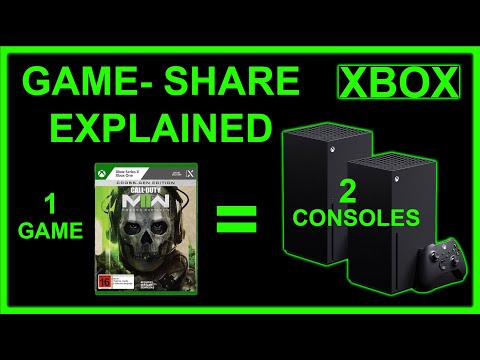
Yes, you can be signed into two Xbox consoles simultaneously using the same Microsoft account. This functionality allows users to enjoy their games and profile on multiple devices without needing to constantly sign out and back in. However, there are important nuances and limitations to understand to fully utilize this capability. Let’s dive into the details of how this works, what restrictions exist, and how to manage your Xbox account across multiple consoles.
Understanding Xbox Account Management Across Multiple Consoles
The flexibility of the Xbox ecosystem allows players to access their game library, settings, and progress across various devices, including multiple Xbox consoles. This is made possible through the Microsoft account, which is the core of your Xbox experience. When you sign in to an Xbox console with your Microsoft account, your Xbox profile, which includes your gamertag, achievements, and friends list, becomes accessible.
While being logged in on multiple consoles simultaneously is possible, it’s essential to understand that this doesn’t mean you can play the same game simultaneously on two different consoles under the same account. Let’s consider a scenario. You might be signed into both your Xbox Series X in the living room and your older Xbox One in the bedroom. You can browse your library, manage your settings, or download games on either console. However, if you try to launch the same digital game on both consoles simultaneously, the second console will prompt you to sign out the first before you can play.
Key Factors To Consider
Concurrent Play Limits
A single Microsoft account can only play a specific digital game on one console at a time. While you can be signed in to several consoles, you cannot actively play the same digital title across them simultaneously. This is a measure to prevent account sharing and misuse. If you own physical copies of games, you can still play them concurrently on different consoles, provided you have the physical disc in the respective console.
Home Xbox Designation
One critical aspect of managing multiple Xbox consoles is the concept of the “Home Xbox”. When you designate an Xbox as your Home Xbox, it unlocks specific benefits. This includes the ability to share your Xbox Live Gold or Xbox Game Pass Ultimate subscriptions and the games installed on that console with other profiles that log into it. Therefore, if another user is logged into your Home Xbox, they can play your games and use your Xbox Live subscription.
Account Sharing vs. Game Sharing
It’s crucial to differentiate between account sharing and game sharing. While you can technically be logged in on multiple Xbox consoles simultaneously, this does not enable you to share digital games and subscriptions with others who are using a different console that is not designated as your “Home Xbox.” Game sharing is enabled through the Home Xbox feature. This means one console, and one console only, can utilize this benefit. Other users using your “Home Xbox” benefit from your shared digital content, but users on consoles that are not your “Home Xbox” will not.
Cloud Gaming
It’s also important to note that while you cannot play the same downloaded game simultaneously on two different consoles, you could theoretically play a game via cloud gaming (if it is available through Xbox Game Pass Ultimate) on a different device at the same time as you’re playing a different game on a separate console. This allows for increased flexibility but doesn’t technically violate the limitation of playing the same game concurrently on two physical consoles.
Frequently Asked Questions (FAQs)
1. Can I use the same Xbox profile on different Xbox consoles?
Yes, absolutely. Your Xbox profile is tied to your Microsoft account, and you can use it on any Xbox console, be it an Xbox One, Xbox Series X, or Xbox Series S. This allows you to carry your games, saves, and progress across different machines.
2. Can I have two Xbox profiles on one Microsoft account?
No, a single Microsoft account is tied to only one Xbox profile (gamertag). You cannot have multiple Xbox profiles under the same Microsoft account.
3. Can I use Xbox Game Pass on two consoles at the same time?
Yes, you can use your Xbox Game Pass Ultimate subscription on any console where you’re logged into your account. However, only your designated “Home Xbox” benefits from shared access of this membership with other profiles that log into that console.
4. Can two people play on one Xbox account simultaneously on different consoles?
No, you cannot play the same digital game simultaneously on two different Xbox consoles using the same account. You can be signed in to multiple devices, but the same game can only be actively played on one console at a time. However, users logged in on your designated “Home Xbox” can play your games using their own profiles, while you play on a different console with the same account.
5. How do I link two Xboxes?
To link two Xbox consoles, you would simply sign in with your Microsoft account on both. The consoles do not need to be linked to each other via any special method; connecting them to the internet and logging in is sufficient.
6. How many Xbox accounts can one person have?
One person can have multiple Microsoft accounts, each with its own unique Xbox profile (gamertag). However, these are separate profiles that require separate logins. You can have multiple Microsoft accounts for different reasons but each account can only have one Xbox profile associated with it.
7. Can I use 3 Xboxes on one account?
You can log in with your account on three Xbox consoles. However, you cannot play the same game on multiple consoles simultaneously, and only the designated “Home Xbox” benefits from subscription sharing with other profiles on that console.
8. Can you have two Xbox accounts on the same PC?
You can only be signed in to the Xbox app for Windows PC with one Microsoft account at a time. However, you can switch between different Microsoft accounts on your Windows PC.
9. Is it legal to have 2 Microsoft accounts?
Yes, it is entirely legal to have multiple Microsoft accounts. Many users have separate accounts for personal use, work, or other purposes. However, each account must adhere to Microsoft’s Terms of Service.
10. Can you have 2 Microsoft accounts with the same email?
Yes, you can have two Microsoft accounts with different usernames but the same underlying email address. When creating a new Microsoft account, you can choose a different username than the email address associated with the account. However, each account needs to log in with its own unique username.
11. Can I play my games on another Xbox?
Yes, you can play games you own digitally on any Xbox console that you are logged into. For physical copies, you can play them on any console by inserting the disc and installing the game.
12. Can you gameshare with 3 Xboxes?
No, you can only gameshare with one console at a time, whichever is designated as your “Home Xbox”.
13. How do you share games between two Xboxes?
To share games, set one of your Xbox consoles as your “Home Xbox.” Other profiles logged into that console will then have access to your digital games and Xbox Live/Game Pass subscription.
14. Is Microsoft 365 account the same as a Microsoft account?
No, a Microsoft 365 account is not the same as a Microsoft account. A Microsoft 365 account is used for work, school or business access, while a Microsoft Account is used for personal use and includes your Xbox profile. Although, both Microsoft 365 and personal accounts can be used on a shared PC.
15. Can one Microsoft account be used on multiple devices?
Yes, one Microsoft account can be used on multiple devices including Xbox consoles, PCs, and mobile devices. However, for game play you can only play the same digital game on one console simultaneously. Microsoft 365 accounts can also be used on multiple devices to access their benefits.
In conclusion, while you can be logged into multiple Xbox consoles with a single account, the ability to concurrently play the same game is limited to one console at a time. Understanding the role of the “Home Xbox” and how account and game sharing works is crucial for maximizing your Xbox experience across multiple devices. By utilizing these features effectively, you can make the most of your gaming library and subscriptions.