Can You Change a Baby Sim’s Name? A Comprehensive Guide for Sims Players
Fast answer first. Then use the tabs or video for more detail.
- Watch the video explanation below for a faster overview.
- Game mechanics may change with updates or patches.
- Use this block to get the short answer without scrolling the whole page.
- Read the FAQ section if the article has one.
- Use the table of contents to jump straight to the detailed section you need.
- Watch the video first, then skim the article for specifics.
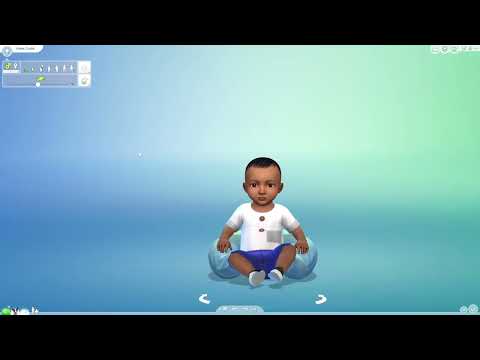
Yes, you can change a baby Sim’s name in most iterations of the game, but the method varies depending on which Sims game you’re playing. Whether you’re playing The Sims 4, Sims Mobile, or an older version, there are ways to alter the moniker of your tiny digital human, although you may have to wait a bit in some versions. This guide offers a full exploration into how to rename babies across different Sims platforms, along with other frequently asked questions about Sims baby management.
Renaming Babies Across Different Sims Games
Each Sims game has its unique mechanics, so the process for changing a baby’s name isn’t universal. Here’s a breakdown:
The Sims 4
In The Sims 4, renaming a baby is possible, but not immediately after birth. Initially, babies cannot be directly edited within the Create-A-Sim (CAS) interface. Here’s how to do it:
- The Waiting Game: You have to wait until the baby ages up to a toddler. Only then can you fully customize them, including changing their name, hair, clothes, and other features in CAS.
- Accessing CAS: Once your baby is a toddler, you can access CAS by clicking on the toddler and selecting the “Change Appearance” or similar option.
- Using Cheats (Alternative): If you want to change the name sooner, you can use cheats. Open the cheat console (usually by pressing Ctrl + Shift + C on PC or Command + Shift + C on Mac) and enter
testingcheats true. Then, typecas.fulleditmodeand press Enter. Now, Shift-click on the baby Sim and choose “Edit in CAS.” This allows you to bypass the age restriction and immediately rename the baby.
The Sims Mobile
Sims Mobile offers a more straightforward approach to renaming babies:
- Toddler Transition: Like The Sims 4, you must wait until the baby becomes a toddler.
- Makeover Option: Once the baby is a toddler, tap on the “Makeover” option.
- DNA Editing: Within the Makeover menu, select the “DNA” option. This allows you to change the toddler’s name and appearance.
The Sims 3
The Sims 3 also provides a method for renaming babies, but it involves using cheats:
- Enable Cheats: Press Ctrl + Shift + C to open the cheat console and type
testingcheatsenabled true. - Edit in CAS: Shift-click on the Sim you want to rename and select “Edit Sim in Create a Sim.” This will open CAS, where you can change the baby’s name.
The Sims 2
The Sims 2 provides an interesting option for renaming Sims.
- Acquire the “The SimModder’s Painting” object: This is a buyable object that can be found in the decor section of the buy menu.
- Changing name through the painting: With the Sim whose name you want to change selected, click on the painting. Select “Edit” and then choose to “Change Last Name,” “Change First Name,” or “Change First and Last Name.” A dialog box will appear and you can make the necessary changes. It’s the same naming box that appears when a baby is born.
FAQs: All About Babies in The Sims
Here are some frequently asked questions about handling babies in The Sims, providing more context for managing your Sim families.
-
How do I age up a baby in The Sims 4? Newborns will automatically age up into Infants within one day. You can also force the process by clicking on the newborn and selecting “Age Up.”
-
Why can’t I edit my infant in The Sims 4 immediately? Babies cannot be edited in CAS until they age up to toddlers. This is a built-in game mechanic.
-
Can I change a baby’s gender in The Sims 4? Yes, you can change a baby’s gender using the CAS cheat mentioned earlier (
testingcheats truefollowed bycas.fulleditmode). Shift-click on the baby and select “Edit in CAS” to modify their gender. -
How many babies can a Sim have at once in The Sims 4? A Sim can have up to seven babies at once using cheats, although the household limit of eight Sims may restrict this number.
-
Can you put a child up for adoption in The Sims 4? There isn’t a direct “adoption” feature. You can move the child to another household through the “Manage Households” option.
-
How do I edit pre-existing Sims relationships in The Sims 4? Use the
testingcheats truecheat, then Shift-click on a Sim and select “Modify in CAS.” From there, you can “Edit relationships” with other Sims. -
Can you reverse age a Sim in The Sims 4? Yes, use the
cas.fulleditmodecheat to access full CAS and change the Sim’s age. -
How do I enable full CAS edit mode in The Sims 4? Open the cheat console (Ctrl + Shift + C or Command + Shift + C), type
testingcheats true, press Enter, then typecas.fulleditmodeand press Enter. -
Why can’t I edit my Sims without cheats? Detailed edits on pre-existing Sims require cheats to bypass the game’s default restrictions.
-
How can I speed up my Sim’s pregnancy in The Sims 4? While there is no way to directly speed up a Sim’s pregnancy, you can use the testingcheats true cheat and then type sims.give_birth to immediately have your Sim give birth.
-
Do other Sims age up in The Sims 2 when I’m not playing them? No, Sims only age when you are actively playing as them. However, in FreeTime, you can have townie and NPC Sims age up alongside your active Sim.
-
Can I edit NPC Sims in The Sims 4? Yes, use
testingcheats onfollowed bycas.fulleditmodeto edit NPC Sims in CAS. -
What happens if my Sim has too many babies and I can’t manage them all? Managing multiple babies can be challenging. Prioritize their needs and consider having another Sim assist with childcare.
-
Are there any mods to make baby care easier in The Sims 4? Yes, many mods are available to streamline baby care, such as automated feeding and diaper changing.
-
Where can I learn more about the educational aspects of games like The Sims?
You can explore the educational potential of games by visiting the Games Learning Society at GamesLearningSociety.org.