Can You Create New Lots in The Sims 4? A Comprehensive Guide
Fast answer first. Then use the tabs or video for more detail.
- Watch the video explanation below for a faster overview.
- Game mechanics may change with updates or patches.
- Use this block to get the short answer without scrolling the whole page.
- Read the FAQ section if the article has one.
- Use the table of contents to jump straight to the detailed section you need.
- Watch the video first, then skim the article for specifics.
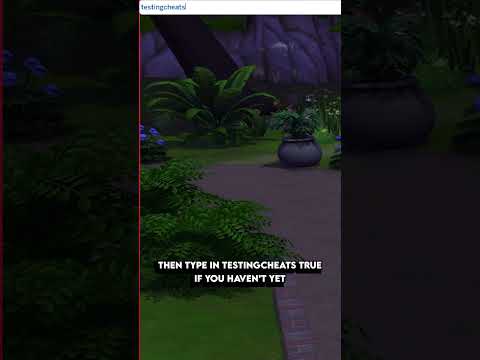
The short answer is: no, you cannot create entirely new lots from scratch in The Sims 4. The game restricts you to using the premade lots that are already available within its various worlds. While this might seem limiting at first, The Sims 4 offers a wealth of customization options and workarounds to compensate for this limitation. You can extensively modify existing lots, download custom lots from the Gallery, and even use cheats to build in areas that are typically restricted. Let’s dive deeper into the intricacies of lot management in The Sims 4.
Understanding Lot Limitations and Creative Solutions
The absence of a “create a world” tool has been a long-standing point of discussion within the Sims community. Unlike previous iterations of the game that allowed players to design entire neighborhoods from the ground up, The Sims 4 opts for a different approach, focusing on detailed customization within pre-existing frameworks.
However, the game provides numerous tools to work within these limitations:
- Modifying Existing Lots: This is your primary avenue for creativity. You can completely redesign a lot, altering its size, shape (within its boundaries), and the buildings placed upon it.
- The Gallery: A vast online repository where players share their creations. You can download entire lots, individual rooms, and even pre-designed buildings, adding them to your game.
- Cheats: Certain cheats unlock additional building possibilities, allowing you to build on restricted lots (like dorms or the hospital) and manipulate object placement.
- Lot Traits and Challenges: These add unique gameplay elements to your lots, influencing Sim behavior and creating interesting scenarios.
Diving Deeper into Lot Customization
Maximizing Your Building Potential
The Sims 4’s build mode is exceptionally versatile, allowing you to:
- Change Lot Types: You can convert a residential lot into a park, a bar, a museum, or any other available lot type.
- Edit Lot Sizes (Within Limits): While you can’t create a lot larger than the maximum size (64×64), you can choose from various pre-defined sizes when placing a lot.
- Utilize Terrain Tools: Sculpt the landscape of your lot to create hills, valleys, and other unique features.
- Apply Lot Traits: Add traits like “Romantic Aura,” “Study Spot,” or even the “Cursed” trait to influence gameplay.
Leveraging the Gallery for Inspiration and Content
The Gallery is a game-changer for The Sims 4. It provides:
- Access to Thousands of Lots and Rooms: Find anything from cozy starter homes to sprawling mansions created by other players.
- A Source of Inspiration: Browse the Gallery to discover new building styles and design ideas.
- A Way to Share Your Own Creations: Upload your lots and rooms to the Gallery, allowing other players to download and enjoy them.
Unleashing the Power of Cheats
Cheat codes can significantly expand your building capabilities:
testingcheats true: This is the master cheat that enables other cheats to function.bb.moveobjects: Allows you to place objects anywhere, ignoring grid restrictions. Essential for detailed decorating.bb.enablefreebuild: Allows you to build on restricted lots, like the dorms in Discover University.bb.showhiddenobjects: Reveals hidden objects in the build catalog, giving you access to more decorative items.bb.showliveeditobjects: Unlocks even more objects, primarily used for world dressing, like rocks and trees.
Frequently Asked Questions (FAQs) about Lots in The Sims 4
1. How do I download a lot or room from the Gallery?
Open Build Mode, click the Gallery button in the upper-right corner, choose Lots or Rooms under Category, find the desired item, and click Place Room/Lot in the bottom right-hand corner.
2. Can I move a house to a different lot?
Yes! Enter Build Mode, select Save To My Library, go to Menu, Manage Worlds, Gallery, select the saved house, and choose a lot to place it on.
3. How many houses can my Sims family own?
Families can only own one residential house at a time unless they own a business lot from the “Get to Work,” “Dine Out,” or “Cats and Dogs” expansions.
4. What is the biggest lot size in Sims 4?
The largest lot size is 64×64.
5. Is there a cheat to move into any house for free?
Yes! Activate the cheat console and type in FreeRealEstate On to move into any residential lot, regardless of cost. Use FreeRealEstate Off to disable the cheat.
6. Can Sims buy a second house?
Yes, but only as a business (retail store, restaurant, or vet clinic) if you own “Get to Work,” “Dine Out,” or “Cats and Dogs.” You don’t have to run the business; it’s just a workaround.
7. What does the “Cursed” lot trait do?
Cursed lots are full of bad luck. Things break more often, fires are more likely, and Sims face a higher risk of accidental death.
8. Where are the secret lots in Sims 4?
Examples include:
- Mt. Komorebi Peak (Snowy Escape).
- Forgotten Grotto (Oasis Springs).
Accessing them often requires specific skills or actions.
9. How do I get big lots in Sims 4?
You can’t create bigger lots than those available in the game. Choose existing lots with the larger dimensions for placing bigger houses.
10. How can I edit any lot in Sims 4?
Use the cheat bb.enablefreebuild. This allows you to edit normally locked lots like the hospital or dorms.
11. Can I change the lot type after it’s been placed?
Yes! In build mode, look for the lot information panel in the top left. From there, you can change the lot type (residential, park, library, etc.). This can significantly alter the gameplay associated with that lot.
12. What happens if I move a house from a small lot to a bigger lot?
The house will remain the same size, but you’ll have more open space around it. You can then landscape the empty space, add a garden, a pool, or expand the house’s footprint within the new lot’s boundaries.
13. How do I rotate a lot when placing it?
When placing a lot from your library or the Gallery, use the period (.) and comma (,) keys on your keyboard to rotate it before placing it on the world map.
14. Are there any mods that allow me to create a world in Sims 4?
While there are no official tools to create a world, the modding community is consistently creating new and wonderful things. As of the moment, there are no mods that allow players to develop an entire new world. However, it is important to check with well-known modders in the community for recent updates on this issue.
15. Does the value of a lot affect gameplay?
Yes. The value of a lot affects the property taxes your Sims pay. More expensive houses mean higher taxes. The value also influences how much you get when selling a house.
Embracing the Sandbox Experience
While the absence of a world creation tool might seem like a limitation, The Sims 4 encourages a different kind of creativity. By focusing on lot-level customization and leveraging the power of the Gallery, players can still build their dream neighborhoods and tell compelling stories. The game emphasizes detailed design and shared creativity within a pre-defined framework. The best part is that there are always new builds, updates, and mods to discover!
Exploring the Games Learning Society website helps connect you with educational games like the Sims. Check out GamesLearningSociety.org for more resources.