Can You Download Games on Nintendo Switch Lite for Free? A Comprehensive Guide
Fast answer first. Then use the tabs or video for more detail.
- Watch the video explanation below for a faster overview.
- Game mechanics may change with updates or patches.
- Use this block to get the short answer without scrolling the whole page.
- Read the FAQ section if the article has one.
- Use the table of contents to jump straight to the detailed section you need.
- Watch the video first, then skim the article for specifics.
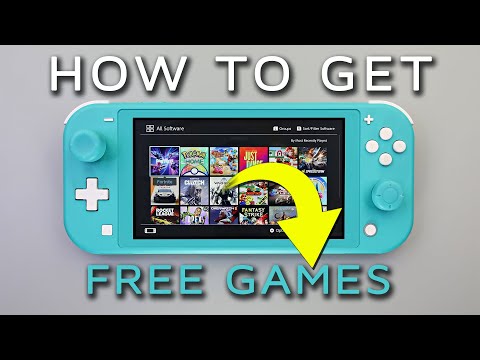
Yes, you absolutely can download games on the Nintendo Switch Lite for free. The Nintendo Switch Lite, despite being a dedicated handheld console, offers several avenues to access and play games without spending a dime. However, it’s important to understand the types of free content available and how to access them. This article will delve into the ways you can enjoy free games on your Switch Lite and provide answers to frequently asked questions to enhance your gaming experience.
How to Get Free Games on Your Nintendo Switch Lite
The Nintendo Switch Lite provides a few different approaches to accessing free games, all accessible directly on the console. Understanding these options is key to maximizing your free gaming experience.
Nintendo eShop Free-to-Play Games
The Nintendo eShop is your primary hub for digital games on the Switch Lite. Within the eShop, you’ll find a dedicated section for free-to-play games. These are games that you can download and start playing without any initial purchase.
-
What to Expect: Free-to-play games typically offer a core gameplay experience for free, with optional in-game purchases like cosmetic items, character unlocks, or progression boosters. Popular examples often include titles like Fortnite, Rocket League, Warframe, and various mobile game ports.
-
How to Find Them: Navigate to the Nintendo eShop on your Switch Lite, select “Search,” and then filter by “Price Range” to find free titles. You can also browse the “Free-to-Start” section often featured on the eShop homepage.
-
Considerations: While these games are free to download and play, be mindful of the in-app purchase prompts. It’s easy to get caught up in wanting to enhance your experience with paid items, so set a budget or be disciplined about avoiding unnecessary spending.
Nintendo eShop Demos
Another avenue for experiencing games for free is through demos available on the Nintendo eShop. Demos offer a limited portion of a full game, allowing you to try out the gameplay, story, and mechanics before committing to a purchase.
-
What to Expect: Demos usually provide a level, the first hour of gameplay, or a specific game mode. This gives you a taste of the full experience, helping you make an informed decision about whether to buy the game.
-
How to Find Them: Within the Nintendo eShop, browse the “Coming Soon” or “Deals” sections, as demos are often promoted there. You can also search for a specific game you’re interested in and check if a demo version is available.
-
Considerations: Demos are often time-limited, so make sure you play them soon after downloading. Keep in mind that save data from demos might not always transfer to the full game.
Nintendo Switch Online Subscription
While Nintendo Switch Online is a paid service, it occasionally offers access to free games through specific promotions and features. The base service offers access to a library of classic NES and SNES games, while the Expansion Pack adds N64, Game Boy Advance, and Sega Genesis titles.
-
What to Expect: With a Nintendo Switch Online subscription, you can access a library of classic Nintendo games from the NES and SNES eras. The Expansion Pack adds access to a selection of Nintendo 64, Game Boy Advance, and Sega Genesis games. These games are available to play as long as you maintain your subscription.
-
How to Access Them: Navigate to the Nintendo eShop and look for the “Nintendo Switch Online” app. Download and launch the app to access the library of classic games available with your subscription.
-
Considerations: Access to these games is tied to your subscription. If your subscription lapses, you will no longer be able to play the games until you renew. While not technically “free” in the purest sense, the subscription offers a great value for retro gaming enthusiasts.
Understanding Game Storage on Your Nintendo Switch Lite
Before you start downloading free games, it’s crucial to understand the storage limitations of your Nintendo Switch Lite.
Internal Storage
The Nintendo Switch Lite comes with 32 GB of internal storage, but a portion of that is reserved for the system software. This leaves you with approximately 29 GB of usable space for game downloads, updates, and save data.
-
How Many Games Can You Store? On average, a game can take up anywhere from 3 GB to 15 GB or more, depending on its complexity and content. Therefore, you can expect to store roughly 2 to 10 average-sized games on the internal storage of your Switch Lite.
-
Managing Storage: Regularly check your storage usage in the system settings and delete games you no longer play to free up space. You can always redownload them later if you wish.
Expanding Storage with microSD Cards
To overcome the storage limitations, you can expand the storage capacity of your Nintendo Switch Lite using a microSD card. This is a relatively inexpensive way to significantly increase the number of games you can have installed on your console.
-
Compatible microSD Cards: The Switch Lite is compatible with microSDHC (up to 32 GB) and microSDXC (up to 2 TB) cards. Nintendo recommends using UHS-I (Ultra High Speed Phase I) microSD cards for optimal performance.
-
Choosing the Right Size: Consider your gaming habits when choosing a microSD card. If you primarily play physical games, a smaller card (e.g., 64 GB or 128 GB) might suffice. If you download a lot of digital games, opt for a larger card (e.g., 256 GB, 512 GB, or even 1 TB).
-
Installing a microSD Card: Turn off your Switch Lite and locate the microSD card slot on the bottom of the console, under the kickstand. Insert the microSD card until it clicks into place. The console will automatically recognize the card and allow you to save games and data to it.
Ethical Considerations and Potential Risks
While downloading free games is enticing, it’s essential to be aware of the ethical considerations and potential risks associated with obtaining games from unofficial sources.
Avoiding Piracy
It is crucial to avoid downloading games from unauthorized sources. Downloading pirated games is illegal and can expose your console to malware and viruses. Stick to official channels like the Nintendo eShop for downloading games.
Security Risks
Downloading games from unofficial websites can lead to security risks such as:
- Malware Infection: Unofficial game downloads may contain viruses, spyware, or other malicious software that can harm your Switch Lite or compromise your personal information.
- Account Security: Providing your Nintendo Account credentials on untrusted websites can lead to account hacking and unauthorized access to your personal data.
- Console Damage: Modifying your console to play pirated games can void your warranty and potentially damage your system.
Supporting Developers
By purchasing games through official channels, you are supporting game developers and ensuring that they can continue creating the games you love. Piracy undermines the gaming industry and can lead to fewer high-quality games being produced.
15 FAQs About Free Games on Nintendo Switch Lite
Here are 15 frequently asked questions about downloading and playing free games on the Nintendo Switch Lite:
-
Can I play free games on Nintendo Switch Lite without a Nintendo Switch Online subscription? Yes, many free-to-play games in the Nintendo eShop do not require a Nintendo Switch Online subscription. The subscription is primarily needed for online multiplayer in certain games and to access the library of classic NES and SNES games.
-
Are there any hidden costs in free-to-play games on the Nintendo Switch Lite? Most free-to-play games offer optional in-game purchases for cosmetic items, character unlocks, or progression boosters. These purchases are not required to enjoy the core gameplay, but they can enhance your experience.
-
How often does the Nintendo eShop update with new free games? The availability of free games can vary. Nintendo and game developers regularly update the eShop with new free-to-play titles and demos.
-
Can I delete a downloaded free game and redownload it later? Yes, you can delete any downloaded game from your Nintendo Switch Lite and redownload it from the Nintendo eShop at any time, as long as the game is still available.
-
Do demos expire on the Nintendo Switch Lite? Some demos have a limited playtime or expiration date. Check the demo’s details in the Nintendo eShop to see if there are any restrictions.
-
Can I transfer save data from a demo to the full game? Some demos allow you to transfer your save data to the full game if you decide to purchase it. Check the demo’s description for compatibility details.
-
What is the best microSD card for the Nintendo Switch Lite? Nintendo recommends using a UHS-I (Ultra High Speed Phase I) microSD card for optimal performance. Consider the storage capacity based on your gaming habits.
-
How do I move games from internal storage to a microSD card on my Switch Lite? You can transfer games from internal storage to a microSD card in the system settings. Go to System Settings > Data Management > Move Data Between System / microSD Card.
-
Are there any parental controls for in-app purchases in free-to-play games? Yes, the Nintendo Switch Lite offers parental controls that allow you to restrict in-app purchases and set spending limits.
-
Can I play free games from other regions on my Nintendo Switch Lite? The Nintendo Switch Lite is region-free, meaning you can play games from any region. However, some games may not be available in your local eShop.
-
What happens to my free classic games if my Nintendo Switch Online subscription expires? If your Nintendo Switch Online subscription expires, you will lose access to the library of classic NES and SNES games until you renew your subscription.
-
Is it safe to download games from third-party websites? Downloading games from unofficial sources is risky and can expose your console to malware and viruses. Stick to the Nintendo eShop for safe game downloads.
-
How can I report a suspicious or inappropriate game on the Nintendo eShop? You can report suspicious or inappropriate content to Nintendo through their official support channels.
-
Does downloading many games affect the performance of my Nintendo Switch Lite? Having a large number of games downloaded should not significantly impact the performance of your Nintendo Switch Lite, as long as you have sufficient storage space and the games are running properly.
-
Where can I learn more about video games and their potential educational applications? For more information on the educational aspects of video games and the impact they have on learning, you can check out the Games Learning Society at GamesLearningSociety.org.
Conclusion
The Nintendo Switch Lite offers several ways to enjoy free games, from free-to-play titles and demos in the Nintendo eShop to the classic games available through Nintendo Switch Online. By understanding the storage limitations of your console, utilizing microSD cards, and being mindful of ethical considerations and security risks, you can maximize your free gaming experience on the Switch Lite. Remember to always download games from official sources to protect your console and support game developers. So, get ready to explore the vast world of free games and discover new favorites on your Nintendo Switch Lite!