Can You Download Switch Games Before Release Date? A Comprehensive Guide
Fast answer first. Then use the tabs or video for more detail.
- Watch the video explanation below for a faster overview.
- Game mechanics may change with updates or patches.
- Use this block to get the short answer without scrolling the whole page.
- Read the FAQ section if the article has one.
- Use the table of contents to jump straight to the detailed section you need.
- Watch the video first, then skim the article for specifics.
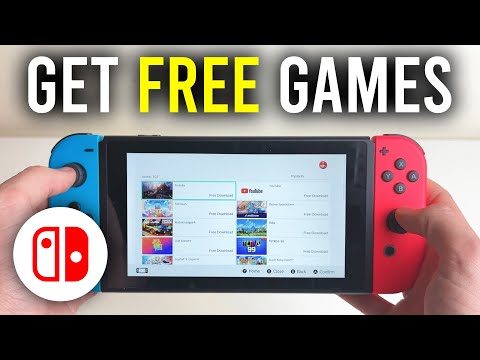
Yes, you absolutely can download Nintendo Switch games before their official release date. This process is called pre-loading, and it’s a fantastic feature offered on the Nintendo eShop. Think of it as reserving your spot in line, but instead of physically waiting, you’re digitally preparing for the grand opening! This allows you to start playing the game the moment it unlocks, without the agonizing wait for a lengthy download on launch day.
Understanding the Pre-Load Process
The pre-load window typically opens up to seven days before the game’s official release. When you pre-order a digital game through the Nintendo eShop, your selected payment method is processed, and the game files begin downloading to your console. The game downloads in the background as long as your Switch is connected to the internet and has sufficient storage space, either on the internal memory or a microSD card.
Once the download is complete, the game remains locked until the official release time. At that point, a small update is usually downloaded to unlock the game and grant you access to play. This update is typically very quick, ensuring you can jump into the action almost immediately.
Why Pre-Load? The Benefits Unveiled
There are several compelling reasons to pre-load your Nintendo Switch games:
-
Day-One Access: The biggest advantage is the ability to play the game right when it launches. No more waiting while everyone else is already exploring new worlds or battling it out online.
-
Avoid Launch Day Server Congestion: On release day, Nintendo’s servers can get hammered with download requests, leading to slow speeds and potential errors. Pre-loading bypasses this bottleneck.
-
Convenience: You don’t have to worry about remembering to download the game on release day. It’s already waiting for you, ready to go.
-
Flexibility: You can continue using your Switch for other activities while the game downloads in the background.
Considerations Before You Pre-Load
Before you eagerly dive into pre-loading your next adventure, consider these factors:
-
Storage Space: Ensure you have enough available space on your Nintendo Switch or microSD card. Check the game’s file size on the eShop before pre-ordering.
-
Internet Connection: A stable and reliable internet connection is crucial for a smooth download process.
-
Nintendo Account: You’ll need a Nintendo Account linked to your console to access the eShop and pre-order games.
-
Payment Method: Make sure your payment method is valid and up-to-date.
Digital vs. Physical: A Timeless Debate
Pre-loading is exclusively available for digital games purchased through the Nintendo eShop. This brings us to the age-old question: digital or physical? Each format has its advantages:
-
Physical Games: Can often be found at discounted prices after release, offer the ability to resell or lend to friends, and don’t consume storage space on your console. However, they require physical storage and can be lost or damaged.
-
Digital Games: Offer convenience, immediate access (especially with pre-loading), and eliminate the need for physical cartridges. On the other hand, they consume storage space, and prices tend to remain higher for longer. You are also tied to the Nintendo Account and cannot resell digital titles.
Ultimately, the choice between digital and physical depends on your personal preferences and gaming habits.
FAQs: Your Burning Questions Answered
Here are 15 frequently asked questions to further illuminate the world of downloading Nintendo Switch games:
1. How do I pre-order and pre-load a game on my Nintendo Switch?
Navigate to the Nintendo eShop on your Switch, search for the game you want to pre-order, and select the “Pre-Order” option. Once your payment is processed, the download will begin automatically if your console is connected to the internet and has sufficient storage.
2. What happens if I don’t have enough storage space for a pre-loaded game?
You’ll need to free up space by deleting existing games or transferring them to a microSD card. Alternatively, you can purchase a larger microSD card.
3. Can I cancel a pre-order?
Yes, you can cancel a pre-order before the game launches. Check the Nintendo eShop’s terms and conditions for the specific cancellation policy.
4. What time do pre-loaded games become available to play?
While release times vary by game and publisher, digital-only software generally becomes available at 9:00 a.m. Pacific Time on the day of release.
5. Do I need to be online to play a pre-loaded game after it unlocks?
For games on your primary console, you usually don’t need to be online to play. However, if you are playing on a non-primary console, you must be connected to the internet to verify your purchase.
6. Can I download games while my Switch is in sleep mode?
Yes, the Nintendo Switch can download games in sleep mode, as long as it’s connected to the internet and has sufficient power.
7. What factors affect the download speed on my Nintendo Switch?
Slow download speeds can be caused by a slow internet connection, network congestion, wireless interference, or issues with Nintendo’s servers.
8. How do I check the download progress of a game?
You can check the download progress on the Home menu.
9. Can I transfer a digital game from one Switch to another?
Yes, you can transfer your Nintendo Account and associated digital games to a new Switch.
10. What happens if I delete a digital game from my Switch?
You can re-download the game at any time from the Nintendo eShop, as long as it’s still available for purchase. Your save data may be retained depending on your save data backup settings.
11. Are digital games cheaper than physical games?
Generally, the prices are similar, but sales and promotions can offer discounts on digital titles. Nintendo Switch Sports is an exception and often cheaper digitally.
12. Can I sell or trade my digital Switch games?
No, digital Switch games are tied to your Nintendo Account and cannot be sold or traded.
13. What are the benefits of a Nintendo Switch Online subscription?
Nintendo Switch Online provides access to online multiplayer, a library of classic NES and SNES games, cloud saves (for most games), and exclusive deals.
14. How much storage does the Nintendo Switch have?
The original Nintendo Switch has 32GB of internal storage, while the OLED model has 64GB. A microSD card can be used to expand the storage capacity.
15. Is the Nintendo Switch OLED worth it?
The Nintendo Switch OLED features a vibrant OLED screen, improved audio, a wider kickstand, and increased internal storage. It is a worthy upgrade if you prioritize handheld gaming or don’t already own a Switch.
Storage Solutions and Beyond
The limited internal storage of the Nintendo Switch is a common concern for digital game enthusiasts. Fortunately, expanding your storage with a microSD card is a simple and affordable solution. A high-speed microSD card with ample capacity can accommodate a vast library of digital games.
Considering a career in game design? Explore resources and opportunities at GamesLearningSociety.org, a fantastic platform for aspiring game developers. The Games Learning Society champions the power of games in education and beyond.
Final Thoughts
Downloading Nintendo Switch games before release date through pre-loading is a fantastic feature that enhances the gaming experience. It’s all about being prepared and diving into the action from the moment the game launches. So, next time you’re eagerly awaiting a new release, take advantage of pre-loading and get ready to play!