Can You Gameshare with 3 Xbox Consoles? The Definitive Guide
Fast answer first. Then use the tabs or video for more detail.
- Watch the video explanation below for a faster overview.
- Game mechanics may change with updates or patches.
- Use this block to get the short answer without scrolling the whole page.
- Read the FAQ section if the article has one.
- Use the table of contents to jump straight to the detailed section you need.
- Watch the video first, then skim the article for specifics.
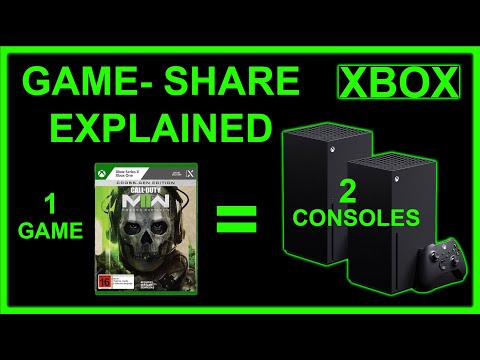
The short answer, unfortunately, is no, you cannot directly gameshare with 3 Xbox consoles simultaneously. Xbox’s gamesharing feature is designed for a two-person setup, allowing two players to share their digital game libraries and subscriptions. Trying to extend this system to three consoles involves complexities that the Xbox ecosystem doesn’t directly support. But there are more things you can do, continue reading.
Understanding Xbox Gamesharing
The “Home Xbox” Concept
At the heart of Xbox gamesharing lies the “Home Xbox” designation. Each Xbox account can designate one console as its “Home Xbox”. This is crucial because it enables anyone using that particular console to access all the digital games and subscriptions (like Xbox Game Pass Ultimate or Xbox Live Gold – now Xbox Game Pass Core) associated with that account, even when the account owner isn’t signed in.
How Gamesharing Works in Practice
- Account Association: Two individuals agree to gameshare.
- “Home Xbox” Swap: Player A signs into Player B’s Xbox and sets it as their “Home Xbox.” Conversely, Player B signs into Player A’s Xbox and sets that console as their “Home Xbox.”
- Library Access: Now, everyone using Player A’s “Home Xbox” can play Player A’s digital games and use their subscriptions, and vice-versa.
- Simultaneous Play: The beauty is that Player A and Player B can both play the same games simultaneously, even if only one person owns the digital copy.
Why 3 Consoles Don’t Work Directly
The primary restriction lies in the one “Home Xbox” per account rule. An account can only designate one console as its “Home Xbox” at any given time. This limitation is intentionally put in place by Microsoft to prevent abuse of the gamesharing feature.
A Potential Workaround (With Limitations)
While you can’t directly gameshare with three consoles at the same time, there is a convoluted, less-than-ideal workaround:
- Person A sets Person B’s console as their “Home Xbox”.
- Person B sets Person A’s console as their “Home Xbox”.
- Person C plays on their own console, but Person A would need to remain signed into Person C’s Xbox whenever Person C wants to play Person A’s Games.
- This is not directly Gamesharing, but will allow Person C to play Person A’s games.
This method introduces several drawbacks:
- Person A needs to stay logged in on Person C’s console for Person C to play their games, which isn’t ideal.
- There are issues around saving games correctly.
Xbox Gamesharing: Frequently Asked Questions (FAQs)
Here are 15 frequently asked questions about Xbox gamesharing to further clarify the process and its limitations:
FAQ 1: How many times can I change my “Home Xbox”?
You can change your “Home Xbox” up to five times within a rolling one-year period. This limit is designed to prevent abuse and excessive gamesharing.
FAQ 2: What happens if I run out of “Home Xbox” switches?
If you’ve exhausted your five “Home Xbox” switches within the year, you’ll need to wait for the timer to reset before you can change it again. The timer is based on a rolling year, so it will reset on the anniversary of your first switch.
FAQ 3: Can I gameshare between Xbox One and Xbox Series X/S?
Yes, gamesharing works seamlessly between Xbox One, Xbox Series X, and Xbox Series S consoles. The process is identical regardless of the console generation.
FAQ 4: Do both players need Xbox Game Pass Ultimate for gamesharing to work?
No, only one player needs Xbox Game Pass Ultimate. The subscription benefits, including access to the Game Pass library, are shared with anyone using the “Home Xbox” of the account with the subscription.
FAQ 5: Can multiple people use the same Xbox Game Pass Ultimate subscription?
Yes, multiple people can use the same Xbox Game Pass Ultimate subscription if they are playing on the “Home Xbox” of the account that owns the subscription. The account holder can also use the subscription on another console, but only while signed in.
FAQ 6: What if one person buys a game and the other doesn’t?
The person who purchased the digital game can play it on their own console and anyone using their “Home Xbox” can also play it. The other person doesn’t need to buy the game separately.
FAQ 7: Is it safe to gameshare with someone I don’t know well?
Gamesharing involves sharing your account credentials, so it’s crucial to only gameshare with people you trust. Sharing your account information with untrustworthy individuals could lead to unauthorized access to your account, potential financial risks, and the compromise of your personal information.
FAQ 8: Can Microsoft ban me for gamesharing?
Microsoft doesn’t explicitly ban gamesharing, as it’s a built-in feature. However, abusing the system by repeatedly switching “Home Xbox” settings or engaging in activities that violate the Xbox Terms of Service could potentially result in action against your account.
FAQ 9: What happens if I change my password after gamesharing?
If you change your password, the person you’re gamesharing with will lose access to your games and subscriptions on their “Home Xbox” until you sign in again with the new password on their console.
FAQ 10: Can I gameshare with someone in a different country?
Yes, gamesharing works regardless of geographical location. As long as both individuals have Xbox accounts and can access each other’s consoles to set the “Home Xbox” settings, gamesharing will function.
FAQ 11: Why is my Home Xbox not sharing Gold (now Game Pass Core)?
Ensure that your Xbox Game Pass Ultimate or Game Pass Core subscription is still active. Then, double-check that the console is correctly set as your Home Xbox. If there are too many profiles set as Home Xbox on your console, you may need to remove some.
FAQ 12: Can I use Game Pass on 2 consoles at the same time?
Yes, you can use Game Pass on 2 consoles simultaneously, but this requires utilizing the “Home Xbox” feature. One console must be set as your Home Xbox, allowing anyone using that console to access your Game Pass subscription. You can then also access Game Pass on a separate console where you are signed in.
FAQ 13: Can multiple people have the same Xbox as their Home Xbox?
Yes, multiple accounts on one Xbox can set that console as their Home Xbox. This is especially useful for families. Each account would need its own subscription and could only share games and subscriptions with other users of that Xbox.
FAQ 14: Can you Gameshare between Xbox One and Series S with physical games?
No, Gamesharing only applies to digital games. If the game is physical, they must own the physical copy of the game.
FAQ 15: Is Xbox Live Gold still a thing?
No, Xbox Live Gold has transitioned to Xbox Game Pass Core. Players will still have access to online console multiplayer and a new collection of over 25 games.
The Future of Gamesharing
While the current Xbox gamesharing system has limitations, it’s possible that Microsoft could introduce changes or enhancements in the future. Perhaps we’ll see expanded family plans, more flexible sharing options, or even a tiered system that allows for sharing with more than one person at a time. For now, however, the two-person limit remains the standard.
Gamesharing can significantly enhance the gaming experience, especially for close friends and family members. While directly sharing with three consoles isn’t possible, understanding the mechanics and limitations of the system allows you to make the most of what’s available. For more on the intersection of learning and gaming, visit Games Learning Society at https://www.gameslearningsociety.org/.