Can You Get a Free Steam Account?
Fast answer first. Then use the tabs or video for more detail.
- Watch the video explanation below for a faster overview.
- Game mechanics may change with updates or patches.
- Use this block to get the short answer without scrolling the whole page.
- Read the FAQ section if the article has one.
- Use the table of contents to jump straight to the detailed section you need.
- Watch the video first, then skim the article for specifics.
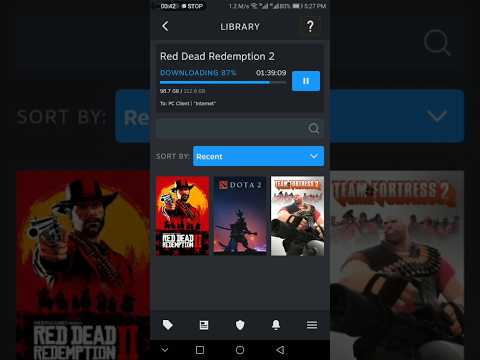
Yes, creating a Steam account is absolutely free. Steam accounts don’t require any initial fees or subscriptions to use the core service. Think of it like having a free library card; you can browse and explore, but you’ll need to “borrow” (purchase) most of the books (games) to fully enjoy them.
However, it’s crucial to understand the difference between a free account and free content. While the account itself costs nothing, accessing most games on Steam requires a purchase. The platform offers a wide array of free-to-play games, allowing you to experience gaming without spending a dime upfront. These games often support themselves through in-app purchases, letting you customize your experience or gain advantages by spending money, but playing the base game remains free.
Understanding Steam’s Ecosystem
Steam is more than just a digital storefront; it’s a community hub. It provides tools for connecting with friends, sharing content, and participating in multiplayer games. A free account allows you to access these features, browse the store, participate in forums, and create wishlists. The power of Steam lies in its social aspects and its vast library of games, ranging from indie gems to AAA blockbusters.
How to Get Started with Your Free Steam Account
Signing up for a Steam account is a straightforward process:
- Visit the Steam website and click on “Login” in the upper right corner.
- Click on “Join Steam.”
- Enter your email address, select your country of residence, and complete the CAPTCHA.
- Agree to the Steam Subscriber Agreement and provide your age (you must be at least 13 years old).
- Verify your email address by clicking on the link sent to your inbox.
- Create a unique username and password.
Once your account is created, you can download and install the Steam client on your computer. This application is the gateway to your Steam library and the Steam store.
Navigating the Free-to-Play Landscape
The free-to-play model is a significant part of Steam’s offering. These games allow you to jump in and start playing immediately without any upfront investment. Here are some popular examples:
- Dota 2: A complex and strategic multiplayer online battle arena (MOBA) game.
- Counter-Strike: Global Offensive (CS:GO): A classic first-person shooter with a thriving competitive scene.
- Warframe: A cooperative action game set in a sci-fi world.
- Team Fortress 2: A class-based multiplayer shooter known for its humor and unique art style.
- Apex Legends: A hero-based battle royale game.
While these games are free to download and play, they often include in-game purchases such as cosmetic items, character unlocks, or boosts. It’s crucial to manage your spending and understand what you’re buying. These purchases are entirely optional, and you can enjoy the core gameplay experience without spending any money.
The $5.00 USD Restriction: Why It Exists
New Steam accounts have limited functionality until they’ve spent at least $5.00 USD within the Steam store. This measure is in place to deter malicious users from creating numerous accounts for spamming, phishing, and other harmful activities.
The restriction impacts several features:
- Adding friends
- Requesting group access
- Opening group chats
- Voting on reviews or Workshop items
- Adding or purchasing items from the Community Market
- Participating in trading
- Posting frequently in discussion posts
- Gaining Profile Levels or trading cards
- Submitting content on the Workshop
- Accessing the Steam API
To remove these restrictions, you can add the equivalent of $5 USD or more to your Steam Wallet or purchase a game(s) from the Steam store that totals $5 USD or more.
Steam Family Sharing: Sharing the Gaming Love
Steam offers a Family Sharing feature that allows you to share your game library with up to five other accounts on authorized computers. This feature lets family members or close friends enjoy your games while keeping their accounts separate.
Key aspects of Family Sharing:
- Each user earns their own Steam achievements.
- Each user saves their own game progress to the Steam Cloud.
- Only one user can play a game from the shared library at a time.
- If the owner of the library wants to play a game, the shared user will have a few minutes to either purchase the game or quit.
Steam’s Family Sharing program can greatly extend the value of your digital library.
FAQs About Steam Accounts
Here are some frequently asked questions about Steam accounts to clarify various aspects of the platform.
1. Is it legal to buy or sell Steam accounts?
No, it is not legal according to Steam’s terms of service. Steam accounts are intended for the personal use of their creator only. Selling or buying accounts violates the Steam Subscriber Agreement and can lead to permanent account closure.
2. What are the consequences of selling a Steam account?
If Steam’s support team detects that an account has been sold, the account will be permanently locked, regardless of who currently possesses it.
3. Can I use Steam without creating an account?
No, a Steam account is required to use the Steam client and access its services. You need an account to save game records, data, and access the Steam store.
4. Can my girlfriend/boyfriend use my Steam account?
Steam’s terms of service prohibit sharing accounts, but Steam Family Sharing allows you to share your game library with close friends or family members on authorized computers.
5. Can someone under 13 have a Steam account?
No, you must be at least 13 years old to create a Steam account. Steam is not intended for children under 13, and Valve does not knowingly collect personal information from them.
6. Can I own multiple Steam accounts?
Yes, you can have multiple Steam accounts, but you can only access one account at a time on a single computer. Each account will maintain its own custom content and configuration files.
7. Can you get banned for scamming on Steam?
Yes, if evidence exists that a Steam user is involved in scamming activities, Steam Support will ban the account from using the Steam Community, including trading and the Community Market. The length of the ban depends on the severity and frequency of the scams.
8. What is the purpose of the $5 rule on Steam?
The $5 rule is a security measure implemented to deter malicious users from creating multiple accounts for spamming, scamming, and phishing. By requiring a minimum purchase of $5.00 USD, Steam makes it more difficult for these users to operate.
9. What restrictions are placed on a free Steam account?
Free Steam accounts have various limitations until $5.00 USD is spent in the Steam store. These restrictions include being unable to add friends, participate in trading, access the Community Market, and various other community features.
10. Can two Steam accounts use the same email address?
Yes, you can use the same email for multiple Steam accounts. However, you are restricted from using the same payment method on multiple accounts.
11. Are free Steam keys legitimate?
The vast majority (99%) of “free” Steam keys offered online are fake or scams. They are often used to generate traffic for websites or, in worst-case scenarios, to steal personal information.
12. Is Steam safe for kids?
While Steam offers parental controls, many games are not suitable for children. It is crucial for parents to monitor their child’s use of the platform and restrict access to inappropriate content.
13. Can two people play off one Steam account simultaneously?
No, Steam does not support multiple players using one Steam account simultaneously. Games associated with a Steam account are licensed for the sole use of the account holder.
14. Can I play Steam games offline?
Yes, Offline Mode allows you to play games through Steam without an active internet connection. This is useful when you have limited or no internet access.
15. Can I gift a game I purchased on Steam to someone else?
Yes, when you purchase a game on Steam, you have the option to “gift” the item to someone on your Steam friends list. The recipient receives the gift as an email with instructions to redeem the game.
Steam: A Gateway to Gaming and Learning
Steam, as we’ve explored, offers a vast landscape of gaming opportunities, from free-to-play titles to AAA blockbusters. But the world of gaming extends far beyond entertainment. The Games Learning Society, found at GamesLearningSociety.org, explores the educational potential of video games and how they can be used to foster learning and development.
Ultimately, Steam offers a free entry point into a massive world of gaming and social interaction. Understanding its ecosystem and policies is essential for enjoying a safe and fulfilling experience.