Can You Have 2 Home Xboxes?
Fast answer first. Then use the tabs or video for more detail.
- Watch the video explanation below for a faster overview.
- Game mechanics may change with updates or patches.
- Use this block to get the short answer without scrolling the whole page.
- Read the FAQ section if the article has one.
- Use the table of contents to jump straight to the detailed section you need.
- Watch the video first, then skim the article for specifics.
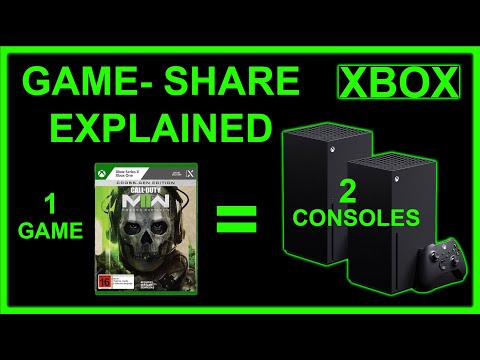
The short and definitive answer is: no, you cannot have two home Xboxes simultaneously. You are limited to designating one console as your home Xbox at any given time. This single designation is crucial for sharing digital games, Xbox Game Pass subscriptions, and Xbox Live (now Xbox Game Pass Core) benefits with other accounts on that specific console. This system is designed to offer flexibility within a household, but with clear limitations to prevent widespread game sharing beyond a defined group. Understanding how the home Xbox system works is key to getting the most out of your Xbox ecosystem, especially if you have multiple consoles within your home or among family members. This article will explore the intricacies of the home Xbox system, answer common questions, and explain how to best manage your digital gaming library across multiple consoles.
Understanding the Home Xbox Concept
The home Xbox designation is essentially a license-sharing feature unique to Xbox consoles. When you set an Xbox as your home Xbox, it grants access to all digital games and subscriptions owned by the account that set the console as ‘home’ to any other profile on that console, even when the owner of the games is not signed in. This means if you have purchased games digitally, and your family members use their own Xbox accounts on your home console, they can also play your games without needing to purchase them again. They also benefit from your Xbox Game Pass Core (formerly Xbox Live Gold) subscription.
This creates an easy and convenient way for families to play together and share digital purchases. However, this generosity is intentionally limited to one designated console, preventing abuse and encouraging purchases by individual gamers rather than mass sharing across numerous consoles.
How the Home Xbox System Works
The process is relatively straightforward. The first time you sign into an Xbox console with a new account, the system will prompt you to make it your home Xbox. If you skip this step, the console will usually automatically be designated as your home Xbox. It is important to carefully consider which console you wish to designate as your home Xbox, especially if you own multiple consoles. If you sign into other consoles, your home Xbox will still be the first one you selected until you manually change it.
The core function of the home Xbox is to extend access. Consider this example: If your home Xbox is in your living room and your son logs in with his account, he can play any digital games you purchased through your account on that console, without you being signed in. If you log in to a different Xbox in your bedroom with your same account, he will still have access to your games at your home. However, anyone logging into your account on the secondary console in your bedroom would need to verify that they are connected to the Xbox Live network in order to play your digital titles. This secondary Xbox is effectively operating off your active Xbox account instead of the license extended to a home console.
Changing Your Home Xbox
While you can only have one home Xbox at a time, you are permitted to change this designation, however there is a limit on how often you can do this. Microsoft allows you to switch your home Xbox five times per year. This restriction prevents gamers from constantly switching between consoles to exploit the game-sharing feature. Keep track of your switches, as you can lose access to games on the previous ‘home’ Xbox unless you are signed into your own account on that console.
To change your home Xbox, you need to go into your settings. If you have another Xbox in your household, you can go to “My Xbox” then choose “Make this my home Xbox” to switch the home console.
What Happens When You Change Your Home Xbox?
Changing your home Xbox essentially transfers all the license rights associated with your account to the newly designated console. Any other profiles signed into that newly designated console will immediately gain access to your digital game library and subscriptions. Conversely, the previous home Xbox will lose those permissions for other accounts. The original account holder will still be able to play their digital games on any console that they are logged into, as long as they have an active internet connection.
It’s also important to note that changing your home Xbox does not delete your digital games or saves, only the extended license for other accounts on your previous home Xbox. Your save data is tied to your Microsoft account and will sync between consoles through the cloud, allowing you to pick up where you left off on any Xbox.
Resetting Your Xbox and Home Xbox Status
It is important to understand the impact of resetting your Xbox. When you reset your Xbox console to its factory defaults, it will erase all accounts, saved games, settings, and home Xbox associations. If you reset your Xbox without properly backing up your data or understanding the consequence, you will lose this information. Any data not synchronized with the Xbox network will be lost. Therefore, if you’re planning to reset or sell your old console, ensure that you take the necessary measures to ensure you do not lose valuable saves and digital content.
Frequently Asked Questions (FAQs)
Here are some common questions regarding the home Xbox system to provide a more complete understanding:
1. Can I use the same account on two Xboxes at the same time?
Yes, you can use the same account on two Xboxes. However, only one console can be designated as your home Xbox. On the secondary console, you will need to be signed in and connected to the Xbox network to play your digital titles.
2. Do I need two Xbox Live accounts for two Xboxes?
No, you only need one Xbox Live (now Xbox Game Pass Core) subscription. If your account is set to the home Xbox on one console, other accounts on that console will have access to your subscriptions and digital games.
3. Can two accounts share the same home Xbox?
Yes, multiple accounts on a home Xbox can access the digital games and Xbox Game Pass Core subscription of the account that set that console as the home one. This is the primary benefit of the home Xbox system.
4. Do I have to buy Xbox Game Pass Core for each console?
No. A single Xbox Game Pass Core subscription is enough if you designate your console as the home Xbox. Other accounts on that console will share access to the subscription and digital titles.
5. How many home Xboxes can I have?
You can only have one home Xbox at a time. You can switch your home Xbox, but there is a limit of five switches per year.
6. Can I gameshare with 3 Xbox consoles?
No, gamesharing is limited to two consoles at a time. The account holder and all accounts on the designated home Xbox console. The secondary console can only play your digital titles while you are signed in.
7. How many accounts can you have on Xbox?
On an Xbox, you can have up to 9 accounts, but only one account needs Xbox Game Pass Core to allow all accounts on the designated home Xbox console to utilize the subscription.
8. How do I share Xbox Game Pass Core on two consoles?
The account that has Xbox Game Pass Core should make one console the home Xbox. Then sign into the other console with the same account. Other users will have access to game pass through the home Xbox.
9. Can two Xbox accounts share games?
Yes, through the home Xbox feature, two people can effectively share games. The account that owns the digital games sets their most-used console as the home Xbox, and any profile on that console can access the games.
10. Why is there a home Xbox limit?
The limit is in place to prevent wide-spread sharing of digital games, which could negatively affect game sales.
11. Does resetting Xbox remove the home Xbox designation?
Yes, resetting your console to its factory defaults erases all accounts, saved games, settings, and the home Xbox association.
12. What does changing the home console do?
Changing your home Xbox transfers the license rights associated with your account to a new console. All other accounts on the new console now have access to the subscription and digital titles. Other accounts on the old ‘home’ Xbox can no longer access these titles without you being logged in.
13. Can two people play a shared game at the same time?
Only one person can play a shared game at a time from a digital account unless they are on different home Xboxs.
14. Is Xbox Live Gold still a thing?
Xbox Live Gold is no longer available. It transitioned into Xbox Game Pass Core, which includes online console multiplayer and a catalog of over 25 games.
15. How do I get Xbox Game Pass Core for free?
While full, ongoing access to Xbox Game Pass Core is not available for free, occasionally, new Xbox accounts are given a free trial when they first log in.
Conclusion
While the desire for multiple home Xboxes might arise when you have multiple consoles, the system is intentionally limited to one. This design ensures a balance between user convenience and protecting the interests of game developers. By understanding the rules of the home Xbox system and its inherent limitations, you can effectively share your digital library and Xbox Game Pass Core benefits with the people you trust within your household. Remember to plan carefully before switching your home Xbox and utilize the system to maximize your gaming experience.