Can You Install DLC Before the Game? A Gamer’s Deep Dive
Fast answer first. Then use the tabs or video for more detail.
- Watch the video explanation below for a faster overview.
- Game mechanics may change with updates or patches.
- Use this block to get the short answer without scrolling the whole page.
- Read the FAQ section if the article has one.
- Use the table of contents to jump straight to the detailed section you need.
- Watch the video first, then skim the article for specifics.
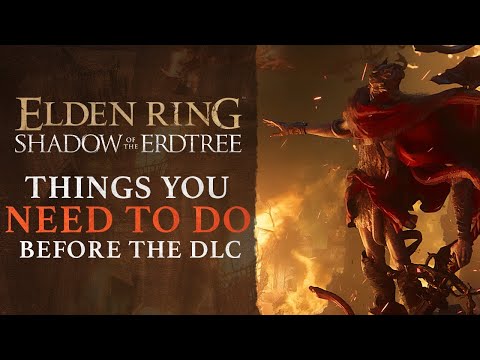
The short answer is no, you cannot truly install DLC before you have the base game installed. While the purchase might register on your account, the actual files and content of the DLC (Downloadable Content) remain inaccessible and essentially dormant until the corresponding base game is present on your system. Think of it like buying sprinkles before you’ve baked the cake – you have the sprinkles, but nothing to put them on! Let’s explore this topic in greater detail.
Understanding the Relationship Between Games and DLC
DLC is designed as an extension of an existing game, building upon its world, mechanics, and storyline. It’s not a standalone entity. The game provides the foundation, the engine, and the framework that the DLC then plugs into. Without that framework, the DLC simply has nowhere to function.
When you purchase DLC, the platform (Steam, PlayStation Store, Xbox Marketplace, etc.) recognizes that you’ve acquired additional content for a specific game. However, the platform’s download and installation processes are typically designed to ensure the base game is present before attempting to install the DLC. This is because:
- File Structure Dependency: DLC files are structured to integrate directly with the base game’s existing files. They often contain new assets (models, textures, audio), code modifications, and level designs that must be placed in specific locations within the game’s file directory.
- Compatibility Requirements: DLC is often developed and released alongside a specific game patch or update. The game must be at the correct version to ensure compatibility with the new DLC content. Installing the base game first typically ensures you’re on the required version.
- Activation and Entitlement: Many platforms use the installation of the base game as a trigger for activating the DLC entitlement. This allows the system to verify that you actually own the game and are authorized to use the DLC.
So, while you can technically buy the DLC before owning the game, you won’t be able to use it until you’ve downloaded and installed the base game. Your purchase is essentially held in reserve, ready to be unleashed once the game is present.
What Happens When You Buy DLC Before the Game?
As mentioned, purchasing the DLC beforehand primarily reserves your right to download and use it once you have the game. Here’s a more detailed breakdown:
- The DLC is Added to Your Account: The platform recognizes your purchase and links the DLC to your account. You’ll likely see it listed in your purchase history or in the “owned DLC” section for the game (even if the game isn’t installed).
- Download is Blocked or Deferred: The platform will either prevent you from downloading the DLC until the base game is installed, or it will automatically queue the DLC for download once the game is present.
- No Access to DLC Content: You won’t find any playable files or content related to the DLC on your system. Even if you were to somehow manually extract files, they wouldn’t function without the game.
- Potential for Sale Notifications: Some platforms might periodically remind you that you own DLC for a game you haven’t installed, prompting you to download the base game.
Why Buy DLC Before the Game?
Given that you can’t use it immediately, why would anyone purchase DLC before owning the base game? There are a few common reasons:
- Sales and Discounts: DLC often goes on sale, and you might want to snag a great deal even if you don’t plan on playing the game immediately. Buying the DLC while it’s discounted guarantees you’ll have it at that price when you eventually get the game.
- Anticipation and Planning: Some gamers like to plan their gaming experiences in advance. Buying DLC ahead of time can be a way to express excitement for a game and ensure you have the complete experience ready to go when you finally get around to playing it.
- Gifting: You can gift DLC to a friend who already owns the base game. In this scenario, you wouldn’t need to own the game yourself.
- Bundles and Collections: Sometimes, buying the game and DLC together in a bundle offers a better overall price than buying them separately later on.
Manually “Installing” DLC: A Word of Caution
While the official installation process through platforms like Steam, PlayStation Network, and Xbox Live handles everything automatically, some games (particularly on PC) might allow for manual installation of DLC files. However, attempting to manually “install” DLC without the base game is highly discouraged.
- It Likely Won’t Work: Even if you copy the DLC files into what you think is the correct game folder, the game probably won’t recognize them without the proper configuration and integration steps handled by the platform.
- Potential for Corruption: Messing with game files without understanding their structure and dependencies can lead to game corruption, instability, and even crashes.
- Security Risks: Downloading DLC from unofficial sources can expose your system to malware and other security threats. Always download DLC from the official platform or reputable sources.
It’s best to stick to the official installation methods provided by the platform to ensure a smooth and secure experience.
Frequently Asked Questions (FAQs) About DLC Installation
Here are some common questions about DLC installation to further clarify the process:
1. Can you play a game without its DLC?
Yes, absolutely. The base game is fully playable without any DLC. DLC is designed to enhance the experience, not to be essential for completing the core game. Think of DLC as extra frosting on an already delicious cake.
2. Will I get a refund for DLC if I refund the base game?
Generally, yes. Most platforms will refund DLC if you refund the base game, especially if you haven’t played the base game extensively since purchasing the DLC. However, it’s always best to check the specific refund policies of the platform you’re using.
3. Are DLC automatically installed?
On platforms like Steam, DLC is often automatically downloaded and installed once you purchase it (or once you install the base game). However, you can often configure your settings to prevent automatic DLC downloads if you prefer to manage them manually.
4. How do I know if my DLC is installed and activated?
Each platform has its own way of checking DLC status. On Steam, you can right-click on the game in your library, select “Properties,” and then go to the “DLC” tab to see a list of installed DLC. On consoles, there’s usually a “Manage Game and Add-ons” section where you can check the status of your DLC.
5. Can I buy DLC for a game on a different platform than the one I own?
No, you cannot. DLC is platform-specific. DLC purchased on Steam, for example, will only work with the Steam version of the game. You need to buy DLC on the same platform that your base game is on.
6. Is DLC the same as a full expansion pack?
The terms are often used interchangeably, but technically, an expansion pack tends to be a larger, more substantial addition to the game, often including significant new storylines, characters, and gameplay mechanics. DLC can range from small cosmetic items to full-fledged expansion packs.
7. Do I need to update my game before installing DLC?
Yes, almost always. DLC typically requires a specific version of the base game to function correctly. The platform will usually prompt you to update your game before installing the DLC.
8. Can I transfer DLC between different accounts on the same platform?
Generally, no. DLC is usually tied to the account it was purchased on and cannot be transferred to another account.
9. Why is my DLC not working even though it’s installed?
There could be several reasons. Make sure the game is updated to the latest version. Check that the DLC is properly activated in the game’s settings. If you’re using mods, they might be interfering with the DLC. Contacting the game’s support team is also an option.
10. What happens if I uninstall the base game?
If you uninstall the base game, the DLC files will also be removed from your system. When you reinstall the game, you’ll typically need to re-download the DLC.
11. Can I play DLC offline?
Whether you can play DLC offline depends on the game and the platform’s policies. Some games require an internet connection to verify DLC ownership, while others allow offline play.
12. Does DLC ever go on sale?
Yes, DLC frequently goes on sale, especially during seasonal sales and promotions. Keep an eye on the platform’s store pages for discounts.
13. Are there any free DLC available?
Yes, some games offer free DLC, often as promotional content or to celebrate milestones.
14. How do I manually install DLC (if the game supports it)?
The process varies depending on the game. Typically, it involves copying the DLC files into the game’s directory and then enabling the DLC through the game’s settings or a configuration file. However, as mentioned earlier, proceed with caution.
15. Can I buy physical DLC?
While less common nowadays, some DLC is still available on physical media, such as expansion packs for console games. These usually come with a code that you redeem on the platform to download the DLC.
The Future of DLC
DLC has become an integral part of the modern gaming landscape. It allows developers to extend the lifespan of their games, provide players with new content, and continue generating revenue. As gaming technology evolves, we can expect to see even more innovative and immersive forms of DLC in the future.
Understanding the nuances of DLC installation, ownership, and compatibility can enhance your gaming experience and prevent potential headaches. Remember to always prioritize purchasing DLC from official sources and following the platform’s recommended installation procedures. And remember, buying sprinkles before the cake is fine, as long as you know the cake needs to come first!
For further exploration of the educational aspects of gaming, consider visiting the Games Learning Society website at GamesLearningSociety.org. You’ll find valuable resources and insights into how games can be used as powerful tools for learning and development.