Can You Install DLC Without the Game? A Comprehensive Guide
Fast answer first. Then use the tabs or video for more detail.
- Watch the video explanation below for a faster overview.
- Game mechanics may change with updates or patches.
- Use this block to get the short answer without scrolling the whole page.
- Read the FAQ section if the article has one.
- Use the table of contents to jump straight to the detailed section you need.
- Watch the video first, then skim the article for specifics.
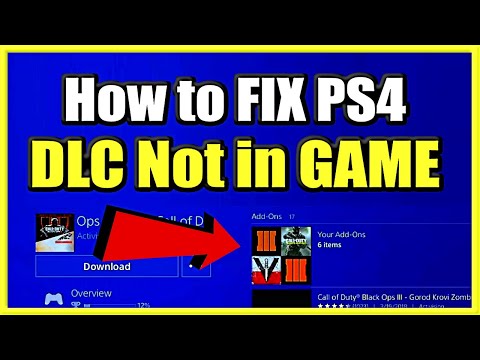
The short answer is: yes, you can often purchase DLC (Downloadable Content) before owning the base game, but you cannot truly install or access it until the base game is installed. The DLC will typically be added to your account on platforms like Steam, PlayStation Network, or Xbox Live, waiting for the game to be present before it can be integrated. Think of it as buying ingredients for a cake before you actually own the cake pan – the ingredients are there, but you can’t bake the cake until you have the pan. This system exists to allow players to take advantage of sales or pre-order bonuses, ensuring they don’t miss out, even if they don’t own the core game yet.
Understanding How DLC Works
DLC extends the life and enjoyment of a game by adding new content, features, and experiences. It can range from cosmetic items and weapons to entire new storylines and explorable areas. This provides ongoing revenue streams for developers and keeps players engaged long after the initial game release. The underlying mechanism for DLC installation and access varies slightly depending on the platform, but the principle remains the same: the platform verifies ownership of both the base game and the DLC before allowing the content to be used. Without the base game, the system has no point of reference to integrate the DLC into. It’s like trying to attach a trailer to a car you don’t own.
Why Purchase DLC Before the Game?
Several reasons motivate players to purchase DLC before buying the base game:
- Sales and Discounts: DLC frequently goes on sale, sometimes at significant discounts. Purchasing it beforehand ensures you secure the discounted price, even if you plan to buy the game later.
- Pre-Order Bonuses: Some games offer exclusive DLC as a pre-order bonus. Purchasing the DLC guarantees you’ll receive these bonuses when you eventually acquire the game.
- Future Planning: Players may know they eventually want a particular game and its DLC, so buying the DLC beforehand locks in the content for when they’re ready to play.
- Gifting: You can purchase DLC for a friend, even if they don’t have the game, and it will be there once they buy the game.
What Happens When You Buy DLC Without the Game?
When you purchase DLC without the game, the following typically occurs:
- Digital Purchase: The DLC is digitally attached to your account on the respective platform (Steam, PlayStation Network, Xbox Live, etc.).
- Waiting Status: The DLC remains in a “waiting” or inactive state. It won’t download or install.
- Game Requirement: The platform recognizes that the DLC requires the base game to function.
- Activation Upon Game Installation: Once you purchase and install the base game, the platform automatically detects the associated DLC and installs it alongside the game (in most cases), or provides you with instructions on how to download it.
Frequently Asked Questions (FAQs) About DLC Installation
Here are some frequently asked questions to further clarify the intricacies of installing DLC, especially without the base game:
1. Are DLC Automatically Installed?
Generally, yes, when you install a game on platforms like Steam, PlayStation, or Xbox, any DLC you own for that game is usually downloaded and installed automatically by default. However, you may need to manually enable the DLC within the game settings sometimes.
2. How Do I Download DLC Only?
On Steam, navigate to your Library, select the game, go to the Store Page, and scroll down to the Content for this game section. Choose the desired DLC, complete the purchase (if needed), and select Install content on the receipt page. On PlayStation and Xbox, you can find your purchased DLC in your game library or store and initiate the download from there.
3. Can You Install DLC Before the Game?
As established, yes, you can purchase DLC before owning the game. It will be linked to your account, but its functionality is locked until you install the base game.
4. How Do I Play DLC After Downloading?
After downloading and installing the DLC, the game should recognize the new content. On Steam, right-click the game in your Library, select Properties, and go to the DLC tab to verify that the DLC is installed (checkbox under the “Install” column). In-game, the DLC content should become available according to the specific game’s design.
5. What Happens If You Download DLC Without the Game?
The DLC will be added to your account but remain inaccessible and undownloadable until you install the game it is designed for. It will essentially be in a holding state.
6. How Do I Access DLC After Purchase?
Typically, the DLC content integrates seamlessly into the game after installation. Refer to the game’s manual or online resources to learn how to access the specific DLC features. Steam allows checking the DLC tab under the game’s Properties.
7. How Do I Know If My DLC Is Installed?
On Steam, right-click the game in your Library, select Properties, and choose the DLC tab. A list of DLC you own will be displayed, with checkboxes indicating whether each DLC is installed. On consoles, check the game’s manage add-ons or downloadable content sections.
8. Is It Worth It to Play DLC?
Whether DLC is worth playing depends on the specific game and your personal preferences. High-quality DLC can significantly enhance the gaming experience, adding new storylines, characters, and gameplay mechanics. However, some DLC may offer minimal value. Research the DLC before purchasing to determine if it aligns with your interests.
9. Do DLC Come With Games?
Sometimes, yes. Special editions or bundles of games often include DLC as part of the package. This can offer significant savings compared to purchasing the game and DLC separately. However, the standard version of a game usually does not include DLC.
10. How Do I Force Install DLC?
Usually, platforms manage DLC installation automatically once the base game is present. If you encounter issues, verify your game files through the platform (e.g., Steam’s “Verify integrity of game files” option). Ensure that the DLC is enabled in the game’s DLC management section.
11. What Does DLC Stand For?
DLC stands for Downloadable Content. It refers to additional content for a video game that can be downloaded after the game’s initial release.
12. Can You Download DLC Separately?
Yes, DLCs are sold as separate items and can be purchased and downloaded independently. However, keep in mind that they require the base game to function.
13. Do You Have to Buy DLC Separately?
In most cases, yes, DLC must be purchased separately from the base game. However, as mentioned earlier, some special editions or bundles may include DLC as part of the package.
14. Is DLC the Full Game?
No, DLC is not the full game. It is additional content that expands upon the base game, adding new features, storylines, or other elements. It always requires the presence of the base game.
15. Can You Redownload DLC After eShop Closes?
While this refers specifically to the Nintendo eShop, the general principle remains the same: For the foreseeable future, on most platforms you will be able to redownload games and DLC that were purchased previously, even if the storefront no longer sells them. This gives players continued access to content they already own.
Conclusion
Purchasing DLC before the game is a common practice to take advantage of sales, pre-order bonuses, or future planning. While the DLC won’t be immediately accessible, it will be securely linked to your account and ready to be installed as soon as you acquire the base game. This allows you to enrich your gaming experiences and support developers who continue to create engaging content. You can learn more about how games are developed and integrated into our society through organizations such as the Games Learning Society, whose website can be found at https://www.gameslearningsociety.org/.