Can You Play the Same Game on Multiple Nintendo Switches? A Comprehensive Guide
Fast answer first. Then use the tabs or video for more detail.
- Watch the video explanation below for a faster overview.
- Game mechanics may change with updates or patches.
- Use this block to get the short answer without scrolling the whole page.
- Read the FAQ section if the article has one.
- Use the table of contents to jump straight to the detailed section you need.
- Watch the video first, then skim the article for specifics.
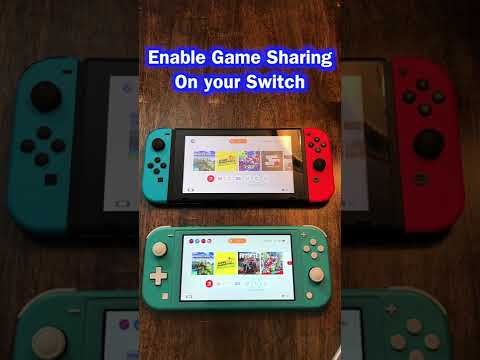
Yes, you can play the same game on multiple Nintendo Switch consoles, but it’s not as simple as popping a cartridge into each one and diving in. Nintendo’s system is designed to balance flexibility with the need to protect digital game sales. Understanding the nuances of primary and non-primary consoles, Nintendo Accounts, and digital vs. physical copies is crucial for navigating this process smoothly. Let’s explore the details!
Understanding the Nintendo Switch Ecosystem for Game Sharing
The key to understanding how to play the same game on multiple Switches lies in grasping the concept of Nintendo Accounts and the primary console system. Your Nintendo Account is your key to the digital world of Nintendo, linking your purchases, save data (where cloud saves are supported), and online services.
The primary console is the Nintendo Switch that is designated as the go-to system for your account. Any user on your primary console can play your digitally purchased games. This is the console where you can freely enjoy your digital library without an internet connection after the initial download.
However, if you want to play your games on additional, non-primary consoles, things get a bit more involved. While you can download and play your digital games on these other systems, there are limitations:
- Only the Nintendo Account that purchased the game can play it on a non-primary console. This means you can’t share the game with other user profiles on that console.
- The non-primary console needs to connect to the internet to verify your license each time you launch the game. This means you can’t play your digital games offline on a non-primary console.
- Simultaneous Play is Prohibited: You cannot use the same Nintendo Account to access and play the same digital game on multiple consoles simultaneously. The system will detect this and interrupt gameplay on one of the consoles.
This system ensures that while you can access your purchased games across multiple devices for your personal use, you can’t simply share your entire digital library with friends or family on a permanent basis.
Digital vs. Physical Copies: Which is Better for Sharing?
The method you use to acquire the game – digital or physical – significantly impacts how you can share and play it on multiple Switches.
- Digital Copies: As explained above, digital copies are tied to your Nintendo Account. While you can download them on multiple consoles, restrictions apply regarding primary consoles, user accounts, and online connectivity.
- Physical Copies: Physical game cartridges offer more straightforward sharing capabilities. You can simply remove the cartridge from one Switch and insert it into another. Anyone with access to the console can play the game. However, this does mean you can only play the game on one Switch at a time, unless you purchase multiple copies of the game.
Setting Up Game Sharing on Your Nintendo Switches
Here’s a breakdown of how to set up game sharing, assuming you’re using digital copies:
- Identify your Primary Console: The first Switch you used to access the Nintendo eShop is automatically set as your primary console. If you want to change your primary console, you’ll need to deregister the existing one.
- Deregistering a Primary Console (If Needed): This can be done directly on the Switch if you have access to it. Go to the eShop, click your profile icon, scroll down to “Primary Console,” and select “Deregister.” If you no longer have access to the original console, you can deregister it remotely through the Nintendo website, but you can only do this once per year.
- Linking your Nintendo Account to Additional Consoles: On the second Switch, create a new user account. Link this user account to your existing Nintendo Account using your login and password.
- Downloading Games on Non-Primary Consoles: Open the Nintendo eShop using the user account linked to your Nintendo Account. Go to “Redownload” and select the games you want to download.
Considerations for Families with Multiple Switches
For families with multiple Nintendo Switches, it’s crucial to plan how you’ll manage game access.
- Centralized Account: If one parent/guardian buys the majority of the digital games, their Nintendo Account can be used on multiple consoles. The primary console can be used by anyone in the family, while the purchasing account holder can use the game on the non-primary Switch.
- Individual Accounts: Each family member can have their own Nintendo Account and purchase their own games. This allows for greater individual control but requires each person to buy their own copies of games they want to play individually.
- Nintendo Switch Online Family Membership: A family membership provides online access for up to eight Nintendo Accounts, regardless of which console they’re using. This does not grant shared access to digital game libraries, however.
Cloud Saves and Data Transfer
While playing the same game on multiple Switches, you may also want to consider your save data. The Nintendo Switch Online service offers cloud saves for many games, which allows you to synchronize your progress across multiple consoles. However, not all games support cloud saves. Some games require you to manually transfer save data between consoles, which can be done wirelessly or via an SD card.
Balancing Convenience and Restrictions
Nintendo’s system for game sharing on the Switch tries to strike a balance between user convenience and protecting game sales. While it might not be as straightforward as simply sharing physical cartridges, it offers a level of flexibility that allows players to access their digital libraries on multiple devices. By understanding the rules surrounding primary consoles, Nintendo Accounts, and the differences between digital and physical games, you can maximize your gaming experience across all your Nintendo Switch consoles.
Frequently Asked Questions (FAQs)
Here are 15 frequently asked questions regarding playing the same game on multiple Nintendo Switch consoles:
-
Can I play the same digital game on two Switches simultaneously using the same Nintendo Account?
- No, you cannot. The system will detect this and interrupt gameplay on one of the consoles.
-
If I buy a digital game, does everyone on my primary console have access to it?
- Yes, all user accounts on your primary Nintendo Switch console can play games you’ve purchased with your Nintendo Account.
-
What happens if I want to change my primary console?
- You can deregister your existing primary console through the eShop settings on that console, or remotely via the Nintendo website (but only once per year). Then, the next Switch you use to access the eShop will become your new primary console.
-
Can I play my digital games offline on a non-primary console?
- No, the non-primary console needs to connect to the internet to verify your license each time you launch the game.
-
If I have a physical copy of a game, can I play it on multiple Switches at the same time?
- No, you would need a physical copy of the game for each console you wish to play on simultaneously.
-
Does a Nintendo Switch Online Family Membership allow my family to share digital games?
- No, a family membership only provides online access for up to eight Nintendo Accounts. It does not enable sharing of digital game libraries.
-
How do I transfer save data between two Nintendo Switch consoles?
- Some games support cloud saves via Nintendo Switch Online. For other games, you can transfer save data wirelessly or via an SD card.
-
If I buy a new Nintendo Switch, do I have to rebuy all my digital games?
- No, your games are tied to your Nintendo Account. Simply log into your account on the new console and redownload your games.
-
Can I have more than one primary console at a time?
- No, you can only have one primary console per Nintendo Account.
-
My child has their own Nintendo Account. Can I share my digital games with them?
- Yes, you can set their console as your primary console. On your non-primary console, you can still access your games as long as you are logged in with your account and have an internet connection.
-
What’s the best way to share games with my family if we have multiple Switches?
- Consider a centralized account for purchasing digital games, and utilize the primary console system effectively.
-
Can I buy a digital copy of a game I already own physically and get it for free?
- No, the physical game does not grant you a free digital copy. You would need to purchase the digital version separately.
-
If I deregister a console as my primary console, will I lose my digital games on that console?
- No, the games will remain on the console. However, only the account that purchased them can play them, and an internet connection is required for verification.
-
How many controllers can I connect to one Nintendo Switch?
- You can pair up to eight controllers with one Nintendo Switch console simultaneously, but the number of players who can actually play at any one time depends on the title and game mode.
-
Where can I learn more about the impact of games on learning and development?
- Visit the Games Learning Society website at https://www.gameslearningsociety.org/ to explore research and resources on game-based learning. The GamesLearningSociety.org explores the use of games in education.