Unleash Your Inner Athlete: Can You Play Wii Sports Without the Sensor Bar?
Fast answer first. Then use the tabs or video for more detail.
- Watch the video explanation below for a faster overview.
- Game mechanics may change with updates or patches.
- Use this block to get the short answer without scrolling the whole page.
- Read the FAQ section if the article has one.
- Use the table of contents to jump straight to the detailed section you need.
- Watch the video first, then skim the article for specifics.
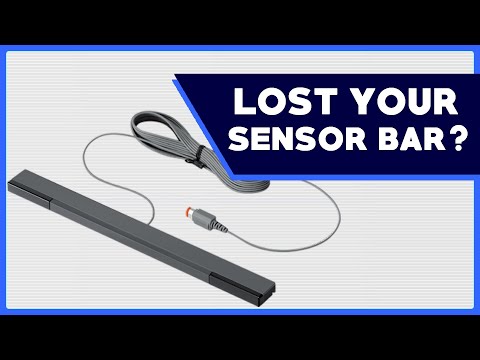
Absolutely! While the Wii sensor bar enhances the experience, it’s not strictly required for basic functionality in Wii Sports. You can definitely engage in some virtual tennis, bowling, and even golf without it. The key is understanding how the Wii Remote tracks movement and what alternatives are available. Let’s dive into the details and explore the possibilities of playing Wii Sports without that little bar.
Understanding the Wii Sensor Bar’s Role
The Wii sensor bar isn’t actually a motion sensor itself. Instead, it’s a simple device containing two clusters of infrared (IR) LEDs. The Wii Remote uses its own built-in infrared camera to detect these light sources. By triangulating the position of these lights, the console can determine where the remote is pointing on the screen and track its movement.
Without the sensor bar, the Wii Remote can’t accurately pinpoint its position relative to the TV, limiting the precision of pointer-based activities. However, Wii Sports primarily relies on detecting the motion of the remote, not its exact position on the screen. This means that many of the games are still playable, albeit with some limitations.
Wii Sports Games and Sensor Bar Dependence
-
Tennis & Bowling: These games are the most forgiving without a sensor bar. They rely heavily on motion detection, so you can still swing your remote to hit a tennis ball or bowl strikes. The lack of precise pointing isn’t a major hindrance.
-
Golf: Golf is also playable, although aiming will be more challenging. You’ll need to rely on the in-game indicators and your own estimation to line up your shots.
-
Baseball: Batting in baseball will work, relying on motion to swing. Pitching is more challenging, as selecting the type of pitch normally requires the sensor to make a pointer selection.
-
Boxing: As long as you can use the “A” and “B” buttons, you can play boxing!
Alternatives to the Wii Sensor Bar
If you want to play Wii Sports without the official sensor bar, here are a few alternatives:
-
Candles: Yes, really! As the original extract suggested, two lit candles placed roughly the same distance apart as the sensor bar provide a similar IR source. Be extremely careful with fire safety!
-
Infrared LEDs: You can purchase or even build a replacement using IR LEDs and a power source. Plenty of DIY tutorials are available online.
-
Third-Party Sensor Bars: Many affordable, third-party sensor bars are available online. These are often powered via USB, making them easy to connect.
Wii MotionPlus and Its Impact
It’s important to differentiate between the sensor bar and Wii MotionPlus. The Wii MotionPlus is an accessory (or built-in feature in newer remotes) that enhances the motion-sensing capabilities of the remote. While the sensor bar helps with pointer accuracy, Wii MotionPlus improves the fidelity of motion tracking.
Although Wii MotionPlus increases the accuracy of the Wii Remote, a sensor bar is still recommended to work properly. The sensor bar is required to calibrate the Motion Plus.
The Nintendo Switch Sports Paradigm Shift
The Nintendo Switch Sports game eliminates the need for a sensor bar entirely. Instead, it relies entirely on the Joy-Con’s built-in accelerometers and gyroscopes to track motion. This provides a more accurate and versatile experience, as you’re not tethered to the infrared lights.
Maximizing Your Sensor-Bar-Less Wii Sports Experience
Here are a few tips to make the most of playing Wii Sports without a sensor bar:
- Experiment with Remote Placement: Try different positions and angles for your Wii Remote. Find what works best for detecting your movements.
- Calibrate the Remote: Although you don’t have a sensor bar, make sure your remote is calibrated correctly in the Wii settings for optimal motion tracking.
- Adjust Sensitivity Settings: In the Wii settings, you may find a sensitivity setting for the pointer. While this is designed for use with the sensor bar, experimenting with it might improve motion detection even without the bar.
- Consider Alternatives: As mentioned earlier, using candles or a DIY IR setup can significantly improve the experience.
The Educational Impact of Motion-Controlled Games
Beyond the fun and fitness, motion-controlled games like Wii Sports have educational potential. They can help develop hand-eye coordination, spatial reasoning, and even promote physical activity. Organizations like the Games Learning Society, found at https://www.gameslearningsociety.org/, explore the intersection of games and learning, highlighting the benefits of interactive play. GamesLearningSociety.org researches how games engage learning in new ways.
FAQs: Sensor Bar and Wii Sports
1. Do all Wii games require the sensor bar?
No, many Wii games that rely primarily on motion controls are playable without the sensor bar, but the precision of pointer-based functions will be limited. Games that need to use the Wii Remote to point at the screen will not work as well.
2. Can I use a universal remote as a sensor bar?
No, a universal remote won’t work as a sensor bar. The Wii Remote is looking for specific infrared light sources, not generic remote signals.
3. How far away should I be from the TV when playing Wii Sports without a sensor bar?
Experiment to find what works best for you. Start around 3-8 feet, but adjust based on the game and your movement style.
4. Does the color of the candles matter if I use them as a sensor bar?
No, the color of the candles doesn’t matter. It’s the infrared radiation emitted by the flame that the Wii Remote detects. Just ensure they are safely placed and monitored.
5. Is it safe to use candles as a Wii sensor bar replacement?
Use extreme caution when using candles. Keep them away from flammable materials, never leave them unattended, and ensure proper ventilation. Fire safety is paramount.
6. Will a sensor bar from another console (like a Wii U) work with my Wii?
Yes, the Wii and Wii U sensor bars are technically identical and interchangeable.
7. What happens if my Wii Remote isn’t connecting properly?
Check the batteries in your Wii Remote. Make sure the remote is synced to the console. Try re-syncing the remote by pressing the sync button on the console and the remote.
8. Can I use the GameCube controller to play Wii Sports?
No, Wii Sports requires the Wii Remote and Nunchuk (or Wii Remote Plus) for motion controls. The GameCube controller is not compatible.
9. Does playing Wii Sports on a newer TV affect sensor bar functionality?
Newer TVs can have different lighting conditions that might interfere with the Wii Remote’s IR detection. Experiment with positioning the sensor bar and adjusting the Wii’s sensitivity settings.
10. Is there a wireless sensor bar for the Wii?
Yes, wireless sensor bars are available. They typically run on batteries and connect to the Wii via Bluetooth or a similar wireless technology.
11. Does the Wii MotionPlus accessory replace the need for a sensor bar?
No, the Wii MotionPlus enhances motion detection but does not replace the sensor bar’s role in providing reference points for the Wii Remote.
12. Can I play all sports in Wii Sports without the sensor bar?
Most of the sports are playable to some extent, but the accuracy and precision will be significantly reduced in games that rely on pointing.
13. Can I use my phone’s flashlight as a substitute for the sensor bar?
No, a phone’s flashlight emits visible light, not infrared light. The Wii Remote is designed to detect infrared light.
14. How can I test if my Wii sensor bar is working properly?
Point a camera phone at the sensor bar while it’s powered on. The camera will often pick up the infrared light that is invisible to the human eye, revealing if the LEDs are working.
15. Will using a third-party sensor bar void my Wii’s warranty?
Using a third-party sensor bar should not void your Wii’s warranty, as long as it doesn’t cause any damage to the console.