Can You Play Your Backbone Away From Home? The Definitive Guide
Fast answer first. Then use the tabs or video for more detail.
- Watch the video explanation below for a faster overview.
- Game mechanics may change with updates or patches.
- Use this block to get the short answer without scrolling the whole page.
- Read the FAQ section if the article has one.
- Use the table of contents to jump straight to the detailed section you need.
- Watch the video first, then skim the article for specifics.
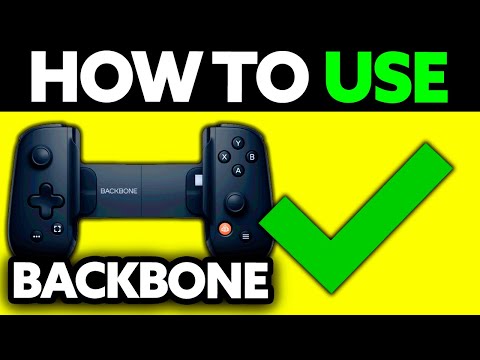
Yes, you can absolutely play your Backbone away from home! The Backbone One is designed to provide a console-quality gaming experience anywhere you have an internet connection and a compatible device. This opens up a world of gaming possibilities beyond your living room.
Unleashing Portable Gaming: Backbone Beyond the Couch
The Backbone One isn’t just a stationary gaming accessory. Its inherent portability and compatibility with various services make it a powerful on-the-go gaming solution. To understand how to maximize your Backbone’s potential when you’re away from your home Wi-Fi, let’s delve deeper into the specifics.
Understanding the Backbone Ecosystem
The Backbone system revolves around a physical controller that docks with your iPhone or Android device (depending on the model) transforming it into a handheld gaming console. It seamlessly integrates with the Backbone app, which acts as a hub for launching games, connecting with friends, and exploring new gaming experiences. The magic, however, extends far beyond the app itself.
Leveraging Cloud Gaming Services
The most common way to play your Backbone away from home is through cloud gaming services like Xbox Cloud Gaming (Game Pass Ultimate), Nvidia GeForce Now, and Amazon Luna. These services stream games directly to your device, meaning you don’t need to download or install anything. All the processing is done on remote servers, allowing you to play graphically demanding games on your mobile device with ease. To utilize these services:
- Subscription: You’ll need an active subscription to your chosen cloud gaming service.
- Internet Connection: A stable and relatively fast internet connection is crucial. A 5GHz Wi-Fi network is recommended, but a strong cellular data connection (5G or 4G LTE) can also work, although data usage should be monitored.
- Backbone App: The Backbone app often includes direct links and optimization tips for these cloud gaming services, making setup straightforward.
Remote Play Capabilities: Your Home Console on the Go
Beyond cloud gaming, the Backbone allows you to remotely play games installed on your home consoles through their respective remote play features. This means you can access your entire library of games installed on your PlayStation (PS Remote Play) or Xbox (Xbox Remote Play) while you’re away.
- Setup: You’ll need to enable remote play on your console and ensure it’s connected to a stable internet connection at home.
- Network Requirements: Your home network should have a good upload speed. The quality of your remote play experience depends heavily on the internet connection both at home and where you’re playing.
- Authentication: You’ll typically need to sign in with your PlayStation Network or Xbox Live account to access remote play.
Mobile Gaming and App Store Titles
Of course, the Backbone is also compatible with a vast library of mobile games available on the App Store and Google Play Store. Many mobile games offer controller support, providing a much more comfortable and precise gaming experience compared to using touchscreen controls.
- Compatibility: Check the game description to confirm controller support.
- Discovery: The Backbone app can help you discover controller-compatible games.
- Offline Play: Many mobile games can be played offline, making the Backbone perfect for situations where you don’t have an internet connection.
Considerations for Gaming Away From Home
While the Backbone makes portable gaming incredibly convenient, there are a few factors to keep in mind:
- Data Usage: Cloud gaming and remote play can consume a significant amount of data. Keep an eye on your data usage, especially when using cellular data.
- Battery Life: Gaming can drain your phone’s battery quickly. Consider bringing a portable power bank.
- Internet Stability: An unstable internet connection can lead to lag and interruptions. Try to find a location with a strong and reliable Wi-Fi signal.
Frequently Asked Questions (FAQs) About Backbone and Remote Gaming
Here are some frequently asked questions regarding the use of the Backbone One away from your home:
1. Does the Backbone require Wi-Fi to work?
No, the Backbone itself doesn’t require Wi-Fi. It’s a physical controller that connects directly to your phone. However, most of the gaming experiences it facilitates (cloud gaming, remote play) will require an internet connection, either Wi-Fi or cellular data. Mobile games that support offline play are an exception.
2. Can I use the Backbone with my mobile data plan?
Yes, you can use the Backbone with your mobile data plan. Be mindful of your data limits, as cloud gaming and remote play can consume a significant amount of data. Monitoring your data usage is highly recommended.
3. How much data does cloud gaming with the Backbone consume?
Data consumption varies depending on the streaming quality settings. Generally, expect to use between 2GB and 5GB per hour when streaming at high quality. Lowering the streaming quality can significantly reduce data usage.
4. What internet speed is recommended for cloud gaming with the Backbone?
A minimum of 10 Mbps is generally recommended, but 15 Mbps or higher will provide a smoother and more consistent experience, especially for games requiring quick reflexes.
5. Can I use the Backbone to play PlayStation games away from home?
Yes, you can use the Backbone to play PlayStation games away from home using PS Remote Play. Ensure you have remote play enabled on your PlayStation console and a stable internet connection both at home and where you are playing.
6. Can I use the Backbone to play Xbox games away from home?
Yes, you can use the Backbone to play Xbox games away from home using Xbox Remote Play or Xbox Cloud Gaming (Game Pass Ultimate). Remote Play allows you to stream games directly from your console, while Cloud Gaming streams from Microsoft’s servers.
7. Is there input lag when playing remotely with the Backbone?
Some input lag is unavoidable when playing remotely, as data needs to travel between your device, the cloud gaming server, or your home console. A strong and stable internet connection can minimize this lag.
8. Can I use the Backbone on multiple devices?
Yes, the Backbone can be used on multiple compatible devices (either iPhones or Android phones, depending on the model). You just need to detach it from one device and connect it to another. The Backbone app can be installed on multiple devices linked to the same account.
9. Does the Backbone require a subscription?
The Backbone controller itself does not require a subscription to function. However, accessing cloud gaming services like Xbox Cloud Gaming, Nvidia GeForce Now, or Amazon Luna requires their respective subscriptions. The Backbone+ subscription is optional and unlocks additional features within the Backbone app.
10. Can I use headphones with the Backbone?
Yes, the Backbone features a 3.5mm headphone jack and supports Bluetooth headphones for wireless audio.
11. Does the Backbone charge my phone while I play?
The Backbone (most models) has a pass-through charging port. This allows you to charge your phone while playing, preventing battery drain during long gaming sessions.
12. What mobile games are compatible with the Backbone?
A vast library of mobile games supports controllers. You can find compatible games by searching for “controller support” in the App Store or Google Play Store, or by exploring the Backbone app’s curated lists.
13. How do I update the firmware on my Backbone?
Firmware updates are typically handled through the Backbone app. The app will notify you when an update is available and guide you through the installation process.
14. What if my phone doesn’t fit perfectly in the Backbone?
The Backbone comes with adapters (specific to iPhone models in some cases) to ensure a secure and snug fit for different phone sizes. Ensure you’re using the correct adapter for your device.
15. Can I use the Backbone with an iPad or tablet?
Currently, the Backbone is primarily designed for use with smartphones. While technically possible with certain adapters and workarounds, it’s not officially supported for tablets. You’d be better served with a full-sized bluetooth controller for tablet use.
In conclusion, the Backbone One is a versatile tool that allows you to enjoy console-quality gaming experiences beyond the confines of your home. By understanding its capabilities and limitations, you can maximize its potential and unlock a world of portable gaming possibilities.