Can You Publish a Game Made with Unity Free? Absolutely! Here’s How.
Fast answer first. Then use the tabs or video for more detail.
- Watch the video explanation below for a faster overview.
- Game mechanics may change with updates or patches.
- Use this block to get the short answer without scrolling the whole page.
- Read the FAQ section if the article has one.
- Use the table of contents to jump straight to the detailed section you need.
- Watch the video first, then skim the article for specifics.
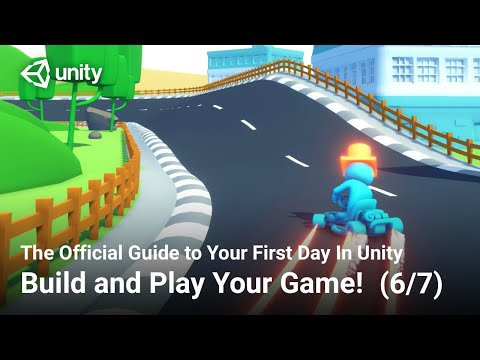
Yes, you absolutely can publish a game made with Unity for free. The Unity game engine offers a free personal license that allows individuals and small businesses to create and publish games without paying any upfront licensing fees. However, there are certain limitations and considerations you need to be aware of. Let’s dive into the details.
Understanding the Unity Free License
The Unity Personal license is designed for individuals learning to use Unity, hobbyists, and small businesses with limited revenue. It’s a fantastic entry point into the world of game development, offering almost all the features of the paid versions.
Key Features and Limitations
-
Full Feature Set: The free version includes nearly all the features available in the paid Unity Plus, Pro, and Enterprise licenses. This means you have access to powerful tools for creating 2D and 3D games, VR/AR experiences, and more.
-
Revenue Cap: The main limitation is the revenue cap. To use the Unity Personal license, your company or organization must have earned less than $200,000 in revenue or received less than $200,000 in funding in the last 12 months.
-
Unity Splash Screen: Games created with the Unity Personal license will display a Unity splash screen on startup. This is a small branding element that indicates the game was made with Unity. You can only remove or customize this splash screen with a paid license.
-
Eligible Users: Individual developers, hobbyists, students, and small businesses meeting the revenue requirements are eligible to use the Unity Personal license.
-
No Dedicated Support: Unlike paid licenses, the Unity Personal license doesn’t offer dedicated support. However, the Unity community is vast and incredibly helpful, with extensive forums, documentation, and tutorials available online.
Publishing Your Free Unity Game
Once you’ve created your game with Unity, publishing it is a relatively straightforward process. Unity supports exporting to various platforms, including:
- Windows: Standalone desktop games for Windows.
- macOS: Standalone desktop games for macOS.
- Linux: Standalone desktop games for Linux.
- WebGL: Games playable directly in web browsers.
- Android: Mobile games for Android devices.
- iOS: Mobile games for Apple devices (requires a Mac for building).
- Consoles: Publishing to consoles requires a paid Unity license and developer agreements with the console manufacturers (Sony, Microsoft, Nintendo).
Steps to Publish
- Build Settings: In Unity, go to File > Build Settings and select your target platform.
- Player Settings: Configure your game’s settings in Edit > Project Settings > Player. This includes setting the company name, product name, icon, and resolution.
- Build: Click the “Build” button in the Build Settings window to create the executable file or package for your chosen platform.
- Distribution: Distribute your game through various platforms such as:
- Steam: For PC games.
- itch.io: A popular platform for indie games.
- Google Play Store: For Android games.
- Apple App Store: For iOS games.
- Your Own Website: Host the WebGL version of your game on your personal website.
Monetizing Your Free Unity Game
Even if you’re using the free Unity license, you can still monetize your game. Common monetization strategies include:
- In-App Purchases (IAP): Sell virtual items, upgrades, or currency within your game.
- Advertisements: Display ads within your game.
- Donations: Accept donations from players who enjoy your game.
- Premium Version: Offer a free version with limited features and a paid version with additional content or benefits.
Frequently Asked Questions (FAQs)
Here are 15 frequently asked questions about publishing games made with Unity free:
1. What happens if my game exceeds the revenue cap while using the Unity Personal license?
If your revenue or funding exceeds $200,000 in the last 12 months, you’ll need to upgrade to a paid Unity license (Unity Plus, Pro, or Enterprise). Failing to do so violates Unity’s terms of service.
2. Can I use assets from the Unity Asset Store in my free Unity game?
Yes, you can use assets from the Unity Asset Store in your free Unity game, provided you comply with the asset’s individual license agreement. Most assets have licenses that allow commercial use, even with the free Unity license.
3. Is there a limit to the number of games I can publish with the Unity Personal license?
No, there is no limit to the number of games you can publish with the Unity Personal license, as long as you meet the revenue requirements and adhere to the license terms.
4. Do I need to credit Unity in my game if I use the free license?
Yes, the Unity splash screen acts as a credit. Removing or customizing it requires a paid license. Additionally, it’s generally good practice to credit the developers of any assets you use from the Asset Store.
5. Can I collaborate with others on a Unity game using the free license?
Yes, you can collaborate with others, but everyone on the team must meet the eligibility requirements for the Unity Personal license (i.e., individual revenue/funding under $200,000).
6. What are the main differences between Unity Personal, Plus, Pro, and Enterprise?
The main differences lie in revenue limits, access to dedicated support, the ability to customize the splash screen, and additional collaboration features. Unity Plus has higher revenue limit than Personal. Unity Pro offers priority support and more advanced features. Unity Enterprise is designed for large organizations and offers dedicated account management and training.
7. Can I use C# with the Unity Personal license?
Yes, you can use C#, Unity’s primary scripting language, with the Unity Personal license. All of Unity’s scripting capabilities are available in the free version.
8. How do I upgrade from the Unity Personal license to a paid license?
You can upgrade directly through the Unity website by purchasing a subscription to Unity Plus, Pro, or Enterprise. Follow the instructions provided by Unity to transition your project to the new license.
9. Can I create commercial projects for clients using the Unity Personal license?
Yes, you can create commercial projects for clients as long as your company meets the revenue requirements for the Unity Personal license.
10. What happens if I accidentally exceed the revenue limit for the Unity Personal license?
You should immediately upgrade to a paid Unity license. Contact Unity’s sales team to discuss your options and ensure you’re compliant with their terms of service.
11. Can I use the Unity Personal license for educational purposes?
Yes, the Unity Personal license is well-suited for educational purposes. Students and educators can use it to learn and teach game development. Consider looking into the resources provided by Games Learning Society at https://www.gameslearningsociety.org/ for further educational opportunities.
12. How often does Unity update its engine?
Unity releases new versions of its engine regularly, typically with minor updates every few weeks and major releases annually. These updates often include new features, bug fixes, and performance improvements.
13. Are there any limitations on the types of games I can create with the Unity Personal license?
No, there are no restrictions on the types of games you can create with the Unity Personal license. You can make 2D games, 3D games, VR/AR experiences, and more.
14. How can I find free assets for my Unity game?
Numerous resources offer free assets for Unity games, including:
- The Unity Asset Store: Search for free assets.
- Kenney.nl: Provides a vast library of free game assets.
- OpenGameArt.org: A repository of free game art.
15. What are the best resources for learning Unity game development?
There are many great resources for learning Unity, including:
- Unity Learn: Unity’s official learning platform.
- YouTube: Numerous channels offer Unity tutorials.
- Udemy and Coursera: Online courses on Unity game development.
- The Unity Documentation: A comprehensive resource for all things Unity.
Conclusion
Publishing a game made with Unity for free is entirely possible thanks to the Unity Personal license. By understanding the features, limitations, and publishing process, you can bring your game development dreams to life without breaking the bank. Remember to always adhere to Unity’s terms of service and upgrade to a paid license when your revenue exceeds the limit. Good luck, and happy game developing!