Can You Share Games Between Switches? A Comprehensive Guide
Fast answer first. Then use the tabs or video for more detail.
- Watch the video explanation below for a faster overview.
- Game mechanics may change with updates or patches.
- Use this block to get the short answer without scrolling the whole page.
- Read the FAQ section if the article has one.
- Use the table of contents to jump straight to the detailed section you need.
- Watch the video first, then skim the article for specifics.
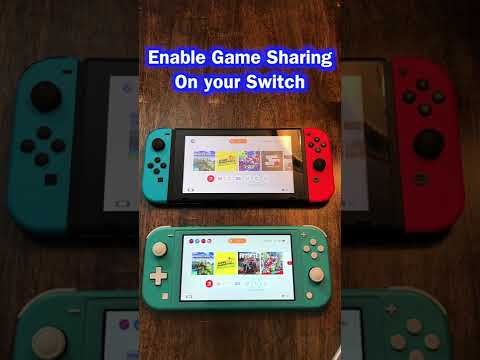
Absolutely! Sharing games between Nintendo Switch consoles is possible, but it comes with some nuances depending on whether you’re dealing with physical game cartridges or digital downloads. The system Nintendo employs involves designating one Switch as your primary console and utilizing the Nintendo Account system. This allows for flexibility but also introduces certain restrictions that are important to understand. Let’s dive into the specifics of how game sharing works on the Nintendo Switch.
Understanding Primary and Non-Primary Consoles
The key to understanding game sharing on the Nintendo Switch lies in grasping the distinction between a primary console and a non-primary console.
-
Primary Console: This is the console that is most closely associated with your Nintendo Account. On the primary console, anyone who uses the console can play your downloaded games, even when the console is offline. It’s the ideal setup for your personal Switch or the one primarily used at home.
-
Non-Primary Console: Any other Switch console that you log into with your Nintendo Account becomes a non-primary console. On a non-primary console, only you (the account holder) can play your downloaded games, and you must be connected to the internet to verify your license each time you launch a game.
This system is designed to allow you to play your games on multiple devices while preventing widespread, unrestricted sharing that would undermine game sales.
Sharing Physical Games
Sharing physical game cartridges is straightforward and hassle-free. Since the game data resides on the cartridge itself, you can simply remove the cartridge from one Switch and insert it into another. The game will then be playable on the second console, regardless of the Nintendo Account associated with that console.
Important Note: Save data is stored on the console itself, not the game cartridge. Therefore, each Switch will have its own independent save file for the same physical game. This means you can swap physical games between multiple consoles without overwriting anyone’s progress.
Sharing Digital Games
Sharing digital games requires a bit more setup and understanding. The process involves linking your Nintendo Account to multiple Switch consoles and managing primary and non-primary console designations.
Steps for Sharing Digital Games:
- Link your Nintendo Account: Log in to your Nintendo Account on both the primary and non-primary Switch consoles.
- Designate a Primary Console: Choose which Switch will be your primary console. Usually, this is the console you use most often.
- Download Games: On both consoles, download the digital games you want to share from the Nintendo eShop. You’ll find these games in the Redownload section of your account profile.
- Play on the Primary Console: Anyone using the primary console can play the downloaded games without needing an internet connection.
- Play on the Non-Primary Console: Only the account holder who purchased the games can play them on the non-primary console, and an active internet connection is required for license verification.
Restrictions and Considerations for Digital Game Sharing:
- Internet Connection Requirement: A non-primary console must be connected to the internet to play digital games. If the internet connection is lost, the game will be suspended.
- Simultaneous Play: You cannot play the same digital game simultaneously on both the primary and non-primary consoles. If you attempt to launch the same game on both consoles at the same time, the non-primary console will display an error message.
- Account Restrictions: Digital game access on a non-primary console is tied to the Nintendo Account that purchased the game. Only that account can launch and play the game.
Changing Your Primary Console
You can change your primary console, but there are some important rules to follow:
- Deregister First: Before designating a new primary console, it’s recommended to deregister your current primary console. You can do this from the Nintendo eShop settings on that console.
- Limited Changes: There is a limit to how frequently you can change your primary console. Nintendo restricts the number of switches to prevent abuse of the system.
- Automatic Deregistration: If your original primary console is lost, stolen, or broken, you can still deregister it remotely through the Nintendo website.
Potential Risks of Game Sharing
While Nintendo allows game sharing within the outlined parameters, engaging in unauthorized or excessive sharing can lead to penalties.
- Account Bans: Sharing your Nintendo Account login credentials with too many individuals, or engaging in activities that violate Nintendo’s terms of service, can result in account bans.
- Console Bans: In extreme cases of abuse (such as modding or hacking), Nintendo may ban the entire console from accessing online services.
Therefore, it’s essential to abide by Nintendo’s guidelines and only share games with family members or close friends within the intended framework.
Sharing games on the Nintendo Switch offers a balance between convenience and preventing piracy. By understanding the difference between physical and digital games, the roles of primary and non-primary consoles, and the potential risks involved, you can make the most of the Switch’s game-sharing capabilities while respecting Nintendo’s terms of service. You can also learn more about the learning potential within games at the Games Learning Society at https://www.gameslearningsociety.org/.
Frequently Asked Questions (FAQs)
Here are 15 frequently asked questions about sharing games between Nintendo Switch consoles to help clarify any lingering doubts:
1. Can I share physical games with my friends?
Yes, you can freely share physical game cartridges with your friends. The game isn’t tied to any specific console or account, so anyone can play it as long as they have the cartridge.
2. How many Switches can be linked to one Nintendo Account?
A single Nintendo Account can be linked to multiple Switch consoles, but only one can be designated as the primary console.
3. Can two people play the same digital game at the same time on different Switches?
No, you cannot play the same digital game simultaneously on both the primary and non-primary consoles. An error message will appear on the non-primary console.
4. Do I need an internet connection to play digital games on my primary console?
No, you do not need an internet connection to play digital games on your primary console. They are accessible offline.
5. Can I play digital games offline on a non-primary console?
No, you cannot play digital games offline on a non-primary console. An active internet connection is required for license verification each time you launch a game.
6. What happens if I lose my internet connection while playing a digital game on a non-primary console?
If you lose your internet connection, the game will be suspended, and you will need to reconnect to continue playing.
7. How do I change my primary console?
To change your primary console, deregister your current primary console through the Nintendo eShop settings or remotely through the Nintendo website, then designate a new console as your primary.
8. Is there a limit to how often I can change my primary console?
Yes, Nintendo restricts the number of times you can change your primary console within a certain period to prevent abuse of the system.
9. Can I share my Nintendo Switch Online subscription with other users?
Yes, if you have a Nintendo Switch Online Family Membership, up to eight Nintendo Accounts can use the online service, even on different consoles.
10. Will I lose my game progress if I share a physical game cartridge with someone else?
No, your game progress is saved on the console itself, not the game cartridge. Each console will have its own save data.
11. What happens if I purchase a digital game and then sell my Switch?
If you sell your Switch, make sure to deregister it as your primary console first. Otherwise, the new owner may be able to access your digital games.
12. Can I share a digital game with someone who lives in a different country?
Yes, you can share a digital game with someone in another country, as long as they have a Nintendo Account and a Nintendo Switch console. However, regional restrictions may apply to certain games or content.
13. Can my child play my digital games on their Switch?
Yes, but you will need to designate your child’s Switch as either your primary or non-primary console. If it’s the primary console, anyone can play. If it’s the non-primary console, only your account can play, and an internet connection is required.
14. Is game sharing on Nintendo Switch bannable?
Sharing games within Nintendo’s intended framework (i.e., with family members or close friends) is not bannable. However, excessive or unauthorized sharing, such as selling access to your games, can lead to account or console bans.
15. Can I get a digital copy of a game I already own physically for free?
No, owning a physical copy of a game does not entitle you to a free digital copy. You must purchase the digital version separately if you want to have it available for download.