Transferring Your Digital Life: A Deep Dive into PlayStation Account Migration to PS5
Fast answer first. Then use the tabs or video for more detail.
- Watch the video explanation below for a faster overview.
- Game mechanics may change with updates or patches.
- Use this block to get the short answer without scrolling the whole page.
- Read the FAQ section if the article has one.
- Use the table of contents to jump straight to the detailed section you need.
- Watch the video first, then skim the article for specifics.
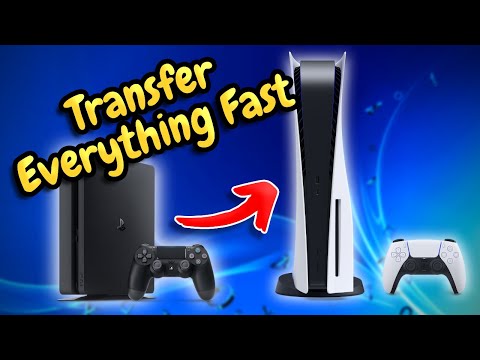
Yes, absolutely! You can transfer your PlayStation Network (PSN) account to your PlayStation 5 (PS5). This allows you to bring over your digital games, game saves, trophies, friends list, and PlayStation Plus subscription (if applicable) to your new console. It’s essentially bringing your entire digital PlayStation ecosystem with you.
Understanding Account Transfers and Data Migration
The process of moving your gaming life from a PlayStation 4 (PS4) or another PS5 to your new PS5 involves two main components: account transfer and data migration. While the account transfer simply confirms your access to your existing PSN profile on the new console, data migration involves the actual movement of your saved games, settings, and other relevant data.
The convenience of transferring your account is undeniable. Imagine buying a brand new console and having to start from scratch – unlocking all your favourite characters, replaying challenging levels, and losing years of accumulated trophies. Account transfer ensures that this doesn’t happen. Instead, you are welcomed back into your familiar PlayStation environment, ready to pick up where you left off.
There are several methods for transferring data, each with its own advantages:
-
Data Transfer via Wired or Wireless Network: This involves directly transferring data from your old PS4 or PS5 to your new PS5 using your home network. This method is generally reliable and suitable for large amounts of data.
-
External Storage Device: You can copy your save data to an external USB drive and then transfer it to your PS5. This is a good option if you have a limited internet connection or want to create a backup of your data.
-
Cloud Storage (PlayStation Plus): If you’re a PlayStation Plus subscriber, your save data is automatically backed up to the cloud. You can then download it to your PS5.
Why Transfer Your Account?
There are many compelling reasons to transfer your PSN account to your PS5:
- Seamless Transition: Avoid the hassle of creating a new account and starting from scratch.
- Retain Your Progress: Keep your game saves, trophies, and digital game library.
- Continue Playing with Friends: Your friends list automatically transfers, allowing you to connect with your gaming community.
- Access PlayStation Plus Benefits: If you’re a PlayStation Plus subscriber, your benefits, such as online multiplayer access and free monthly games, will carry over.
Step-by-Step Guide to Transferring Your Account and Data
Here’s a general outline of the steps involved in transferring your account and data:
-
Prepare Your Consoles: Ensure both your old console (PS4 or PS5) and your new PS5 are connected to the same network. Sign in to the PSN account you want to transfer on your old console.
-
Initiate Data Transfer on PS5: On your PS5, go to Settings > System > System Software > Data Transfer.
-
Follow On-Screen Instructions: The PS5 will guide you through the process, including selecting the data you want to transfer and verifying your account credentials.
-
Transfer Data: Depending on the method you choose (network transfer, external drive, or cloud storage), the data transfer process may take some time.
-
Sign in on PS5: Once the data transfer is complete, sign in to your PSN account on your PS5.
Limitations and Considerations
While transferring your account and data is generally straightforward, there are a few limitations and considerations to keep in mind:
-
Account Sharing Restrictions: While you can use your PSN account on multiple consoles (up to five), you can only have one PS5 designated as your primary console for sharing games and PlayStation Plus benefits.
-
Compatibility: While most PS4 games are compatible with the PS5, some may require updates or may not function properly.
-
Data Loss: In rare cases, data transfer errors can occur. It’s always a good idea to back up your save data before initiating the transfer process.
-
Game Ownership: If you’ve purchased games on a different account and want to play them on your PS5, you’ll need to ensure that the account is also signed in on the console and that Console Sharing and Offline Play is enabled (or the primary console is set accordingly).
Transferring your account to your PS5 is crucial for enjoying a seamless and familiar gaming experience. By following the steps outlined above and understanding the limitations, you can ensure a smooth transition to your new console and continue your PlayStation journey without missing a beat.
Frequently Asked Questions (FAQs)
Here are 15 frequently asked questions about transferring accounts to PS5:
Can I use the same PSN account on both my PS4 and PS5?
Yes, you can absolutely use the same PSN account on both your PS4 and PS5. This allows you to access your digital games, friends list, trophies, and PlayStation Plus benefits on both consoles.
Does transferring my account delete anything from my PS4?
No, transferring your account to your PS5 does not delete anything from your PS4. Your account and data will remain intact on your PS4 unless you manually delete them.
Can I transfer my entire game library from PS4 to PS5?
You can transfer your digital games from your PS4 to your PS5. For physical games, you can insert the disc into your PS5, and the game will install. However, game install and update data from the PS4 disc version will not transfer, so backing up and redownloading save data is recommended.
How long does it take to transfer data from PS4 to PS5?
The transfer time depends on the amount of data you’re transferring and the method you’re using. A wired network connection is generally faster than a wireless connection. Large amounts of data can take several hours to transfer.
What happens if I don’t transfer data from my PS4 to my PS5?
If you don’t transfer data, your PS5 will be a clean slate. You’ll need to download your digital games again, and your save data will not be available unless you manually transfer it via USB or cloud storage (PlayStation Plus).
Can I share my PlayStation Plus subscription with other accounts on my PS5?
Yes, you can share your PlayStation Plus subscription with other accounts on your PS5 by activating Console Sharing and Offline Play on your PS5 console. This feature allows other users on the same console to access your PlayStation Plus benefits.
How do I set my PS5 as my primary console?
To set your PS5 as your primary console, go to Settings > Users and Accounts > Other > Console Sharing and Offline Play and select Enable. Note that you can only have one primary PS5 at a time.
Can I transfer game progress from one PlayStation to another?
Yes, you can transfer game progress (save data) from one PlayStation to another. The easiest way is via cloud storage with PlayStation Plus. Alternatively, you can use a USB drive to copy the save data.
Can I log into someone else’s PS5 and play my games?
Yes, you can log into someone else’s PS5 and play your games, provided they haven’t been locked via Console Sharing and Offline play. They will have access to your library, and you’ll have access to any of the games on their console.
How many PS5 consoles can share an account?
You can use the same PSN account on up to 5 consoles. However, you can only share your games and PlayStation Plus benefits with accounts on one PS5 console with Console Sharing and Offline Play activated.
What if I bought a game on the wrong account on my PS5?
If you bought a game on the wrong account on your PS5, you would need to refund it and then purchase it on the correct account. Alternatively, if you have the console set as the Home console for the account the game was purchased on, you can share the game with your other profile.
What do I do if my gameshare is locked on PS5?
If you see a padlock icon next to your purchased content, download the content through your account and activate Console Sharing and Offline Play on your PS5 console. If you’re trying to play on a PS4 console, activate the console as your primary PS4.
Does resetting my PS5 delete everything?
Yes, “Reset the console” will delete everything from your PS5 and restore it to its initial state. This is the factory reset option.
Can you have a PS4 and PS5 as primary consoles?
Yes, you can have a Primary PS4 and a Primary PS5. Your primary console will allow others, logged into their own account, to play games your account owns.
How do I link two PlayStation accounts on my PS5?
From the home screen, select Settings > Users and Accounts > Linked Services. All available services are listed. If you don’t see a service, it may not be available in your country or region. Select the service that you want to link from the list, and then select Link Account.
Gaming is more than just entertainment; it’s also a powerful learning tool. To explore the educational aspects of gaming, visit the Games Learning Society at GamesLearningSociety.org.