Can You Transfer Xbox 360 Games to Xbox Series S? A Comprehensive Guide
Fast answer first. Then use the tabs or video for more detail.
- Watch the video explanation below for a faster overview.
- Game mechanics may change with updates or patches.
- Use this block to get the short answer without scrolling the whole page.
- Read the FAQ section if the article has one.
- Use the table of contents to jump straight to the detailed section you need.
- Watch the video first, then skim the article for specifics.
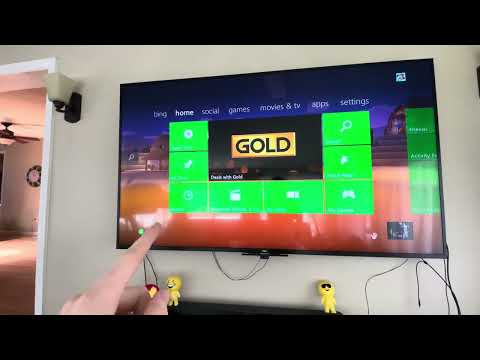
The short answer is: it depends. While you can’t directly transfer physical Xbox 360 game discs to an Xbox Series S because it is an all-digital console, you can potentially play many of your Xbox 360 games on the Xbox Series S through digital purchases and backward compatibility. Understanding how this works requires delving into the nuances of Xbox’s ecosystem. Let’s break down the possibilities and limitations.
Understanding Xbox Series S and Backward Compatibility
The Xbox Series S is a powerful but disc-less console designed for the digital age. This means it does not have a disc drive, so physical game discs cannot be directly inserted and played. However, Xbox has invested significantly in backward compatibility, which allows many older games to be played on newer hardware. This is where your Xbox 360 game library comes in.
Digital Purchases: Your Key to Playing Xbox 360 Games on Series S
If you previously purchased Xbox 360 games digitally through the Xbox Live marketplace using the same Microsoft account, there is a high chance you will be able to play them on your Xbox Series S. Here’s how it generally works:
- Sign into your Xbox Series S using the same Microsoft account you used on your Xbox 360.
- Navigate to “My games & apps” or the Microsoft Store.
- Look for your previously purchased backward compatible Xbox 360 games. They should be available for download.
- Once downloaded, these games can be played on your Xbox Series S.
The Challenge with Disc-Based Games
As previously mentioned, the Xbox Series S has no disc drive, which makes physical Xbox 360 discs incompatible. The Xbox Series X, on the other hand, does have a disc drive and can play many Xbox 360 discs, but that’s not an option for Series S users.
This doesn’t mean you can’t ever play those games on the Series S. If a disc-based game you own is part of the backward compatibility program and is also available as a digital purchase on the Microsoft Store, you may need to purchase the digital version to play it on the Xbox Series S.
What About Game Saves?
The good news is that game saves can typically be transferred from your Xbox 360 to Xbox Series S. This is often done automatically when you sign in with your Microsoft account. Your saved progress is stored in the cloud, and the newer console accesses that data. However, it’s always a good idea to ensure that your Xbox 360 saves are synced to the cloud before upgrading.
Limitations and Considerations
While backward compatibility is impressive, not every Xbox 360 game will work on the Xbox Series S. Several factors determine game compatibility:
- Backward Compatibility Program: Microsoft specifically designates which Xbox 360 and original Xbox games are compatible with newer consoles. Not all games are supported.
- Digital vs. Physical: Only digitally purchased games from the Xbox Store are directly compatible with the Xbox Series S.
- Regional Availability: Some games or downloadable content may not be available in all regions due to licensing restrictions.
Frequently Asked Questions (FAQs)
Here are 15 frequently asked questions to further clarify the nuances of transferring Xbox 360 games to Xbox Series S:
- Can I use an external USB disc drive with my Xbox Series S to play Xbox 360 discs?
No, the Xbox Series S does not support external USB disc drives. It is strictly a digital console. - I have a huge library of physical Xbox 360 games, should I get an Xbox Series X instead of an Xbox Series S?
If having the ability to play physical game discs is crucial, then the Xbox Series X is the better choice as it has a built-in disc drive. - How do I check if an Xbox 360 game is backward compatible?
You can check the list of backward-compatible games on the official Xbox website or search for the specific game title on the Microsoft Store. - If I own a backward-compatible Xbox 360 game on disc, do I have to buy it again digitally to play it on the Series S?
Yes, unfortunately, you will need to buy the digital version of that game through the Microsoft Store if you wish to play it on the Xbox Series S. - What does it mean to have a digital-only console?
A digital-only console like the Xbox Series S does not have a disc drive and can only play games purchased or downloaded digitally from the Microsoft Store. - Will all my game saves from Xbox 360 transfer to Xbox Series S?
Generally, yes. Game saves are stored in the cloud and will transfer automatically when you log in using the same Microsoft account on both consoles. - Can I install Xbox 360 games from an external storage device to play on the Xbox Series S?
Yes, you can install backward compatible digital Xbox 360 games to an external storage device, but they must be played on the Series S internal drive. - What if my Xbox 360 game is not backward compatible?
If the game is not in the backward compatibility program, you won’t be able to play it on the Xbox Series S. - Is there any way to get a refund on a digital game if I own the physical copy?
No, generally Microsoft doesn’t offer refunds on digital games just because you own the physical version. You’ll be required to repurchase the title digitally. - Does it matter if the Xbox 360 game was a Greatest Hits or Platinum Hits title?
No, the game’s “label” doesn’t affect its backward compatibility. If the title itself is compatible, it doesn’t matter what special edition it may be. - What happens to my Xbox 360 digital game licenses when I upgrade?
Your digital game licenses are linked to your Microsoft account. Once you sign in to your new console they should be available for download, provided they are a part of the backward compatibility program. - Do all Xbox 360 games work on the Xbox Series S?
No, only the games that have been made part of the backward compatibility program are compatible with Xbox Series S. - Will the Xbox 360 marketplace be available in the future?
The Xbox 360 store will shut down in July 2024. However, previously purchased and backward compatible titles should still work on newer consoles. - What happens to Xbox 360 online multiplayer servers when the store closes?
Most of the online multiplayer servers of backward compatible Xbox 360 games will still remain online. However, the games that were never made backward compatible may lose their online functionalities. - Are there any other benefits of the Xbox Series S over Xbox 360 besides backward compatibility?
Yes, the Xbox Series S offers significantly faster loading times, enhanced graphics, and access to newer games that are not available on the Xbox 360.
Conclusion
In conclusion, while the Xbox Series S doesn’t allow the direct use of physical Xbox 360 game discs, it does provide a path to enjoying many classic Xbox 360 games through digital downloads. Understanding the backward compatibility program and your digital game library is key. While the limitations of a disc-less console may require additional purchases, the enhanced gaming experience and convenience of digital games makes the Xbox Series S a worthy upgrade for many. If you have physical copies of old favorites, the Series X might be a better fit. But the Series S is a great solution if you don’t mind buying your favorites digitally.