Can You Use Animal Crossing on Multiple Devices? A Comprehensive Guide
Fast answer first. Then use the tabs or video for more detail.
- Watch the video explanation below for a faster overview.
- Game mechanics may change with updates or patches.
- Use this block to get the short answer without scrolling the whole page.
- Read the FAQ section if the article has one.
- Use the table of contents to jump straight to the detailed section you need.
- Watch the video first, then skim the article for specifics.
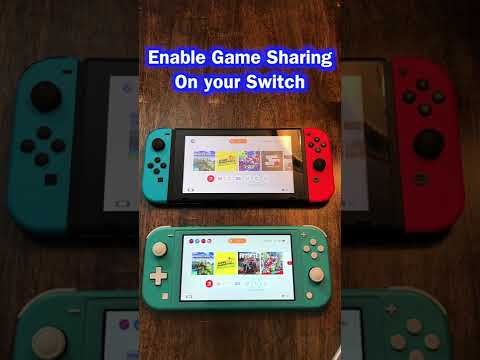
The short answer is: it depends! While you can’t use the same save data on multiple devices simultaneously for versions like Animal Crossing: Pocket Camp, the Nintendo Switch version, Animal Crossing: New Horizons, offers more complex options. This article delves into the specifics of playing Animal Crossing on multiple devices, covering both limitations and workarounds. Let’s unravel the intricacies of island life across different consoles and accounts!
Understanding Device Limitations and Account Sharing
The core issue revolves around how Nintendo manages save data and account permissions. For Animal Crossing: New Horizons, the island itself is tied to the Nintendo Switch console, not to a specific account. This means you can only have one island per Switch. However, multiple users on the same Switch can reside on that same island with their own houses and characters.
The rub comes when you want separate islands. To achieve that, you need separate Nintendo Switch systems. But what about digital games and account sharing? Here’s where it gets nuanced:
- Primary Console vs. Non-Primary Console: Each Nintendo Account can designate one Nintendo Switch as its “primary console.” Any user on that primary console can play games purchased with that Nintendo Account. On a non-primary console, only the account that purchased the game can play it, and it requires an active internet connection to verify ownership.
- Game Sharing Workaround: This means that you can “share” a digital copy of Animal Crossing: New Horizons between two Nintendo Switch consoles, but with limitations. One Switch needs to be designated as your primary console, and the other as your non-primary console. This impacts which account can access the game freely.
Essentially, you need to strategically manage your primary and non-primary console assignments to allow different users to play on separate Switches with a single digital purchase, but it requires juggling accounts and internet connectivity on the non-primary console.
Island Transfers and Multiple Switches
Animal Crossing: New Horizons does offer a mechanism for transferring your entire island to a new Nintendo Switch. This is incredibly useful when upgrading to a new console or wanting to give a different user their own dedicated island. However, this transfer process moves the entire island – you can’t split it. Nintendo provides a specific Island Transfer Tool for this purpose.
Furthermore, consider the Animal Crossing: Pocket Camp scenario. As the initial article snippet highlights, you cannot simultaneously use the same user data on multiple devices. You’ll need to ensure you’re logged out on one device before attempting to play on another. If issues persist, double-check that you’re linked to the same Nintendo Account across devices.
Local and Online Multiplayer
Despite the single island per console limitation, Animal Crossing: New Horizons shines with its multiplayer capabilities. Up to eight players can inhabit a single island on one Switch, sharing the same space and resources. Furthermore, via local wireless or online play, up to eight players can visit each other’s islands, irrespective of whether they have a Nintendo Switch Online subscription for local play.
The distinction between local and online play is significant. Local play doesn’t require an internet connection or Nintendo Switch Online subscription; players must be in the same physical location with their own consoles and copies of the game. Online play, on the other hand, necessitates a Nintendo Switch Online subscription and an internet connection, enabling players to connect remotely.
The Games Learning Society understands the potential for enriching educational experiences through gaming. Explore more about the intersection of games and learning at https://www.gameslearningsociety.org/. You can also explore the GamesLearningSociety.org site.
Navigating Digital vs. Physical Copies
Finally, consider whether you opt for digital or physical copies of the game. With a physical copy, you’ll need a separate cartridge for each Nintendo Switch console you intend to play on simultaneously. Digital copies offer the flexibility of the primary/non-primary console setup, but require careful management of account assignments and internet connectivity.
In summary, while true simultaneous gameplay with one save file across multiple Nintendo Switch consoles isn’t possible, there are several ways to enjoy Animal Crossing: New Horizons on multiple devices, each with its own set of considerations.
Frequently Asked Questions (FAQs)
1. Can I play Animal Crossing: Pocket Camp on both my phone and tablet?
Yes, you can play Animal Crossing: Pocket Camp on both your phone and tablet, but not at the same time. You need to ensure you’re logged out on one device before logging in on another.
2. Do I need to buy Animal Crossing: New Horizons twice if I have two Switches?
If you want to play simultaneously on both Switches, each with its own island, then yes, you need two copies of the game. However, with a digital copy, you can use the primary/non-primary console workaround, but only one person can play at a time.
3. Can I transfer my Animal Crossing island to a new Switch?
Yes, you can transfer your entire island to a new Switch using the Island Transfer Tool. This requires both consoles to be present during the transfer process.
4. How many islands can I have per Nintendo Switch console?
You can only have one island per Nintendo Switch console, regardless of how many copies of the game you own.
5. Can multiple users play Animal Crossing on the same Switch?
Yes, up to eight users can live on the same island on a single Switch, each with their own house and character.
6. Does local multiplayer in Animal Crossing require Nintendo Switch Online?
No, local multiplayer (playing with others in the same room) does not require a Nintendo Switch Online subscription.
7. What’s the difference between local and online play in Animal Crossing?
Local play is for players in the same physical location without needing an internet connection. Online play allows players to connect remotely via the internet and requires a Nintendo Switch Online subscription.
8. Can I share my digital Animal Crossing game with a family member on a different Switch?
Yes, by designating one Switch as your primary console and the other as your non-primary console, you can share your digital game. However, only one person can play at a time.
9. What happens if I try to play Animal Crossing on two devices at the same time?
For Animal Crossing: Pocket Camp, you’ll likely receive an error message and be disconnected from one device. For Animal Crossing: New Horizons using the same Nintendo Account on a non-primary console, the game will verify your ownership and allow gameplay, but only if the primary console isn’t already running the game.
10. How do I set up my primary and non-primary console?
You can manage your primary console settings in the Nintendo eShop on your Nintendo Switch. Simply log in with your Nintendo Account and navigate to your account settings.
11. Can I have multiple Nintendo Accounts on one Switch?
Yes, you can have up to eight user accounts on one Switch.
12. Does each user on the same Switch need their own copy of Animal Crossing?
No, only one copy of the game is needed for multiple users to play on the same Switch.
13. Can I play Animal Crossing on a Nintendo Switch Lite?
Yes, you can play Animal Crossing: New Horizons on a Nintendo Switch Lite. However, the Switch Lite only supports handheld mode, so it cannot be docked and played on a TV.
14. If I delete my Animal Crossing island, can I recover it?
Unfortunately, Nintendo does not offer a way to recover deleted island data. This highlights the importance of carefully considering any decision to delete your island.
15. How often can I change my primary console?
You can change your primary console as often as you need to, but remember that this will affect who can access your digital games on each console. Be strategic about how you set this up for your household.