Do Games Stay on PS4 After Transferring to PS5? The Definitive Guide
Fast answer first. Then use the tabs or video for more detail.
- Watch the video explanation below for a faster overview.
- Game mechanics may change with updates or patches.
- Use this block to get the short answer without scrolling the whole page.
- Read the FAQ section if the article has one.
- Use the table of contents to jump straight to the detailed section you need.
- Watch the video first, then skim the article for specifics.
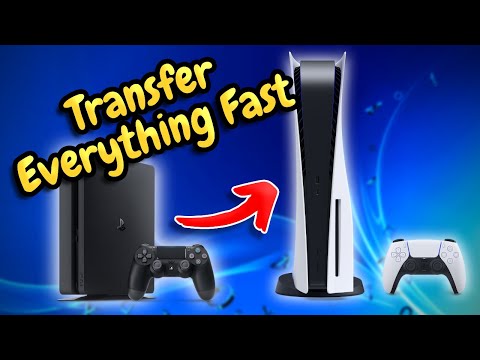
Yes, absolutely! When you transfer your games from your PS4 to your PS5, the games do not disappear from your PS4. Think of it more like making a copy than moving something. The data is transferred, but the original remains intact, ready for you or someone else to enjoy.
Understanding the PS4 to PS5 Transfer Process
The transition from the PS4 to the PS5 is designed to be as seamless as possible. Sony has implemented several methods for transferring your data, ensuring you can pick up right where you left off on your new console. These methods include:
- Wi-Fi Transfer: Connecting both consoles to the same Wi-Fi network allows for wireless data transfer.
- LAN Cable Transfer: For a faster and more stable connection, you can connect both consoles using an Ethernet cable.
- Extended Storage: If you have your PS4 games on an external hard drive, you can simply plug that drive into your PS5.
- PS Plus Cloud Storage: If you’re a PlayStation Plus subscriber, your saved data is automatically backed up to the cloud, which can then be downloaded to your PS5.
No matter which method you choose, the key takeaway is that the transfer process doesn’t erase the data on your PS4.
Benefits of Keeping Games on Your PS4
There are several reasons why keeping your games on your PS4 after transferring them to your PS5 is beneficial:
- Secondary Console: Your PS4 can still be used as a secondary console in another room or for other members of your household.
- Shared Access: Family members or friends can continue playing your games on the PS4 even after you’ve upgraded to the PS5.
- Backup: While the transfer process is generally reliable, having the games on your PS4 serves as a backup in case anything goes wrong during or after the transfer.
- Nostalgia: Sometimes, you might just want to revisit the familiar interface and experience of the PS4.
Frequently Asked Questions (FAQs) about PS4 to PS5 Game Transfers
Here are some frequently asked questions to provide more clarity on the transfer process and what happens to your games:
1. What happens to my digital purchases when I switch to PS5?
Your digital purchases are tied to your PlayStation account, not the console itself. As long as you use the same account on your PS5, you’ll have access to all your previously purchased digital games. They won’t be deleted and you can re-download them to your PS5.
2. How long does the PS4 to PS5 transfer take?
The transfer time depends on the amount of data being transferred and the connection method used. A LAN cable connection is generally the fastest, while Wi-Fi can take significantly longer. Depending on the data size, this transfer may take several hours.
3. Will I lose my games if I delete them on PS5?
No, deleting games on your PS5 only removes them from the console’s storage. You won’t lose access to them entirely. You can always re-download your purchased games from your game library.
4. Is it worth transferring data from PS4 to PS5?
Absolutely! Transferring your data saves you the time and effort of re-downloading games and starting from scratch. Plus, many PS4 games benefit from the PS5’s Game Boost feature, offering improved performance.
5. Do PS4 games look better on PS5?
While not all PS4 games receive a visual upgrade, some do. The PS5’s hardware can enhance the performance of many PS4 games, resulting in smoother frame rates and sometimes improved visuals.
6. What PS4 games cannot be played on PS5?
Thankfully, the vast majority of PS4 games are compatible with the PS5. However, there are a few exceptions, including:
- Afro Samurai 2 Revenge of Kuma Volume One
- Hitman Go: Definitive Edition
- Just Deal With It!
- Robinson: The Journey
- Shadwen
- TT Isle of Man – Ride on the Edge 2
- We Sing
7. Is PS5 more efficient than PS4?
Yes, despite the increased power and performance, the PS5 is generally more energy-efficient than the original PS4 models.
8. Can I delete a game from PS4 without losing access to it?
Yes, deleting a game from your PS4 only removes it from the console’s storage. You can re-download it at any time from your PlayStation Library, provided you originally purchased it digitally.
9. What should I do to prepare my PS4 for transfer?
Before initiating the transfer, make sure both consoles are connected to the same network, and it’s advisable to use a LAN cable for a faster connection. Also, ensure your PlayStation account is linked and that you have enough storage space on your PS5.
10. What happens if I cancel a data transfer from PS4 to PS5?
Canceling the transfer could potentially lead to data corruption, especially on the PS4. It’s recommended to let the transfer complete if possible. If you must cancel, shut down the PS4 in safe mode and rebuild the database.
11. Can I use my PS4 after the data transfer?
Yes, absolutely. After the transfer, the data remains on both consoles. You can continue to use your PS4 as normal.
12. Can I transfer data from PS4 to PS5 more than once?
Yes, you can transfer data multiple times. This is useful if you acquire new games or save data after the initial transfer and want to update your PS5.
13. Does transferring data from PS4 to PS5 delete it from the PS4?
No, transferring data is a copying process, not a moving one. The original data remains on your PS4 after the transfer is complete.
14. What are the pros and cons of upgrading from PS4 to PS5?
Pros:
- Improved Graphics and Performance: The PS5 offers significantly better graphics and faster loading times.
- Backward Compatibility: You can play most of your PS4 games on the PS5.
- New Exclusive Games: The PS5 has exclusive titles that are not available on the PS4.
Cons:
- Cost: The PS5 is a significant investment.
- Availability: Finding a PS5 can still be challenging at times.
15. Is PS4 worth buying in 2024?
While the PS5 is the superior console, the PS4 still offers value, especially if you’re on a budget. It has a vast library of games, and the console itself is now more affordable. However, if you can afford it, the PS5 is the better long-term investment.
Conclusion: Embrace the Best of Both Worlds
Upgrading to the PS5 doesn’t mean abandoning your PS4. You can enjoy the enhanced performance of the PS5 while still having access to your games on your PS4. It’s a win-win situation! The Games Learning Society can provide more insights into the evolution of gaming technology. Check out their website at GamesLearningSociety.org for resources and research on how gaming impacts learning and development. The transfer process ensures that gamers are able to make use of all resources available to them and maximize their enjoyment.