Do Games Work on Airplane Mode? The Ultimate Guide
Fast answer first. Then use the tabs or video for more detail.
- Watch the video explanation below for a faster overview.
- Game mechanics may change with updates or patches.
- Use this block to get the short answer without scrolling the whole page.
- Read the FAQ section if the article has one.
- Use the table of contents to jump straight to the detailed section you need.
- Watch the video first, then skim the article for specifics.
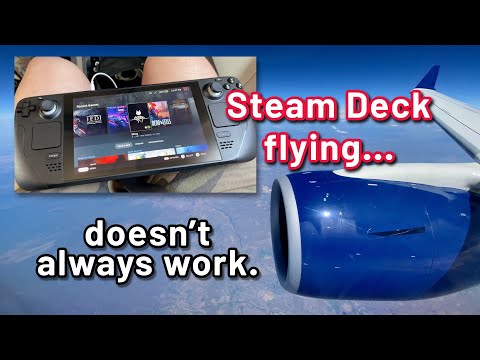
Yes, many games work perfectly well on airplane mode! However, the key factor determining whether a game will function offline depends on its specific design and whether it requires an active internet connection to operate. This article dives deep into the mechanics, types of games suitable for offline play, and answers common questions to help you enjoy gaming even when you’re soaring through the skies.
Understanding Airplane Mode and Game Functionality
Airplane mode, when activated on your device (smartphone, tablet, laptop), disables all wireless communication. This includes cellular connections, Wi-Fi, and Bluetooth. The primary purpose is to prevent interference with the aircraft’s communication and navigation systems.
For games, this means the ability to connect to online servers for data transfer, multiplayer interaction, or account authentication is effectively cut off. Therefore, a game’s reliance on these online features dictates whether it can be played in airplane mode.
Games That Thrive Offline
-
Single-Player Games: Games designed primarily for single-player experiences are often the best candidates for airplane mode. These typically include puzzle games, strategy games with AI opponents, adventure games with self-contained storylines, and classic arcade titles.
-
Downloaded Content: If a game requires you to download the core game data and assets directly onto your device, it’s likely to work offline. This applies to many mobile games and PC titles purchased digitally.
-
Games with Offline Modes: Some games, even those with online components, offer a dedicated offline mode. These are specifically designed to allow players to continue their progress or enjoy a limited set of features without an internet connection.
Games That Need the Internet
-
Online Multiplayer Games: Massively multiplayer online role-playing games (MMORPGs), first-person shooters (FPS) with online matchmaking, and real-time strategy (RTS) games that rely on player-versus-player interactions invariably require a constant internet connection.
-
Games with Cloud Saves: Some games store your progress and game data in the cloud. While convenient for syncing across devices, this means you won’t be able to access your saves or continue playing without an internet connection.
-
Games Requiring Authentication: Certain games demand periodic online authentication to verify your license or account status. These games may allow limited offline play, but eventually require a connection to continue.
-
Games with Microtransactions: Games that heavily rely on in-app purchases or microtransactions may limit offline functionality to prevent potential exploits or unauthorized transactions.
Identifying Offline-Friendly Games
Before enabling airplane mode and settling in for a gaming session, here’s how to determine if your chosen game will work:
-
Check the Game Description: Look for explicit mentions of offline play capabilities in the game’s description on the app store or game distribution platform (e.g., Steam, Google Play Store, Apple App Store).
-
Read Reviews: User reviews can provide valuable insights into a game’s offline functionality. Search for keywords like “offline,” “airplane mode,” or “internet connection” in the reviews.
-
Test Before Flying: The safest approach is to launch the game and enable airplane mode on your device before you board the plane. This allows you to confirm whether the game works as expected.
-
Look for “No Internet Required” Icons: Some game developers use icons or labels to clearly indicate which games can be played offline.
Troubleshooting Offline Gaming Issues
Even with the best preparation, you might encounter issues when trying to play games in airplane mode. Here are some common solutions:
-
Ensure the Game is Fully Downloaded: Make sure the entire game and any necessary updates are downloaded onto your device before enabling airplane mode.
-
Restart the Game: Sometimes, a simple restart can resolve connectivity issues.
-
Check Game Settings: Look for options related to offline mode or data synchronization in the game’s settings.
-
Update the Game: Ensure you have the latest version of the game installed. Updates may include bug fixes or improvements related to offline functionality.
-
Verify Account Status: Make sure you’re logged into your account within the game before enabling airplane mode. Some games require initial account verification.
Frequently Asked Questions (FAQs)
1. Can I play Candy Crush on airplane mode?
Yes, Candy Crush Saga, and most other games in the Candy Crush franchise, are designed to be playable offline. You can continue matching candies and progressing through levels even without an internet connection.
2. Does Minecraft work in airplane mode?
Yes, the single-player mode of Minecraft works perfectly well on airplane mode. You can explore your worlds, build structures, and mine resources without any internet connection. However, multiplayer functionality requires an online connection.
3. Can I play Solitaire offline?
Yes, classic Solitaire games are inherently designed for offline play. Most Solitaire apps don’t require any internet connection.
4. Will my progress be saved if I play a game offline?
If the game saves data locally on your device, yes, your progress will be saved. However, if the game relies on cloud saves, your progress won’t sync until you reconnect to the internet.
5. Can I make in-app purchases while in airplane mode?
No, you cannot make in-app purchases while in airplane mode, as this requires a secure internet connection for transaction processing.
6. Do all free games require an internet connection?
No, not all free games require an internet connection. Many free-to-play games offer both online and offline gameplay options. However, games that are primarily supported by online advertising may have limited offline functionality.
7. Will my downloaded Netflix shows disappear when I enable airplane mode?
No, downloaded Netflix shows will remain accessible in airplane mode. The key is to download the content before enabling airplane mode.
8. Can I play online games with Bluetooth in airplane mode?
No, airplane mode disables Bluetooth, so you can’t use it for online gaming. While Bluetooth can be re-enabled manually in airplane mode on some devices, it won’t provide the necessary internet connection for online multiplayer games.
9. How do I download games to play offline?
Download games through your device’s app store (Google Play Store or Apple App Store) or a gaming platform like Steam. Ensure the download is complete before enabling airplane mode.
10. Is it safe to use airplane mode on a plane?
Yes, using airplane mode is perfectly safe and encouraged by airlines. It prevents your device from interfering with the plane’s communication and navigation systems.
11. Can I listen to downloaded music on airplane mode?
Yes, you can listen to downloaded music on airplane mode, as long as the music files are stored locally on your device. Streaming services will not work.
12. Does airplane mode affect my battery life?
Yes, enabling airplane mode can significantly improve battery life by disabling power-hungry wireless communication features.
13. What happens if I accidentally leave Wi-Fi on when airplane mode is enabled?
Typically, enabling airplane mode automatically turns off Wi-Fi. However, on some devices, you might be able to re-enable Wi-Fi manually while still in airplane mode, which could violate airline policies.
14. Are there any games specifically designed for airplane mode?
While there aren’t specific “airplane mode games,” many developers prioritize offline play for their single-player titles, making them ideal for travel. Puzzle games, strategy games, and story-driven adventure games are good choices.
15. What should I do if a game crashes in airplane mode?
Try restarting the game and your device. If the problem persists, it might indicate a bug within the game itself. Check if an update is available or contact the game developer for support. It’s also wise to ensure you had enough storage space before flying.
Enjoy your gaming experience, even at 30,000 feet!