Do I Need to Buy Animal Crossing Again If I Get a New Switch? A Comprehensive Guide
Fast answer first. Then use the tabs or video for more detail.
- Watch the video explanation below for a faster overview.
- Game mechanics may change with updates or patches.
- Use this block to get the short answer without scrolling the whole page.
- Read the FAQ section if the article has one.
- Use the table of contents to jump straight to the detailed section you need.
- Watch the video first, then skim the article for specifics.
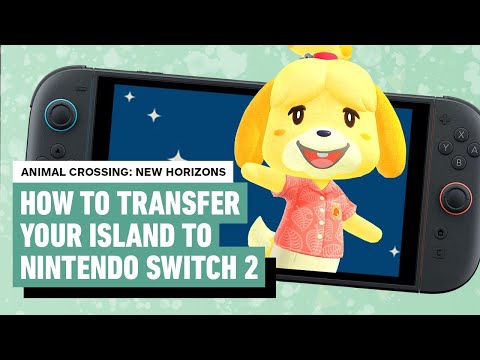
No, you do not necessarily have to buy Animal Crossing: New Horizons again if you get a new Nintendo Switch. The answer depends on whether you own a physical copy (game card) or a digital copy of the game. If you have the game card, you can simply insert it into your new Switch and start playing. If you own the digital version, you can redownload it on your new console as long as you use the same Nintendo Account that you used to purchase the game initially. This is because digital games are tied to your Nintendo Account, not the console itself.
Let’s dive deeper into the intricacies of transferring your island and game data to ensure a smooth transition.
Understanding Save Data and Island Transfers
The core of this issue revolves around how Animal Crossing: New Horizons handles save data. Unlike many other Switch games where save data can be easily transferred via the cloud (with a Nintendo Switch Online subscription), Animal Crossing’s island save data is unique. It’s tied directly to the specific Nintendo Switch console it was created on. This was initially a significant limitation, but thankfully, Nintendo has provided solutions.
Island Backup Feature: Your Safety Net
The most important thing you need to know is about the Island Backup service. This feature, available through a Nintendo Switch Online membership, allows you to back up your island data to Nintendo’s servers. This acts as a safety net in case your original Switch is lost, stolen, or damaged beyond repair.
Here’s how to check if Island Backup is enabled:
- Open Animal Crossing: New Horizons on your original Switch.
- On the title screen (before you load your save), press the – (minus) button.
- Tom Nook will appear. Select “Island Backup Settings.”
- Choose “Enable Island Backup.”
If you haven’t enabled this feature, do it now! It’s the best way to protect your precious island.
Transferring Your Entire Island to a New Switch
If you still have access to your original Switch and it’s functioning, you can transfer your entire island and resident to the new console. This process requires both systems to be nearby and connected to the internet. Here’s a simplified overview:
- Update both Nintendo Switch consoles to the latest system software and the latest version of Animal Crossing: New Horizons.
- On your original console, download the Island Transfer Tool from the Nintendo eShop.
- Follow the on-screen instructions on both consoles to initiate the transfer. The Island Transfer Tool guides you through the process.
- The transfer process will take some time, depending on the size of your island data.
- Once the transfer is complete, your island will be playable on the new Switch, and it will no longer be accessible on the original Switch. The save data will be deleted from your original console.
Important Considerations:
- This method is ideal if you’re simply upgrading to a new Switch and want to move everything over.
- The Resident Representative (the first player to start the game) is transferred along with the island.
- Make sure you have enough battery life on both consoles or keep them plugged in during the transfer.
- You need access to both consoles simultaneously for the transfer to work.
Restoring from Island Backup After Loss or Damage
If you no longer have access to your original Switch (due to loss, theft, or damage), you’ll need to contact Nintendo Customer Support to restore your island from the backup. This process requires proof of purchase for the game and the console, and they will verify your Nintendo Account.
Here’s the general process:
- Contact Nintendo Customer Support as soon as possible.
- Provide them with the necessary information, including your Nintendo Account details, proof of purchase, and any other relevant information.
- Nintendo will verify your account and, if everything checks out, guide you through the process of restoring your island backup to your new Switch.
- You’ll need to initialize Animal Crossing: New Horizons on your new Switch and follow the on-screen prompts to restore the backup.
Key Points to Remember:
- Island Backup must have been enabled before the loss or damage occurred.
- The restoration process can take some time, so be patient.
- Nintendo Customer Support is your primary resource in this situation.
FAQ: Animal Crossing on a New Switch
Here are 15 frequently asked questions to further clarify the process of playing Animal Crossing: New Horizons on a new Nintendo Switch:
1. Can I have two islands on two Switches?
Yes, you can have two separate islands, but each island must reside on a separate Nintendo Switch console. The game only allows for one island per console, regardless of how many game copies you own.
2. What happens to my digital games when I get a new Switch?
Digital games are tied to your Nintendo Account. When you log into your new Switch with the same account, you can redownload all your purchased digital games from the Nintendo eShop.
3. Can I use the same Animal Crossing game card on two Switches?
Yes, you can use the same game card on multiple Nintendo Switch consoles. However, each console will have its own separate island save data. Using the same card doesn’t transfer save data between consoles automatically.
4. Do I need two copies of Animal Crossing to transfer to a new Switch?
No, you do not need two copies of Animal Crossing if you are using the Island Transfer Tool. This method is specific for transferring a single player to a new Switch while keeping your main resident on your original Switch.
5. What happens to my Animal Crossing island if I get a new Switch and don’t transfer it?
If you simply get a new Switch without transferring your island, your original island will remain on your original Switch. You would essentially be starting a brand new island on the new Switch.
6. Can I save my Animal Crossing island and start a new one on the same Switch?
Yes, but only by deleting your current save data. This will erase your entire island, including all progress, items, and villagers. To start a new island, you’ll need to go into your Switch’s system settings and delete the Animal Crossing: New Horizons save data. Keep in mind your old island is not recoverable after you take this action.
7. Is it worth it to restart Animal Crossing: New Horizons?
Whether or not restarting is “worth it” is a matter of personal preference. Some players enjoy the fresh start and the opportunity to design their island differently. However, consider the time and effort you’ve already invested in your current island before making this decision.
8. Can I get my island back after deleting it?
No, your island is permanently gone when you delete your Animal Crossing save data.
9. Is Animal Crossing cloud save?
Animal Crossing: New Horizons does not support traditional cloud saves for island data (the kind you get with most other games and a Nintendo Switch Online subscription). However, it has the Island Backup service feature, as described above, which requires a Nintendo Switch Online subscription. This backs up your island save data to the cloud for disaster recovery.
10. Will I lose my game progress if I get a new Switch?
Not necessarily. If you transfer your island using the Island Transfer Tool or restore from a backup, you will retain your progress. However, if you simply start playing on a new Switch without transferring, you will start a new island from scratch.
11. Can you have 2 Animal Crossing accounts on one Switch?
You can have up to eight playable accounts on one Nintendo Switch, and all of those accounts will live on the same island. You cannot have multiple islands on a single console.
12. Do you lose everything when you start a new island in Animal Crossing?
Yes, you lose everything – DIY recipes, items, villagers, and overall progress – when you start a new island.
13. How do I transfer Happy Home Paradise to a new Switch?
If you have the Animal Crossing: New Horizons – Happy Home Paradise DLC, its save data will transfer along with your resident to the new Nintendo Switch system during an island transfer. Ensure you have downloaded the DLC on the new system to access the content.
14. Does uninstalling Animal Crossing delete your island?
Yes, uninstalling or deleting the save data for Animal Crossing: New Horizons will delete your island and all associated data.
15. How do you restart Animal Crossing without losing items?
There is no official way to restart your island without losing all your items. The only workaround is to ask a friend to hold onto your items on their island until you are ready to retrieve them on your new island. This will not include your villager relationships, your museum progress, or recipes.
Stay Informed and Connected
The world of gaming is constantly evolving, and Animal Crossing: New Horizons is no exception. To stay updated on the latest features, tips, and tricks, consider exploring resources like the Games Learning Society, available at https://www.gameslearningsociety.org/. By exploring this organization you can gain invaluable insights into the educational and social impact of gaming.
In conclusion, transferring your Animal Crossing: New Horizons island to a new Switch requires careful planning and understanding of the available options. By enabling Island Backup and following the appropriate transfer methods, you can ensure a seamless transition and continue enjoying your virtual island life on your new console.