Do I Have to Buy Minecraft Again for Nintendo Switch? The Definitive Guide
Fast answer first. Then use the tabs or video for more detail.
- Watch the video explanation below for a faster overview.
- Game mechanics may change with updates or patches.
- Use this block to get the short answer without scrolling the whole page.
- Read the FAQ section if the article has one.
- Use the table of contents to jump straight to the detailed section you need.
- Watch the video first, then skim the article for specifics.
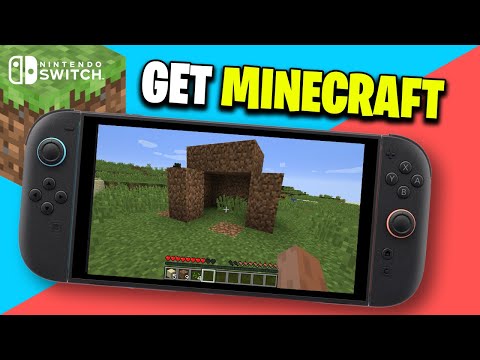
The simple answer is: it depends. Whether you need to repurchase Minecraft for your Nintendo Switch hinges on a few crucial factors, including which version you previously owned, whether you’re upgrading from an older Switch version, and what your ultimate goal is (e.g., playing with friends on different platforms). Let’s break down the complexities and provide a clear roadmap to navigate the sometimes-confusing world of Minecraft licensing. This article is a comprehensive guide designed to equip you with the knowledge to make the right choice.
Understanding Minecraft Editions
Before we dive into the specifics, it’s essential to understand the two primary editions of Minecraft: Java Edition and Bedrock Edition.
- Java Edition: This is the original Minecraft, primarily available for Windows, macOS, and Linux. It’s known for its extensive modding community and flexibility.
- Bedrock Edition: This version is designed for cross-platform play and is available on Windows 10/11, Xbox, PlayStation, Nintendo Switch, and mobile devices. It’s built with a unified codebase, allowing players on different devices to connect and play together.
The Nintendo Switch Minecraft Landscape
The Nintendo Switch initially had its own distinct version called “Minecraft: Nintendo Switch Edition.” However, this was later replaced by the Bedrock Edition. This transition impacts whether you need to repurchase the game.
Upgrading from Minecraft: Nintendo Switch Edition
If you previously owned “Minecraft: Nintendo Switch Edition,” you were entitled to a free upgrade to the Bedrock Edition. This was a one-time offer aimed at unifying the Minecraft experience across platforms. If you haven’t yet taken advantage of this, check the Nintendo eShop for the Bedrock Edition and see if the download is still available.
Purchasing Minecraft Bedrock Edition
If you’re new to Minecraft on the Nintendo Switch or missed the free upgrade window (if applicable), you’ll likely need to purchase the Bedrock Edition through the Nintendo eShop. This purchase grants you access to the current, unified version of Minecraft on your Switch.
Cross-Platform Considerations
A major factor in needing to rebuy Minecraft is the desire to play on multiple platforms.
Minecraft: Java Edition vs. Bedrock Edition
The Java Edition and Bedrock Edition are not cross-compatible. If you own Minecraft: Java Edition on your PC and want to play on your Nintendo Switch, you will need to purchase the Bedrock Edition separately. There’s no way to transfer licenses between these two distinct versions.
Playing with Friends
If your friends are playing Minecraft on other devices, such as Xbox, PlayStation, or mobile, they are most likely using the Bedrock Edition. To join them, you must have the Bedrock Edition on your Nintendo Switch. If you only own the Java Edition on PC, you’ll need to purchase the Bedrock Edition for your Switch to play together.
Microsoft Account Requirement
Minecraft on the Nintendo Switch requires a Microsoft account for online play and cross-platform functionality. This free account allows you to connect with friends on other devices and access Minecraft Realms, a subscription service for hosting private multiplayer worlds. While a Microsoft account is required, it doesn’t automatically grant you access to the game; you still need to own the Bedrock Edition on your Switch.
Save Data and World Transfers
The ability to transfer your saved worlds depends on the situation:
Transferring from Wii U
If you’re upgrading from a Wii U, there was a method to transfer save data to the Nintendo Switch version of Minecraft.
Transferring Between Bedrock Devices
You can transfer worlds between Bedrock Edition devices using Minecraft Realms or by manually transferring the world files.
Java to Bedrock Conversion
There is no official, direct method to transfer worlds from Java Edition to Bedrock Edition. However, third-party tools and converters exist, though their reliability can vary. These tools might not perfectly preserve all aspects of your world.
Why the Cost?
You may wonder why you need to purchase Minecraft multiple times. The reason is that each platform (PC, Switch, Xbox, etc.) has its own licensing agreements and development requirements. Purchasing the game for each platform supports the developers and ensures the game is optimized for that specific hardware. The Games Learning Society emphasizes the importance of understanding game design principles and the economics behind game development, which helps shed light on these purchasing decisions. Find out more at GamesLearningSociety.org.
A Note on Trials and Demos
Be aware of Minecraft trials and demos. These free versions allow you to sample the game before committing to a purchase. Trial length and availability vary depending on the platform.
Final Verdict
Ultimately, whether you need to rebuy Minecraft for your Nintendo Switch depends on your previous ownership, the version you desire, and your cross-platform aspirations. Review your situation carefully based on the information above.
Frequently Asked Questions (FAQs)
Here are some common questions related to Minecraft on the Nintendo Switch:
1. Can I get Minecraft for free if I have it on another console?
Generally, no. Owning Minecraft on one console (like PlayStation or Xbox) typically doesn’t grant you a free copy on the Nintendo Switch. Each platform usually requires a separate purchase.
2. If I bought Minecraft on the Switch, do I need to buy it again for PC?
Yes. The Nintendo Switch version and the PC versions (Java and Bedrock) are separate purchases. You’ll need to buy the version you want to play on PC.
3. Can I use my Minecraft account on Switch if I have it on PC?
Yes, you can use the same Microsoft account to sign in to Minecraft on your Switch and PC. However, this only syncs your profile information and cross-platform play capabilities if you are playing Minecraft Bedrock edition. It doesn’t grant you a free copy of the game on either platform.
4. What if I can’t download Minecraft and it’s asking me to buy it again?
This usually happens if you’re logged into the wrong Nintendo Account or Microsoft Account, or if there’s an issue with your purchase history. Double-check that you’re using the account you originally used to buy the game. If issues persist, contact Nintendo Support.
5. Why do I need a Microsoft account for Minecraft on Switch?
A Microsoft account is required for cross-platform play, accessing Minecraft Realms, and syncing your progress and purchases across devices using the Bedrock Edition.
6. How do I transfer my Minecraft world to a Switch from another Switch?
The easiest method is using Minecraft Realms. Upload your world to a Realm from one Switch, and then download it on the other. Alternatively, you can manually transfer the world files using a microSD card (requires technical knowledge).
7. Can I get Java Edition for free if I have Bedrock Edition on Switch?
No. Owning the Bedrock Edition on Nintendo Switch doesn’t entitle you to a free copy of the Java Edition on PC. These are separate purchases.
8. Do I have to buy Minecraft on PC if I have it on console?
Yes, you typically need to purchase Minecraft separately for PC. There are very few exceptions.
9. Can I use Minecraft on multiple devices simultaneously?
You can install Minecraft on multiple devices, but you typically can’t play on them simultaneously with a single license. Each player needs their own license for online multiplayer.
10. Is Nintendo Switch Minecraft the full version?
Yes, the Minecraft on Nintendo Switch (specifically, the Bedrock Edition) is the full game.
11. Why is my Minecraft not loading on switch?
Try restarting your Nintendo Switch. Also ensure your system has the latest software updates. If it still isn’t loading, test your internet connection.
12. Will I lose everything if I delete Minecraft on Switch?
Deleting Minecraft from your Switch won’t delete your saved data, but it will delete the software itself. As long as your saves are backed up to the cloud or stored on a microSD card, you can redownload the game without losing your progress.
13. Why is it making me buy Minecraft again when I already bought it?
Ensure you’re logged into the correct account that you made the initial purchase with.
14. Do you have to buy Minecraft for Switch if you have Java?
Yes, you must purchase another copy of the game on Nintendo Switch.
15. How much does a Minecraft realm cost on switch?
You can get a Realm for multiple users on a recurring monthly charge. You may also purchase a 30-day Realm for a one-time charge or a 90-day Realm.
We hope this comprehensive guide clarifies the licensing complexities of Minecraft on the Nintendo Switch. Happy crafting!