Do I Have to Buy Minecraft Bedrock Again for PC If I Have It on Xbox? The Definitive Guide
Fast answer first. Then use the tabs or video for more detail.
- Watch the video explanation below for a faster overview.
- Game mechanics may change with updates or patches.
- Use this block to get the short answer without scrolling the whole page.
- Read the FAQ section if the article has one.
- Use the table of contents to jump straight to the detailed section you need.
- Watch the video first, then skim the article for specifics.
In the blocky, ever-expanding universe of Minecraft, navigating the different versions and platforms can feel like traversing a particularly dense jungle biome. A common question that plagues many players is: “Do I have to buy Minecraft Bedrock again for PC if I already own it on Xbox?” The short, somewhat frustrating, answer is yes, in most cases.
While there have been periods where owning one version entitled you to the other, the standard policy is that Minecraft Bedrock Edition licenses are platform-specific. This means purchasing the game on Xbox does not automatically grant you access to the PC version, and vice versa. Each platform operates its own marketplace, making direct license transfers impossible in many situations.
However, there are a few exceptions and nuances to this rule, especially if you’re a Game Pass subscriber or purchased the game relatively recently. Let’s delve into the details and explore all the possible scenarios.
Understanding Minecraft Editions: Bedrock vs. Java
Before we proceed further, it’s crucial to understand the two main versions of Minecraft: Bedrock Edition and Java Edition. These versions have distinct features and functionalities:
-
Minecraft: Bedrock Edition: This version is designed for cross-platform play and is available on Windows 10/11, Xbox, PlayStation, Nintendo Switch, mobile devices, and more. It features a unified codebase, enabling seamless multiplayer experiences across different devices.
-
Minecraft: Java Edition: This version is the original Minecraft, available on Windows, macOS, and Linux. It’s known for its extensive modding community and flexibility.
Why the Separate Purchases?
The reason you generally need to purchase Minecraft Bedrock Edition separately for each platform boils down to licensing and marketplace agreements. Each platform (Xbox, PC, PlayStation, etc.) has its own digital store and royalty structure. Therefore, a purchase on one platform doesn’t automatically translate to ownership on another.
How to Play Bedrock on PC if You Have It on Xbox (and How to Avoid Re-Buying!)
Here’s a breakdown of the scenarios where you might be able to access Minecraft Bedrock Edition on your PC without making another purchase:
-
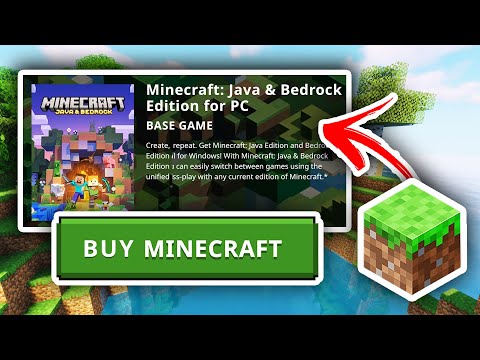
Minecraft: Java & Bedrock Edition for PC Bundle: If you purchased Minecraft recently, you might have bought the “Minecraft: Java & Bedrock Edition for PC” bundle. In this case, you own both versions and can download and play either one on your PC.
-
Xbox Game Pass for PC or Ultimate: If you subscribe to Xbox Game Pass for PC or Ultimate, you have access to Minecraft: Java & Bedrock Edition for PC as part of your subscription. You simply need to install the game through the Xbox app or the Microsoft Store.
-
Promotional Offers: Occasionally, Microsoft runs promotions where owning one version grants you the other. These offers are time-limited and vary by region, so it’s worth checking if any current promotions apply to you.
Transferring Worlds from Xbox to PC
Even if you have to purchase Minecraft Bedrock Edition for PC separately, you can still transfer your existing worlds from your Xbox. Here are a couple of methods:
-
Minecraft Realms: This is the easiest method. If you have a Minecraft Realms subscription, you can upload your world to a Realm from your Xbox and then download it to your PC. Even if you don’t have a full subscription, you can often use the free trial to accomplish this one-time transfer.
-
Manual Transfer: This is a more complex method that involves finding your world files on your Xbox (which may require third-party tools and modifications, potentially voiding your warranty and breaching terms of service) and then transferring them to the correct folder on your PC. This method is not officially supported and is generally not recommended for novice users.
FAQs: Minecraft Bedrock Edition on PC and Xbox
Here are some frequently asked questions to further clarify the intricacies of Minecraft Bedrock Edition ownership across different platforms:
1. Can I play Bedrock on PC if I have it on Xbox?
Generally, no. You typically need to purchase the game separately for each platform unless you have Xbox Game Pass for PC/Ultimate or you bought the Java & Bedrock Edition bundle.
2. To play Minecraft: Java & Bedrock Edition for PC with Game Pass on PC, what do I need to do?
Install the Minecraft: Java & Bedrock Edition from the Xbox app for PC or the Microsoft Store. Ensure you’re logged in with the Microsoft account associated with your Game Pass subscription.
3. Is there a way to transfer the Minecraft app from Xbox One to a PC?
No, there is no direct transfer. Purchases on Xbox are considered separate from PC versions.
4. Do you have to buy Minecraft Bedrock for each platform?
Yes, Minecraft: Bedrock Edition is usually sold and licensed separately on each platform. Transferring licenses is not possible across different marketplaces.
5. Do I have to buy Minecraft again for PC if I have it on another PC?
No. If you haven’t played for a while or have switched devices, you can download the game again from your Microsoft account, assuming you’re using the same account.
6. How much is Minecraft on PC Bedrock?
Minecraft Java & Bedrock Edition is usually priced around $30 when purchased as a bundle.
7. How do I transfer my Xbox Minecraft world to PC?
The easiest way is using a Minecraft Realm. Upload your world to a Realm from your Xbox and then download it onto your PC.
8. Do I have to buy Minecraft Bedrock again for PC?
If you have already purchased it, you may have to rebuy it unless you’re part of the Minecraft Java & Bedrock Edition for PC bundle, or if you have Xbox Game Pass for PC/Ultimate.
9. Can I play Minecraft on my PC if I bought it on my phone?
No. While you can use the same Microsoft account, the game must be purchased separately for each platform.
10. Do I have to buy Minecraft again for Bedrock Edition if I have Java?
If you registered your Minecraft: Java Edition account with a Microsoft account before a certain date (check official Minecraft announcements for the specific timeframe), you may already own Minecraft: Bedrock Edition.
11. Can I transfer my Xbox Minecraft account to PC?
You cannot directly transfer the purchase. However, you can transfer your worlds using Realms or potentially through manual file transfer (though this is complex and unsupported).
12. Do I have to buy Minecraft again for PC if I have it on PS4?
Yes, you need to purchase the game separately for PC. Your PlayStation account does not transfer over to desktop.
13. Can you play Minecraft Bedrock on PC and console?
Yes, the Bedrock Edition is available on Windows 10 and 11, Xbox One, Xbox Series S and X, PlayStation 4 and 5, Nintendo Switch, and mobile devices.
14. Does Xbox Play Anywhere cost extra?
Xbox Play Anywhere is a program where some games are available on both Xbox and PC with a single purchase, but not all games are part of this program. Minecraft (generally) is not a Play Anywhere title.
15. Is Java or Bedrock better?
It depends on your preferences. Bedrock offers cross-platform play and better optimization, while Java provides more modding options and is considered by some to be the “original” Minecraft experience. You can find valuable resources about using Minecraft to enhance learning through the GamesLearningSociety.org.
Conclusion
While the need to potentially purchase Minecraft Bedrock Edition again for your PC, even if you own it on Xbox, might seem unfair, understanding the licensing and distribution models of each platform clarifies the situation. By leveraging Xbox Game Pass or the bundled edition, you might be able to access the game on both platforms without additional costs. And remember, transferring your cherished worlds is possible, ensuring your progress isn’t lost in the process. Happy crafting!