Do I Have to Buy Minecraft Java for Each Kid? A Parent’s Guide
Fast answer first. Then use the tabs or video for more detail.
- Watch the video explanation below for a faster overview.
- Game mechanics may change with updates or patches.
- Use this block to get the short answer without scrolling the whole page.
- Read the FAQ section if the article has one.
- Use the table of contents to jump straight to the detailed section you need.
- Watch the video first, then skim the article for specifics.
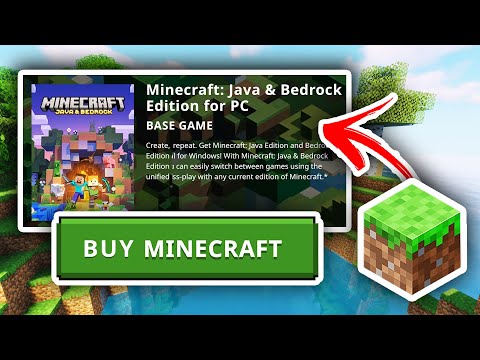
The short answer is yes, if you want each of your children to be able to play Minecraft Java Edition simultaneously and independently, especially in multiplayer. Each player needs their own license and account to play. Think of it like buying tickets to a movie; each person needs their own ticket to enter and enjoy the show. Now, let’s delve deeper into why this is the case and explore the various nuances of Minecraft licensing for families.
Understanding Minecraft Java Edition Licensing
Minecraft Java Edition operates on a per-user licensing model. This means that a single purchase grants one person the right to play the game. It’s tied to a specific account, originally a Mojang account and now a Microsoft account, since Mojang was acquired by Microsoft. When you buy Minecraft Java Edition, you’re essentially buying a digital key that unlocks the game for a single user.
Why this model? Primarily, it’s about maintaining fair use and ensuring developers are compensated for their work. Every player actively using the game represents a user who benefits from the development, updates, and ongoing support provided by Mojang and Microsoft. This revenue stream enables them to continue improving the game and providing a robust experience. Also, individual accounts help with security, tracking progress, and managing online interactions.
Think of it as a house; you can’t have multiple families living in it legally without everyone owning or renting a part. Minecraft Java Edition treats each player as a unique individual with their own “digital house” in the Minecraft world.
The Multiplayer Aspect
The restriction of one license per user becomes particularly relevant in multiplayer scenarios. If your children want to play together on a shared world, whether it’s a local area network (LAN) game within your home or on a dedicated server, each child needs their own account to connect simultaneously. Without individual accounts, attempting to log in with the same credentials on two devices will result in one player being disconnected. It’s like trying to use the same key to unlock two different doors at the same time; it simply won’t work.
Furthermore, Minecraft Java Edition has complex systems to protect its player base. For instance, if two players share an account, it is impossible to differentiate who is playing. If a player is engaging in questionable behaviours, how will the admin take action?
Single Computer, Multiple Players – The Exception
The only exception to this rule is if your children take turns playing on a single computer. Minecraft Java Edition can be installed on multiple computers with one account, but only one person can be actively playing on that account at any given time. This isn’t ideal for families where multiple children want to play together concurrently, but it is a feasible option if they are willing to share screen time and alternate playing sessions.
Alternatives: Minecraft Bedrock Edition and Family Sharing
While Minecraft Java Edition requires a separate purchase for each user, Minecraft Bedrock Edition offers a different approach. Bedrock Edition is designed to be cross-platform, meaning it can be played on Windows 10/11, Xbox, PlayStation, Nintendo Switch, and mobile devices. With Bedrock Edition, family sharing is an option on some platforms, allowing multiple family members to access the game under one primary account.
However, family sharing of Minecraft Bedrock Edition is dependent on the platform’s family sharing capabilities. For example, on Xbox, through Microsoft Family, you can share your Minecraft Bedrock Edition purchase with other members of your family group. This is a significant advantage for families who want to minimize costs. Please note that Microsoft has started rolling out the Minecraft Java & Bedrock Edition bundle. This is a significant benefit if you do not currently own either.
It’s crucial to remember that the Java and Bedrock editions are distinct and require separate purchases. If you own Java Edition and want to play Bedrock Edition, you’ll typically need to purchase it separately, unless you obtained Java Edition before a certain date when a free copy of Bedrock Edition was offered. In 2022, players who owned Java Edition were provided with the Bedrock edition for free.
Microsoft Accounts and Child Accounts
Since 2022, all Minecraft players, even those using the Java Edition, need a Microsoft account. This shift has implications for managing children’s accounts and ensuring their safety online. Microsoft offers features for creating child accounts and managing parental controls, allowing you to set screen time limits, control content access, and monitor online activity.
Setting up a child account involves creating a Microsoft account for your child and then adding it to your Microsoft family group. As the family organizer, you can then manage their settings and permissions. This is crucial for protecting your children from inappropriate content and ensuring they have a safe and enjoyable online experience. Microsoft has implemented measures compliant with the Children’s Online Privacy Protection Act (COPPA). The GamesLearningSociety.org delves into the intricate dance that online educational games must be with regard to COPPA compliance.
Frequently Asked Questions (FAQs)
Here are 15 frequently asked questions about Minecraft Java Edition licensing for families, designed to clarify common concerns and provide practical guidance:
-
Can I use the same Minecraft Java Edition account on two computers at the same time?
No, you cannot. Each Minecraft Java Edition account is designed for single-user access. Attempting to log in with the same account on two devices simultaneously will result in one player being disconnected.
-
If I buy Minecraft Java Edition, can my child play on their own device using my account?
They can install and play using your account, but only when you’re not actively using it. To play concurrently, they need their own account and license. Sharing your account is discouraged and can lead to security issues and violations of the terms of service.
-
Is Minecraft Bedrock Edition cheaper than Java Edition?
The pricing can vary depending on the platform and any ongoing sales. However, Minecraft Bedrock Edition often has different pricing tiers depending on the device and the features included. With the introduction of the bundle system, they can be purchased for the same price.
-
Can I transfer my Minecraft Java Edition license to my child’s account?
No, Minecraft Java Edition licenses are non-transferable. Once a license is associated with an account, it cannot be moved to another account.
-
I purchased Minecraft a long time ago. Do I still need to buy it again for my child?
If you’re referring to Minecraft Java Edition, then yes, your child will need their own license. Your original purchase remains valid for your account, but it doesn’t extend to other users.
-
What happens if my child forgets their Minecraft account password?
You can recover their password through the Microsoft account recovery process. As the parent managing their account, you may need to provide verification to reset the password.
-
Can I create a free Minecraft account for my child?
No, Minecraft Java Edition requires a purchase. There is no legitimate way to create a free account that allows full access to the game.
-
Are there any educational benefits to playing Minecraft?
Yes, Minecraft offers numerous educational benefits. It promotes creativity, problem-solving skills, collaboration, and spatial reasoning. Minecraft: Education Edition is specifically designed for classroom use and includes features for teachers to create lessons and activities.
-
How do I set up parental controls for my child’s Minecraft account?
Parental controls are managed through the Microsoft account settings. You can set screen time limits, restrict content access, and monitor their online activity. For the Java Edition, ensure you’re monitoring their activity on servers as well.
-
My child wants to play on a Minecraft server with friends. Do they need their own account for that?
Yes, to play on any multiplayer server, each player needs their own Minecraft Java Edition account. This ensures they can be uniquely identified and that their progress is tracked correctly.
-
What is the difference between a Mojang account and a Microsoft account for Minecraft?
Mojang accounts were the original accounts used for Minecraft Java Edition. However, Mojang was acquired by Microsoft, and now all players need a Microsoft account to play. If you had a Mojang account, you were prompted to migrate it to a Microsoft account.
-
Can I buy Minecraft Java Edition as a gift for my child?
Yes, you can buy Minecraft Java Edition as a gift. When purchasing the game, you’ll have the option to buy a code that can be redeemed by your child to create their own account and access the game.
-
If my child already has Minecraft on their phone, do they need to buy it again for their computer?
If they have Minecraft Bedrock Edition on their phone, they will still likely need to buy the Java edition. The Java and Bedrock editions are different, meaning they require separate purchases. However, Bedrock edition might allow it if they are on the same ecosystem, such as an Android phone and Windows 10, as both require Microsoft accounts.
-
What age is Minecraft Java Edition appropriate for?
Minecraft is generally considered appropriate for ages 8 and up. However, younger children may enjoy playing with parental supervision and guidance. The game’s complexity and online features are better suited for older children.
-
Where can I find more information about Minecraft and its educational uses?
The Minecraft Education Edition website offers resources for educators and parents. Additionally, organizations like the Games Learning Society (GamesLearningSociety.org) explore the educational potential of games, including Minecraft.
Making the Right Choice for Your Family
Ultimately, the decision of whether to purchase multiple Minecraft Java Edition licenses for your children depends on your family’s needs and budget. If your children want to play together simultaneously and independently, each will need their own account. If they are willing to share screen time or if you are considering Minecraft Bedrock Edition with family sharing, there may be more cost-effective options.
By understanding the licensing requirements and exploring the available alternatives, you can make an informed decision that provides your children with a positive and enjoyable Minecraft experience while staying within your financial means.